Rev AO-26
DE
LETE
PA
TIENT
RE
SULT
T
his function will delete all patient results in meter memory. Since this action is not
r
eversible, the meter will require two confirmations of intent to delete results.
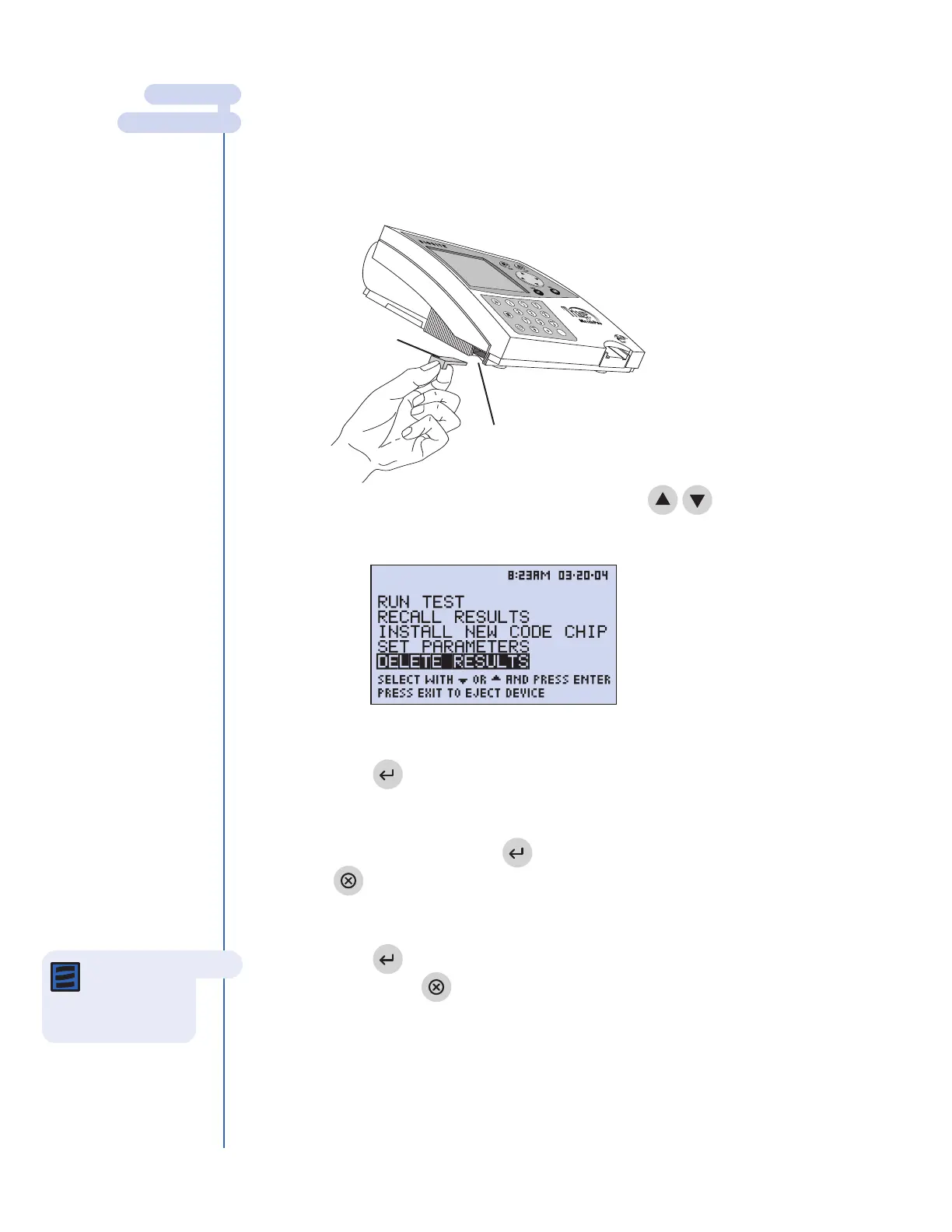
1. Insert the Supervisor Code Chip module in the Code Chip module Port.
2. From the
MA
IN
ME
NU
, select DE
LETE
RE
SULTS
using keys.
3. Press the key.
4. A warning message on the screen states: DELETE PATIENT RESULT.
5.
If this is acceptable, press the key. (If this is not acceptable, press
the key).
6.
A message on the screen states:
ALL
P
ATIENT RESULTS WILL BE DELETED
.
7. Pr
ess the key to delete all r
esults. (If you do not want to delete all
r
esults, pr
ess the key).
Code Chip module
Code Chip module Port
Note: Press
the
EXIT key
to cancel at any time
before step 7.
MAIN MENU
DELETE RESULTS
The Supervisor’s Main Menu



 To Next Page