BP-007 User’s Manual
- 26 -
Chapter 3 Control Panel
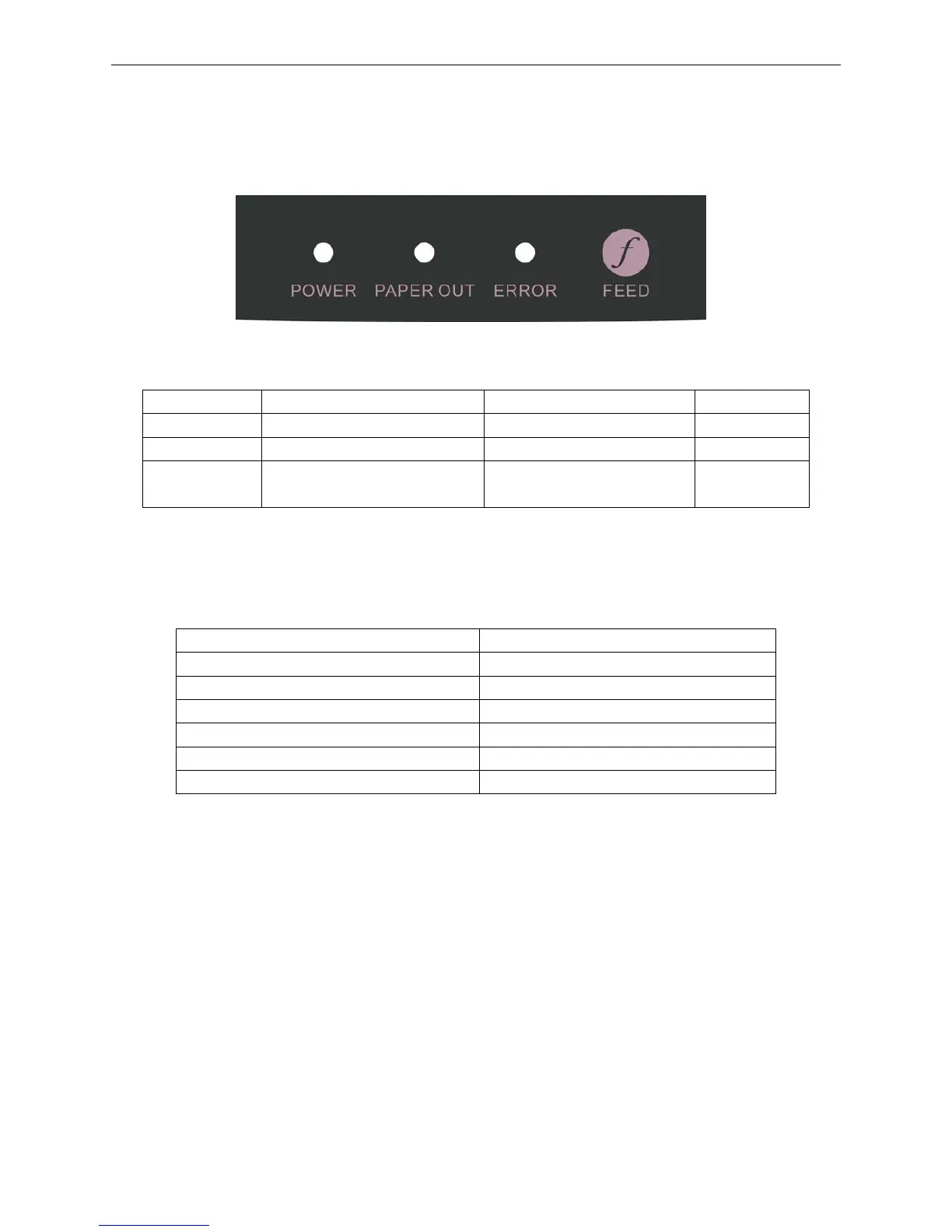
3.1 Control Panel
There are three LEDs and one key on the control panel as shown in Figure 3-1.
3.1.1 Indicator LEDs
3.1.2 Function Keys
While pressing the FEED key and holding on, turn on the printer at the same time. Loosen the FEED
key according to voice presentation times, and the printer will perform the following functions
correspondingly.
Voice presentation times Function Description
One beep Self-test
Two beeps print-pins test
Three beeps Alignment adjustment
Four beeps Hex dump mode
Five beeps Initialize the printer
Six beeps Aging test
Note: When there is paper in the printer, every time the FEED key is pressed (less than 0.5 second),
paper will feed one line. If you press and hold the key, the paper will feed continuously until
you release it.
3.2 Printer Parameter Settings
3.2.1 Current Settings of the Printer Parameter
Pressing down the FEED key while turning on the printer, loosen it when the printer beeps once.
Printer would print out the self-test sample, and the printer version and current settings are printed out
firstly.
LED On Blink Off
POWER
Power on
——
Power off
PAPER OUT
Paper out with alarm beep Paper is about to end Paper in
ERROR
Error occurs Print head is too hot and
protected
Normal status
Figure 3-1 Control panel



 To Next Page