BP-007 User’s Manual
- 36 -
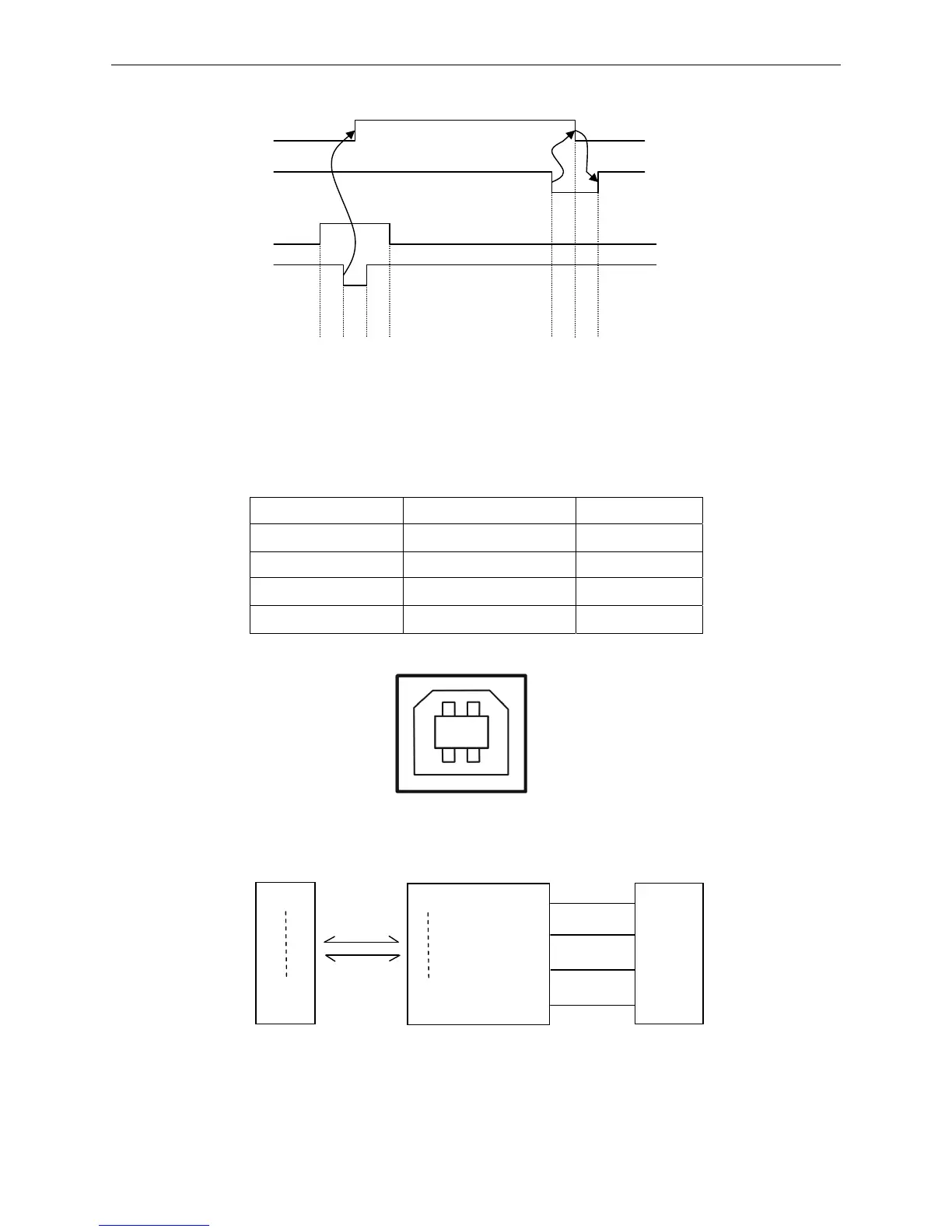
(4) Time sequence of Parallel to transmit data (as shown by Figure 5-3):
5.2.3 USB Interface
1. The USB interface connector is USB-B type (as shown by Figure 5-4):
USB interface is 2.0 Full-Speed version.
Contact Number Signal Name Color
1 VBUS Red
2 D- White
3 D+ Green
4 GND Black
2. The connecting figure of printer and computer with USB interface (as shown in Figure 5-5).
USB Interface is 2.0 Full-Speed interface, and displayed as a USB port on the computer finally. You
can use the
USB Interface to print by selecting corresponding USB port.
BUSY
STR
0.5
μs
0.5
μs
0.5
μs
5
μs
5
μs
Figure 5-3 Time sequence of parallel to transmit data
Figure 5-4 USB-B type connector
Figure 5-5 Connecting figure of printer and computer with USB interface
2 1
3 4
D0
D7
VBUS
GND
D+
D-
D0
PDIUSBD12
D7
Printer’s 26PIN connector
PDIUSBD12 chip
USB-B connector



 To Next Page