BP-007 User’s Manual
- 3 -
Chapter 2 Printer Installation
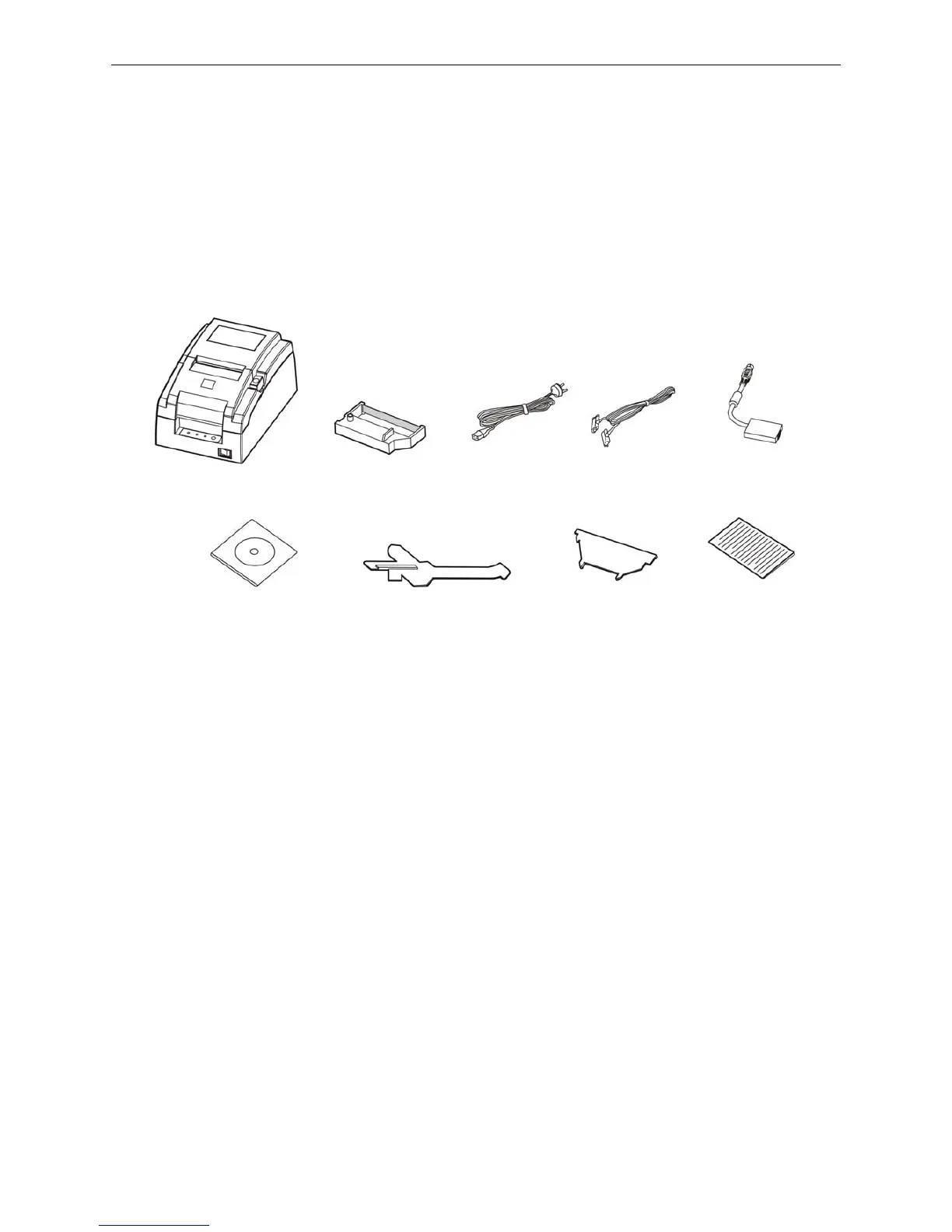
2.1 Unpacking and Checking
Check the following items in the package, if any of these items is missing, please contact your dealer:
(1) Printer; (2) Power cord; (3) Interface cable; (4) AC adapter; (5) Driver CD;
(6) Ribbon cartridge
compatible star RC 200B; (7) 57.5mm Paper stopper_mechanism; (8) 57.5mm Paper stopper_holder;
(9) Facility user's guide.
★ Interface cable is an optional part, you could select or cancel it base on your requirement.
2.2 Removing the Protective Materials
① Open the packing box, take out the printer.
② Save all the original packing materials, so that they can be used when transporting the printer.
2.3 Connecting Computer or Other Equipments
This printer is equipped with one data interface (parallel interface, serial interface, USB interface, USB
interface + Ethernet interface, Bluetooth or USB interface + Wi-Fi) and one cash drawer interface.
(According to specific interface standards) Connect the computer with correct cables.
Caution: Before connecting or disconnecting the cash drawer interface, parallel interface or
serial interface, you should make sure that the power of the printer is turned off. Only
after tightening the cable could turn on the printer, or else, it may damage the printer.
2.3.1 Connecting the Cash Drawer Cable
Make sure the printer is turned off. Plug one end of the cable into the cash drawer interface of the
printer and the other end connect to cash drawer. (Shown as figure 2-2)
Figure 2-1 Packing list
Printer
Facility User's
Guide
AC Adapter
Power Cord
57.5mm Paper
stopper_holder
Interface Cable
Driver CD
(Including User's Manual
and Driver)
Ribbon Cartridge
(Compatible Star
RC 200B)
57.5mm Paper
stopper_mechanism



 To Next Page