Introduction
3
Component Description
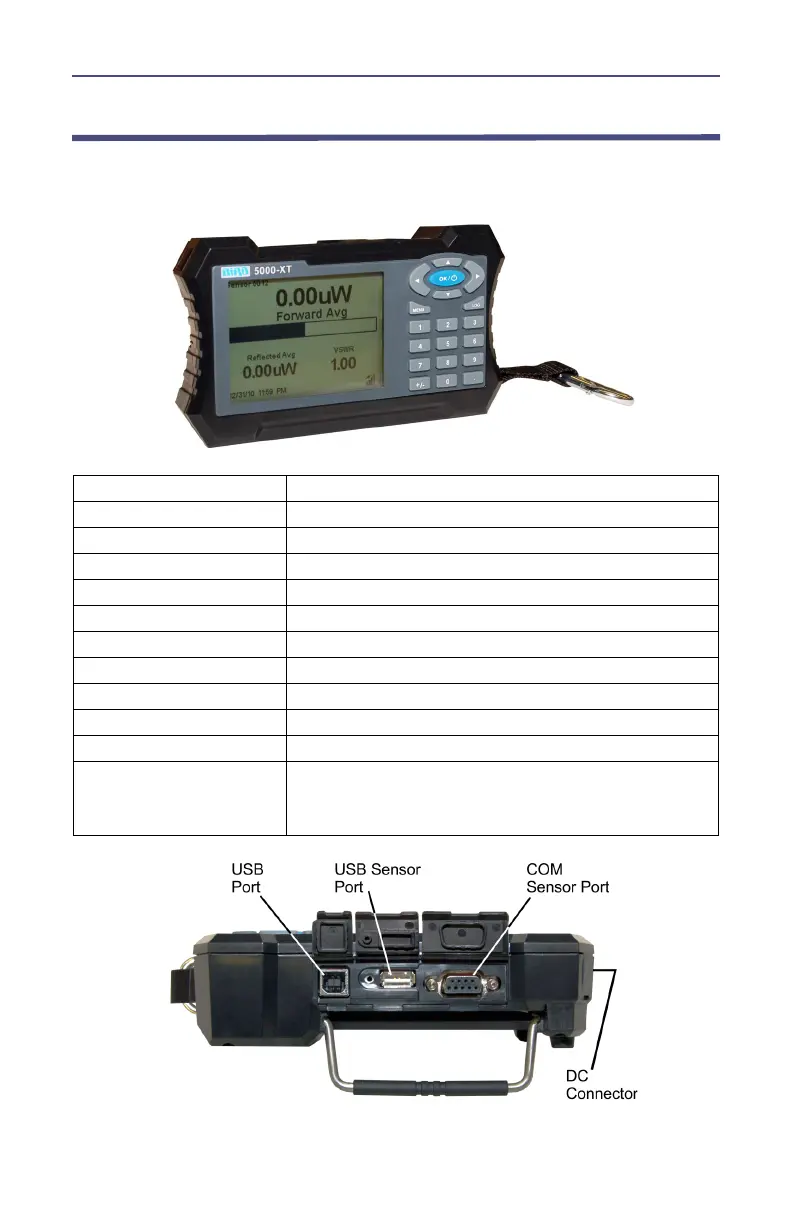
Figure 1 Component Description
1. Period Key
Input numeric values.
2. OK/Power Key
Turns the DPM on or off.
3. +/- Key
Toggles between positive and negative numbers.
4. Log Key
Brings up the Logging Menu.
5. Menu Key
Brings up the Main Menu.
6. Arrow Keys
Scrolls through menu items.
7. Numeric Keys
Input numeric values.
8. USB Sensor Port
Connection for power sensors.
9. COM Sensor Port
Connection for power sensors.
10. USB Port
Connection for computer.
11. LCD Display
Backlit liquid crystal display.
12. External DC
Connector
Connect either the AC adapter or the cigarette
lighter adapter. External supplies power the unit
and charge the internal battery.



 To Next Page