Maintenance
49
Battery Replacement
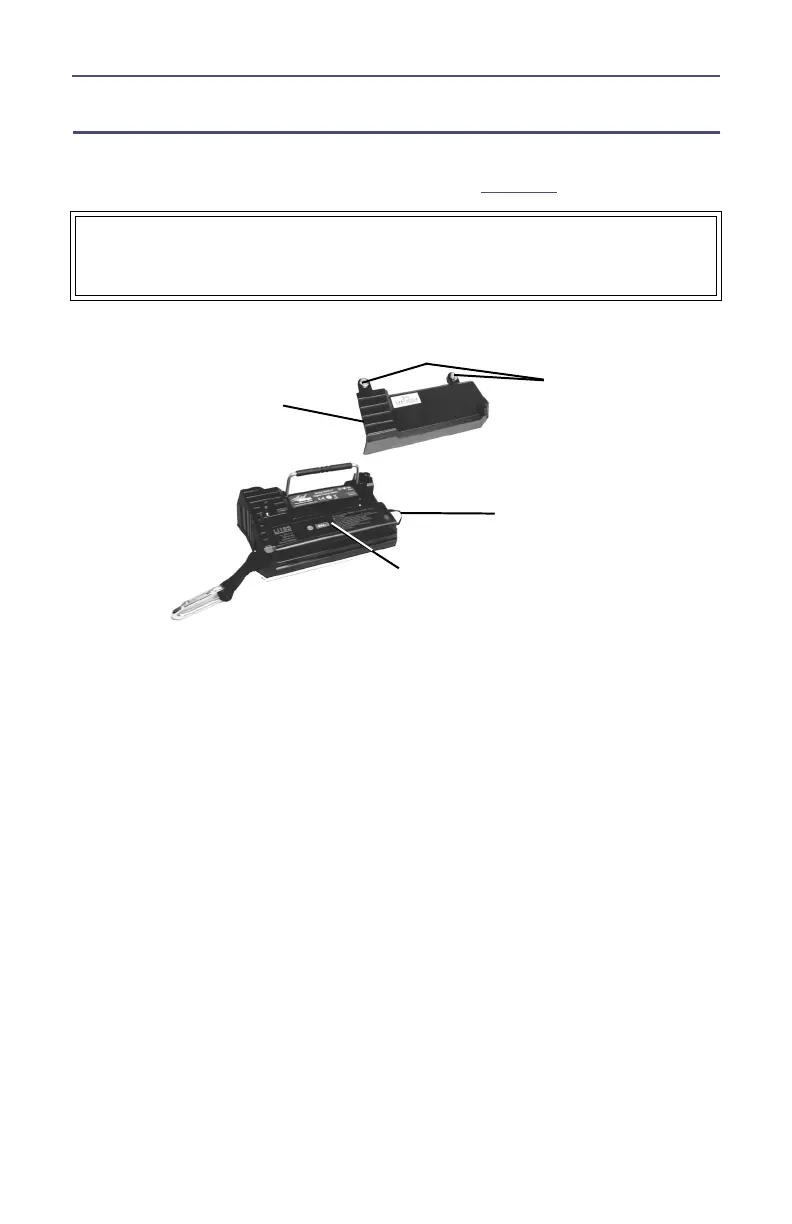
The Lithium Ion (Li18S) batteries do not normally need to be replaced. If
necessary, however, follow these instructions (see
Figure 5
).
Figure 5 Back Cover Removal
1. Lay the DPM, display side down, on a clean surface.
2. Remove the two mounting screws from the back cover.
3. Remove the back cover.
Note: Take care to not disconnect the battery connector.
4. Pull the battery strap and remove the old battery.
5. Install the new battery.
Note: Check the orientation of the positive and negative termi-
nals.
6. Replace the back cover.
7. Secure the back cover with the mounting screws.
WARNING
Disconnect from external power before any disassembly.
The potential for electric shock exists.
Back
Cover
Mounting
Screws
Battery
Battery
Strap



 To Next Page