Data Save and Export
46
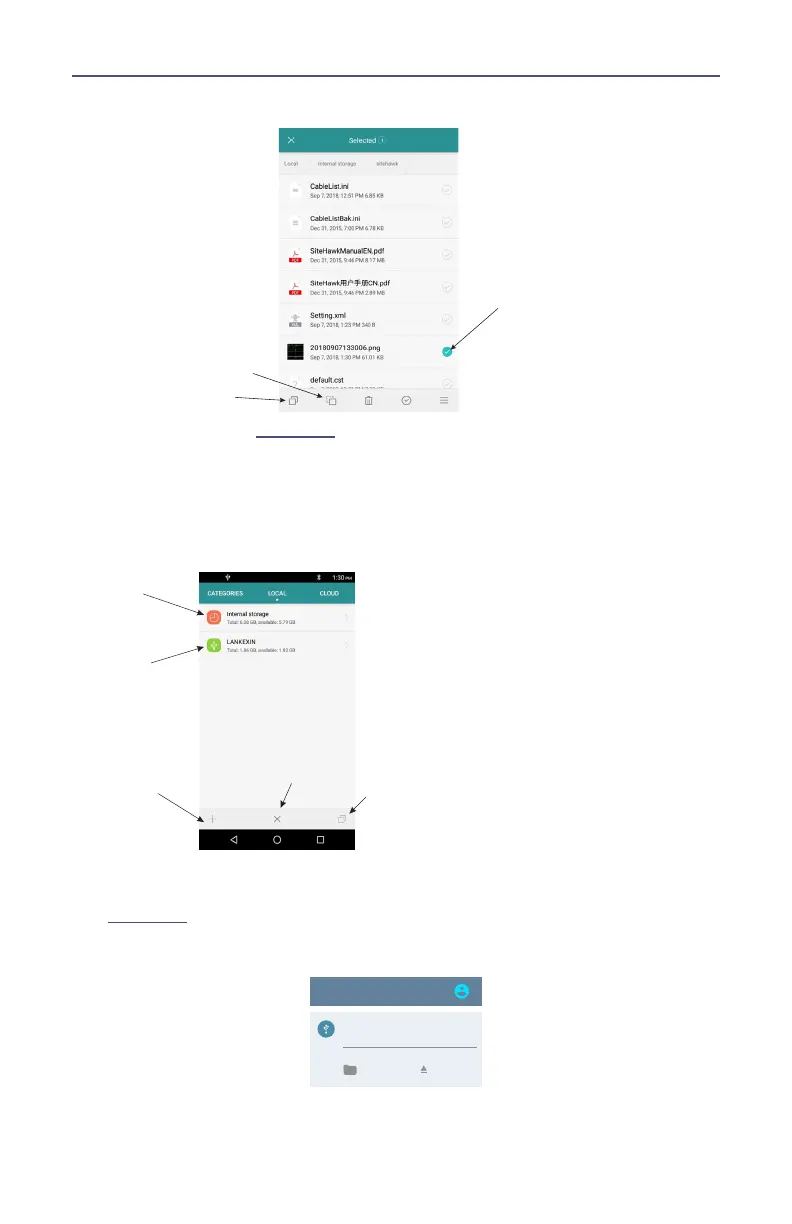
Figure 40 Select and Copy Files
9. Select LOCAL. See
Figure 41
.
10. Select USB Storage.
11. Navigate to the directory where the file will be saved.
12. Tap the Paste icon to save the file onto the USB drive.
Figure 41 Paste Files
13. Exit the File Manager.
14. Pull down the notification area at the top of the display screen. See
Figure 42
Figure 42 Eject USB Storage
!"#
15. Tap EJECT.



 To Next Page