Bird SiteHawk Operation Manual
47
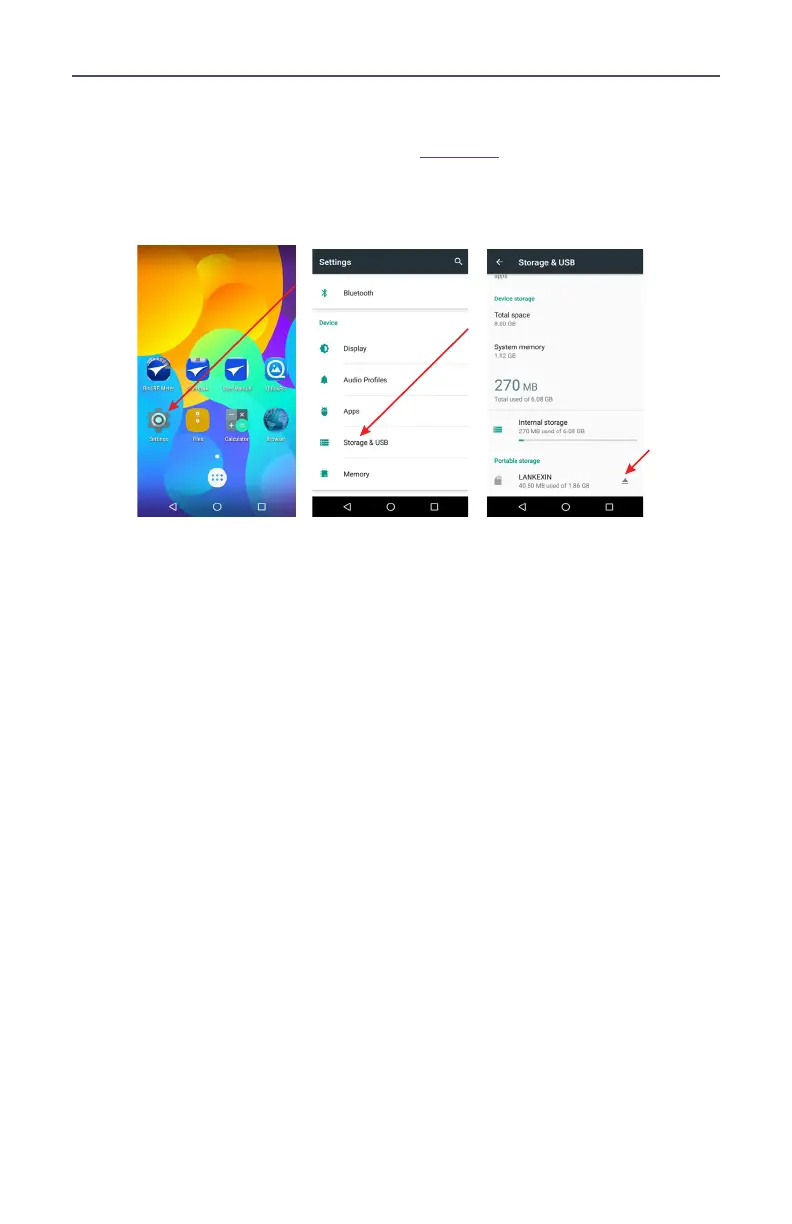
Ejecting USB Drive from Settings Menu
1. Tap Settings on the Home Screen. See
Figure 43
.
2. Tap Storage & USB.
Figure 43 Eject USB Storage
3. Scroll to Portable Storage, and tap the Eject icon.
4. Wait for Ejected to be displayed under the USB name.
5. You may now remove the USB Drive.



 To Next Page