10
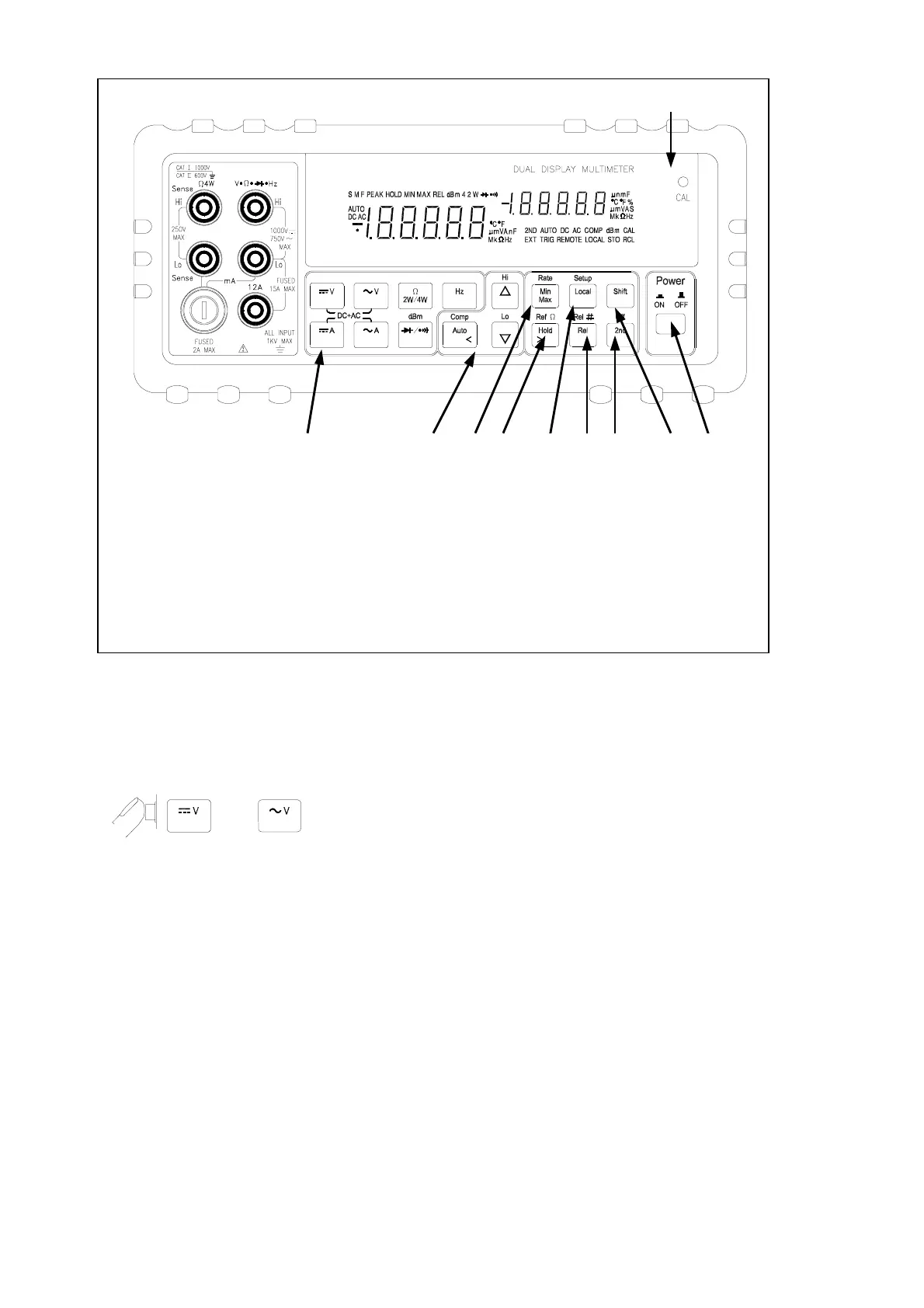
1. Power Switch 6. Secondary Display Selection
2. Measurement Function Selection 7. Local / Setup
3. Range / Comparator Selection 8. Reading Rate Selection
4. Calibration Mode Button 9. Arithmetic Function Selection
5. Shift key 10. Hold/Reference
Figure 2-4. Front Panel Pushbuttons
! Press multiple buttons simultaneously.
EXAMPLE:
and simultaneously to select True RMS AC volts and DC
volts (calculated) on the primary display.
More detail operations are described in Section 3.
2-6 Basic Measurement Examples
This section describes the basic measurement procedures via operations in front
panel. These procedures as follows provide the user who wants to get a quick
start, but does not want to read the entire manual thoroughly. But it is still
recommended to read this manual thoroughly in order to fully utilize all
advantages in the meter.
2 3 8 10 7 9 6 5 1
4



 To Next Page