32
Note: 1. When “MINMAX” dynamic recording mode is selected, the measurement
range will be changed to the manual range and will be locked on the
current measurement range until the “MINMAX” mode is disabled and
user selects other ranges or auto-ranging mode is enabled.
Note: 2. If the beep mode is set to “ON”, the beeper will emit a single tone when an
effective maximum or minimum value is recorded.
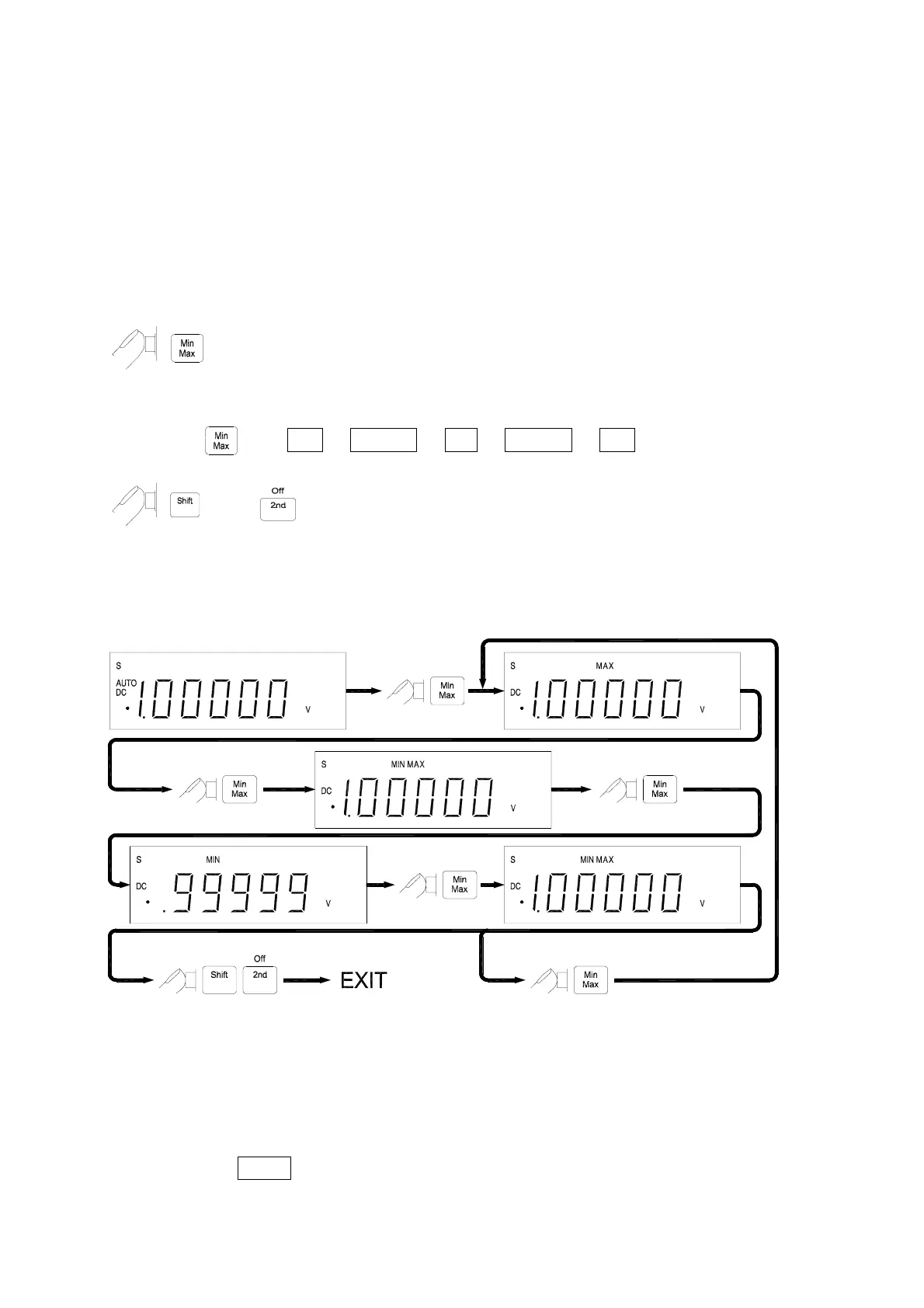
! Operation Procedures
to enable
“MINMAX”
modifier.
The recording mode will rotate as the following sequences if keep pressing
the
key: Max
#
MinMax
#
Min
#
MinMax
#
Max
then to disable
“MINMAX”
modifier.
! Operation Example
! Selecting HOLD (Data Hold) Modifier
The Data Hold function allows user to freeze the display.
This feature is useful when user wants to keep the current measurement reading, user
may press HOLD to freeze the display and then read the display reading without
loosing the reading.



 To Next Page