15
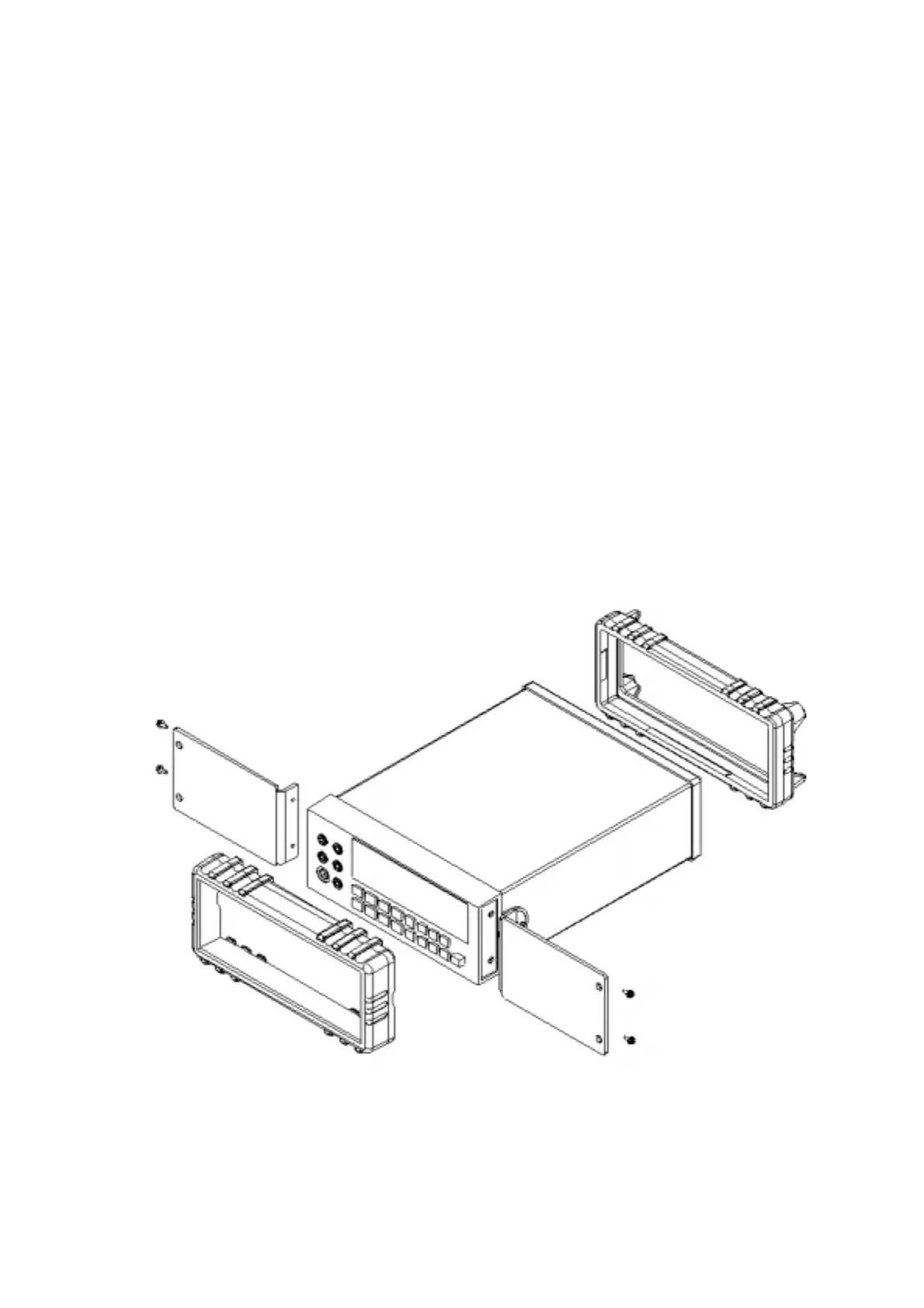
2-7 Rack Mounting
User can mount the meter into a standard 19-inch rack using RK 01 (for single
meter) Rack Mount Kit. The front and rear protective holsters can be removed
when mount the meter into a rack.
To install RK 01 rack mount kit, refer to following procedures and Figure 2-9 or
the instructions provided with it:
1. Adjusting the handle of the meter to its upward vertical stop position (refer
to Figure 2-3) and pull the ends all the way out.
2. Removing two protective holsters out of the front panel and rear panel of the
meter.
3. Installing the rack mount ears onto the left and right hand side of the meter
frame by using four screws provided with RK 01.
4. Paste two blind plates on the handle hole.
5. Mount the meter with RK 01 into the standard 19” rack.
Figure 2-9. Installing the Rack Mount Kit



 To Next Page