41
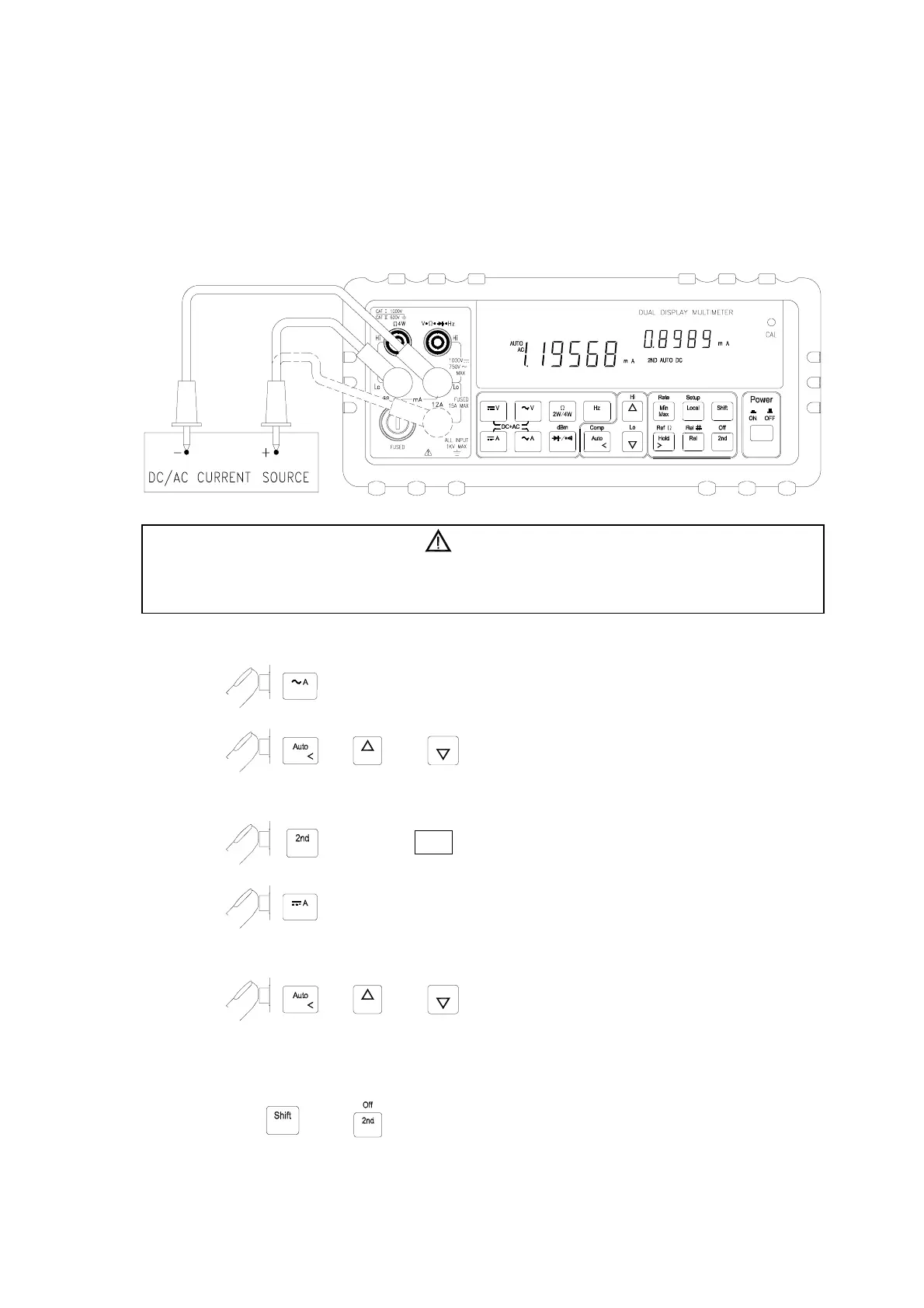
! Measuring AC and DC current on a rectification circuit.
To display AC current in primary display and DC current in secondary display
or vise versus while testing a rectifier circuit, user may check the DC current
component and its AC ripples by taking a single measurement.
1. Connect the meter to the unit under test as shown below:
2.
to select AC current measurement function for primary display.
3.
, or to select auto-ranging or manual range for
primary display.
4.
to turn on “ 2ND ” annunciator in secondary display.
5. to select DC current measurement function for secondary
display.
6.
, or to select auto-ranging or manual range for
secondary display.
Note: 1.
Press
then may turn off secondary display.
Note: 2.
Regarding secondary display function setting, please refer to Section 3-10.
WARNING!
1. Select a correct input terminal according to the input range to be used.
2. To avoid damaging the meter do not apply more than 12A to “
12A
” input terminal.



 To Next Page