43
Direct Current Resistance (DCR) Measurement
1. Press the button for 2 seconds to turn the instrument on.
2. Press the button until “DCR” is displayed on the screen to select direct current
resistance measurement.
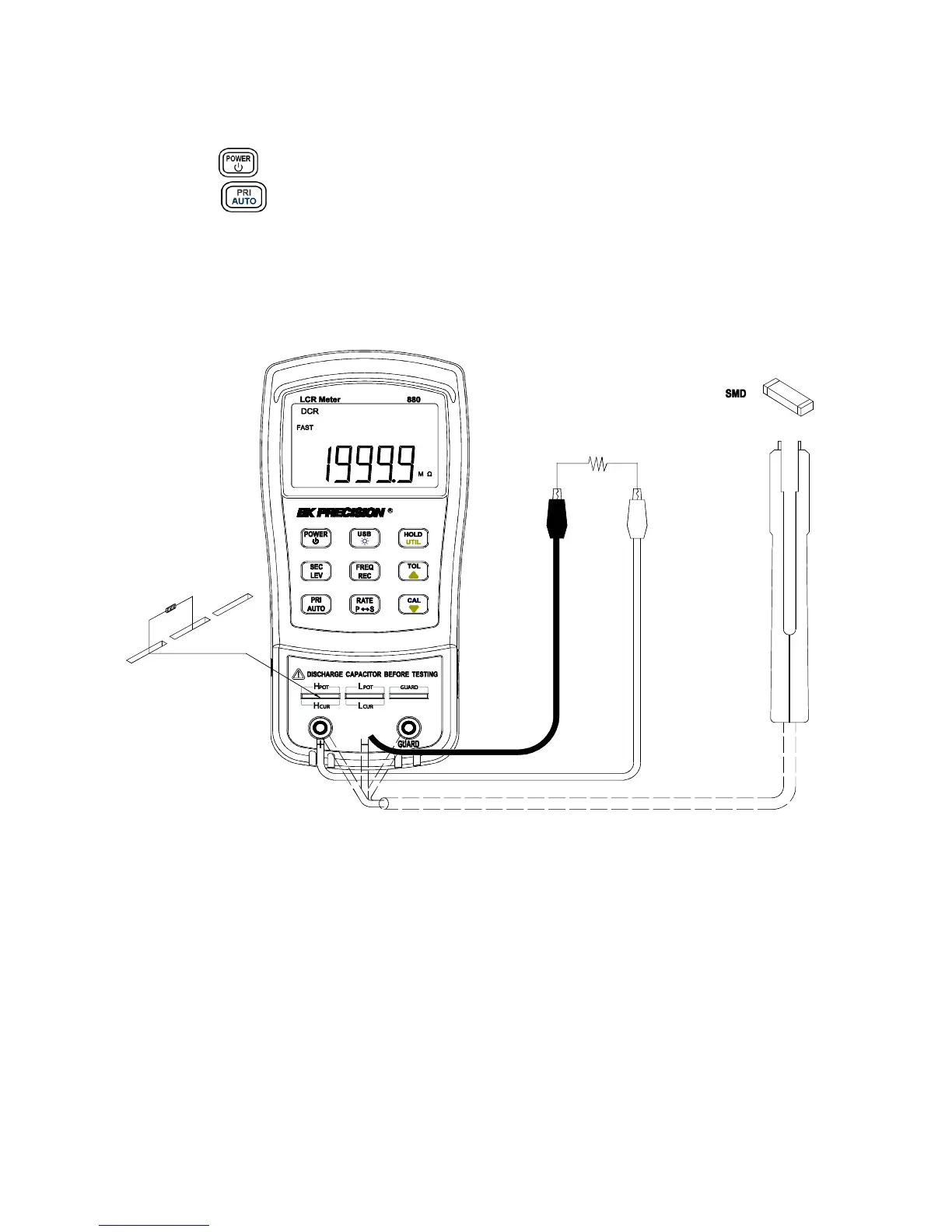
3. Insert impedance (resistor, capacitor or inductor) into test slots or connect tested
impedance through a proper test accessory (i.e., banana plug-crocodile clip test leads, test
fixture or SMD test tweezers).
4. Read the readings on LCD for impedance measured values.
Figure 14 - DCR Measurement Setup



 To Next Page