43
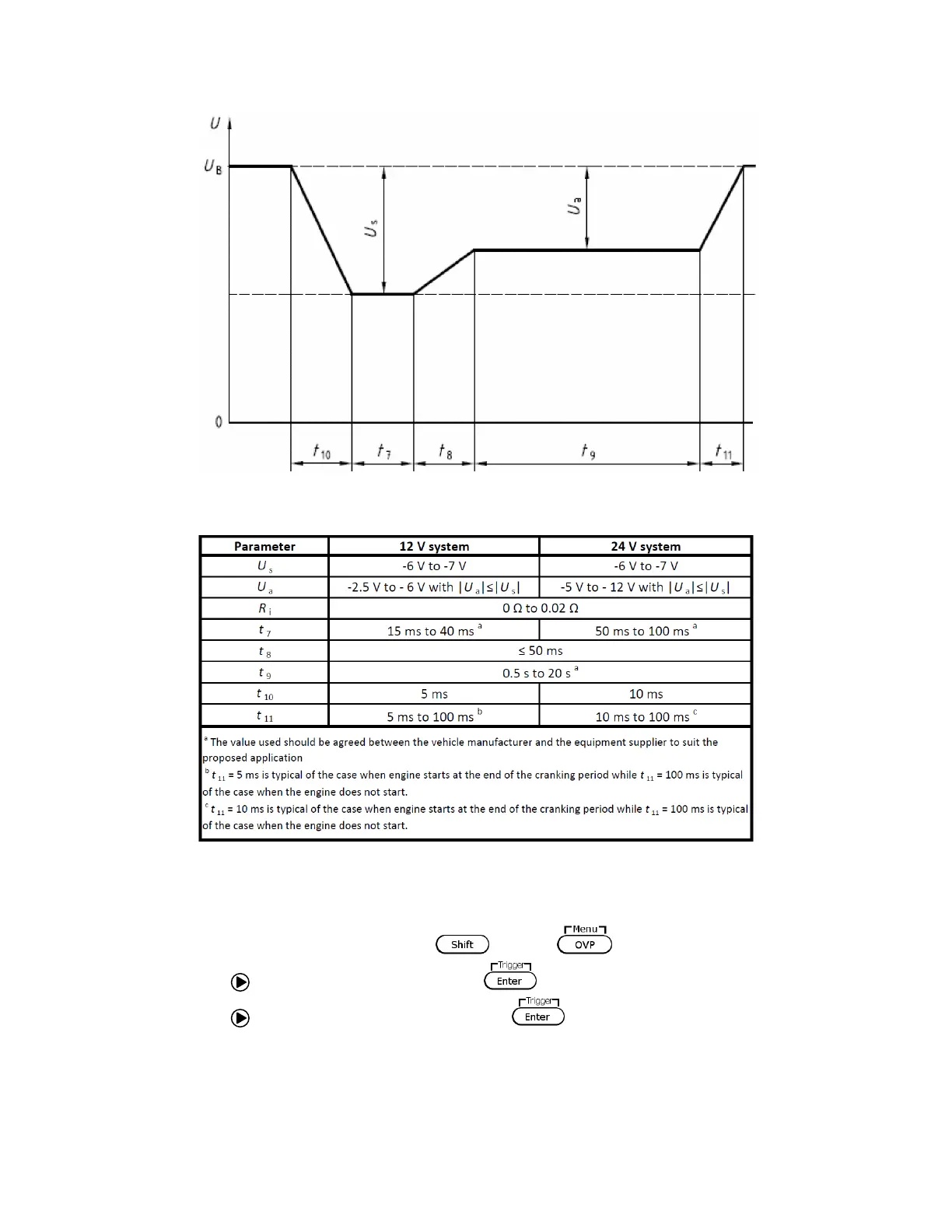
Figure 3.8 – Test Pulse waveform (DIN 40839)
Table 3.4 – Parameters for test pulse
Follow the steps below to set up the DIN40839 function:
1. Access the main menu by pressing and the .
2. Use the key to select FUNC. and press .
3. Use the key to select DIN40839 and press . The screen below will display:











 To Next Page