_____________________________________________________________________
724-746-5500 | blackbox.com Page 102
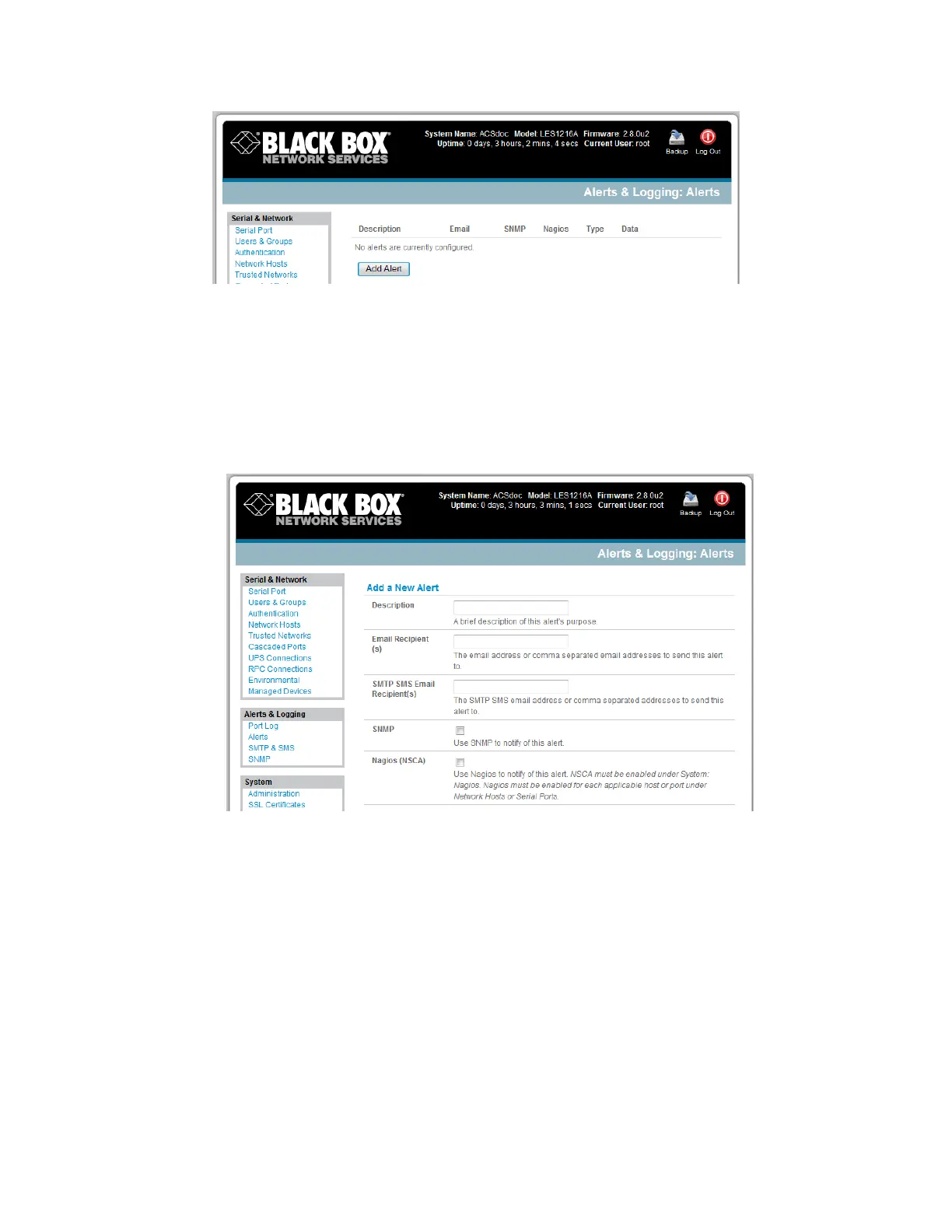
Select Alerts & Logging: Alerts, which will display all the alerts currently configured. Click Add
Alert.
7.2.1 Add a new alert
The first step is to specify the alert service that this event will use for sending notification, who to notify
there, and what port/host/device is to be monitored:
At Add a New Alert, enter a Description for this new alert.
Nominate the email address for the Email Recipient(s) and/or the SMS Recipient(s) to be
notified of the alert. For multiple recipients, enter comma separated addresses.
Activate SNMP notification if an SNMP trap is to be sent for this event.
Activate Nagios notification to use it for this event. In a SDT Nagios centrally managed
environment, you can check the Nagios alert option. On the trigger condition (for matched
patterns, logins, power events, and signal changes), an NSCA check “warning” result will be sent
to the central Nagios server. This condition is displayed on the Nagios status screen and triggers
a notification, which can cause the Nagios central server itself to send out an email or an SMS,
page, etc.











 To Next Page