_____________________________________________________________________
724-746-5500 | blackbox.com Page 122
8.3.1 Connecting the EMD
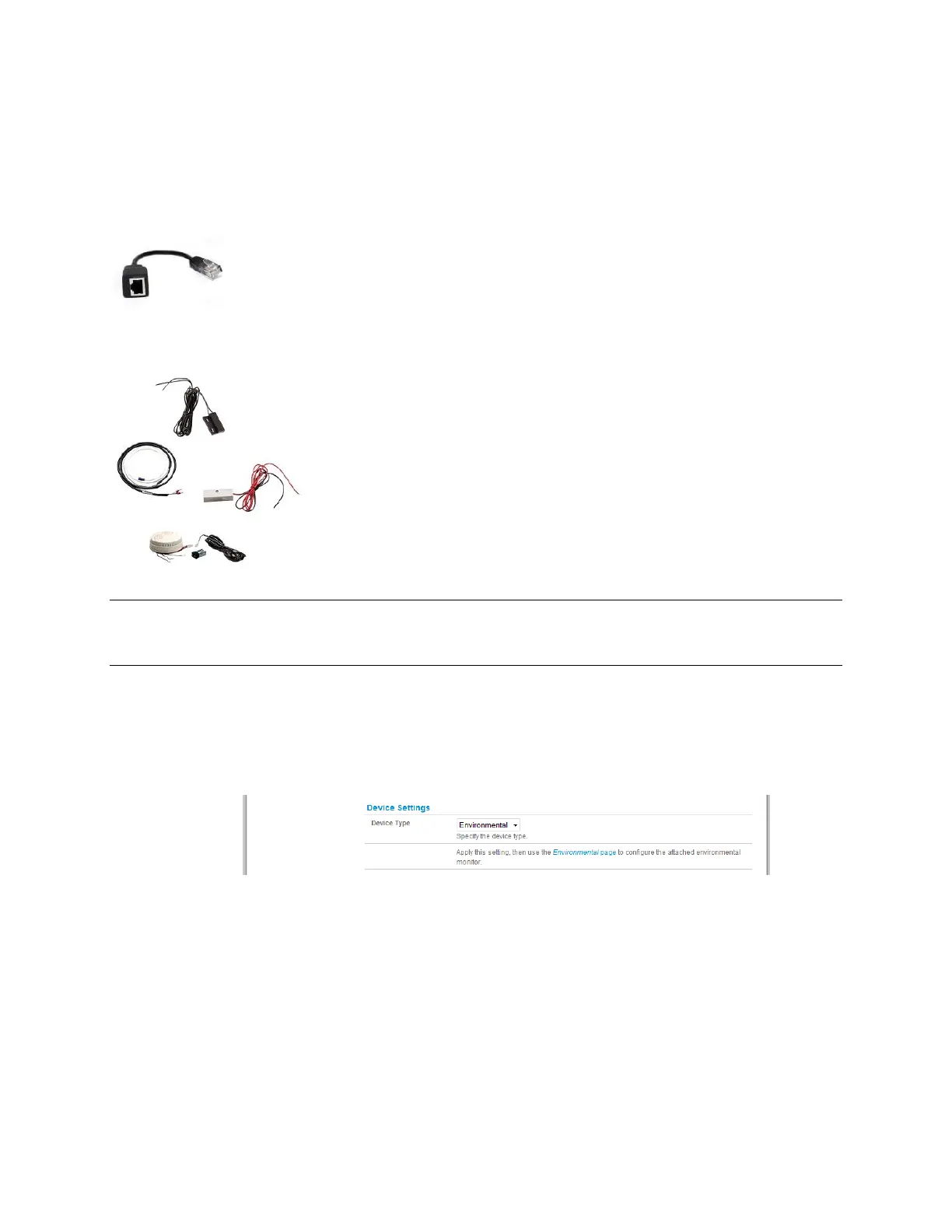
The Environmental Monitor Device (EMD) connects to any serial port on the console server via a
special EMD Adapter and standard CAT5 cable. The EMD is powered over this serial connection
and communicates using a custom handshake protocol. It is not an RS-232 device and should not
be connected without the adapter:
Plug the male RJ plug on the EMD Adapter into EMD and
then connect it to the console server serial port using the
provided UTP cable. If the 6-foot (2-meter) UTP cable
provided with the EMD is not long enough, you can
replace it with a standard CAT5 UTP cable up to 33 feet
(10 meters) long.
Screw the bare wires on any smoke detector, water
detector, vibration sensor, open-door sensor, or general
purpose open/close status sensors into the terminals on
the EMD.
Note: You can attach two external sensors onto the terminals on EMDs that are connected to LES1108A,
LES1116A, and LES1148A console servers. LES1208A, LES1216A, and LES1248A console servers
only support attaching a single sensor to each EMD.
You can only use the EMD with a Black Box console server; you cannot connect it to standard
RS-232 serial ports on other appliances.
Select Environmental as the Device Type in the Serial & Network: Serial Port menu for the port
to which the EMD will be attached. No particular Common Settings are required.
Click Apply.
Select the Serial & Network: Environmental menu. This will display all the EMD connections
that have already been configured.
Click Add.











 To Next Page