_____________________________________________________________________
724-746-5500 | blackbox.com Page 63
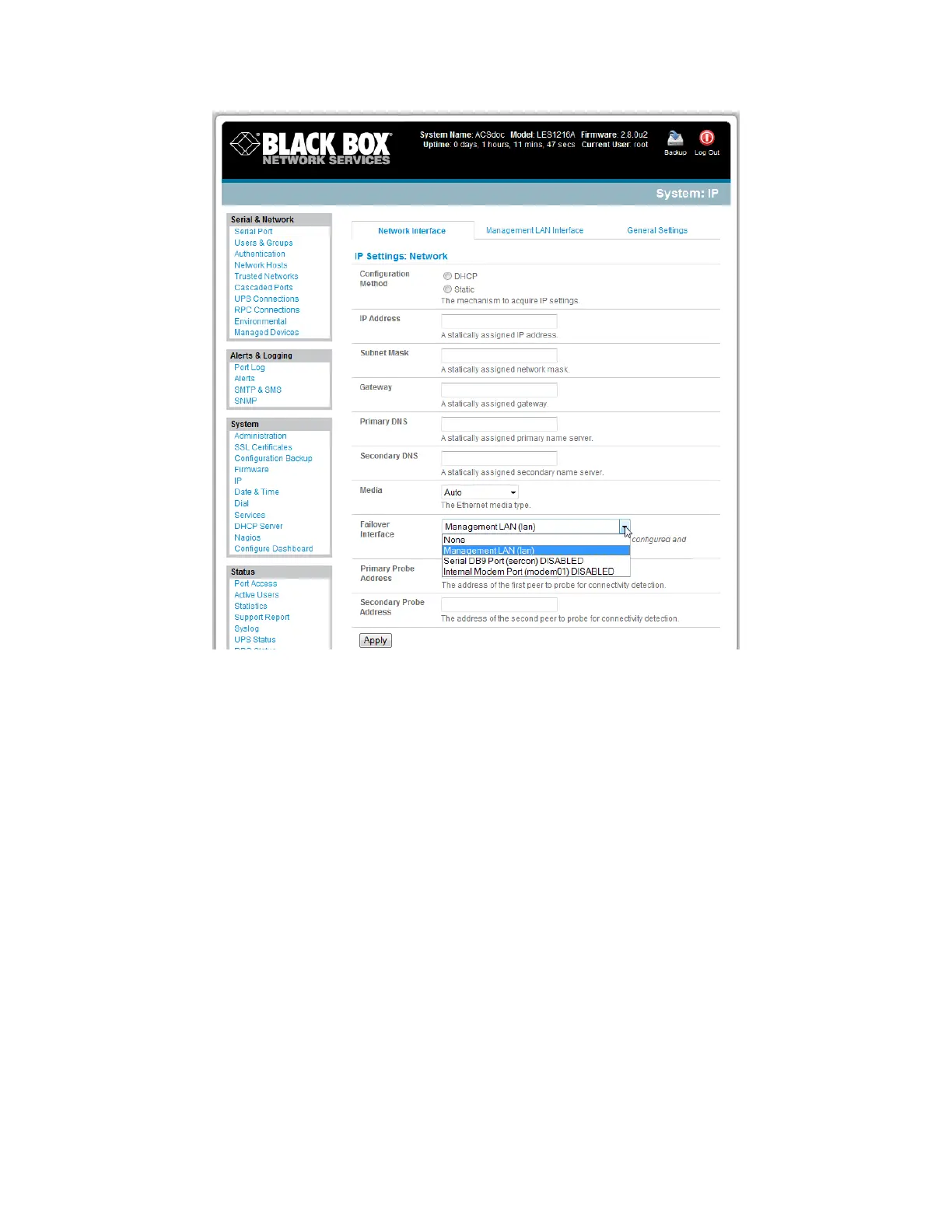
When configuring the principal network connection, specify Network 2 (eth1) as the Failover
Interface to use when a fault is detected with Network 1 (eth0).
Specify the Probe Addresses of two sites (the Primary and Secondary) that the Advanced Console
Server is to ping to determine if Network 1 (eth0) is still operating.
On the Management LAN Interface - Network 2, configure the IP Address/Subnet Mask/Gateway
the same as Network Interface - Network 1.
In this mode, Network 2 (eth1) is available as the transparent back-up port to Network 1 (eth0) for
accessing the management network. Network 2 will automatically and transparently take over the work
of Network 1, if Network 1 becomes unavailable for any reason. When Network 1 becomes available
again, it takes over the work again.
5.4 Dial-Out Failover
The console servers can be configured so a dial-out PPP connection is automatically set up in case the
principal management network is disrupted:
When configuring the principal network connection in System: IP, specify Internal Modem (or the
Dial Serial DB9 if you are using an external modem on the Console port) as the Failover Interface to
use when a fault is detected with Network1 (eth0).











 To Next Page