_____________________________________________________________________
724-746-5500 | blackbox.com Page 119
Click on any particular All Data for any UPS System in the table for more status and
configuration information about the selected UPS System.
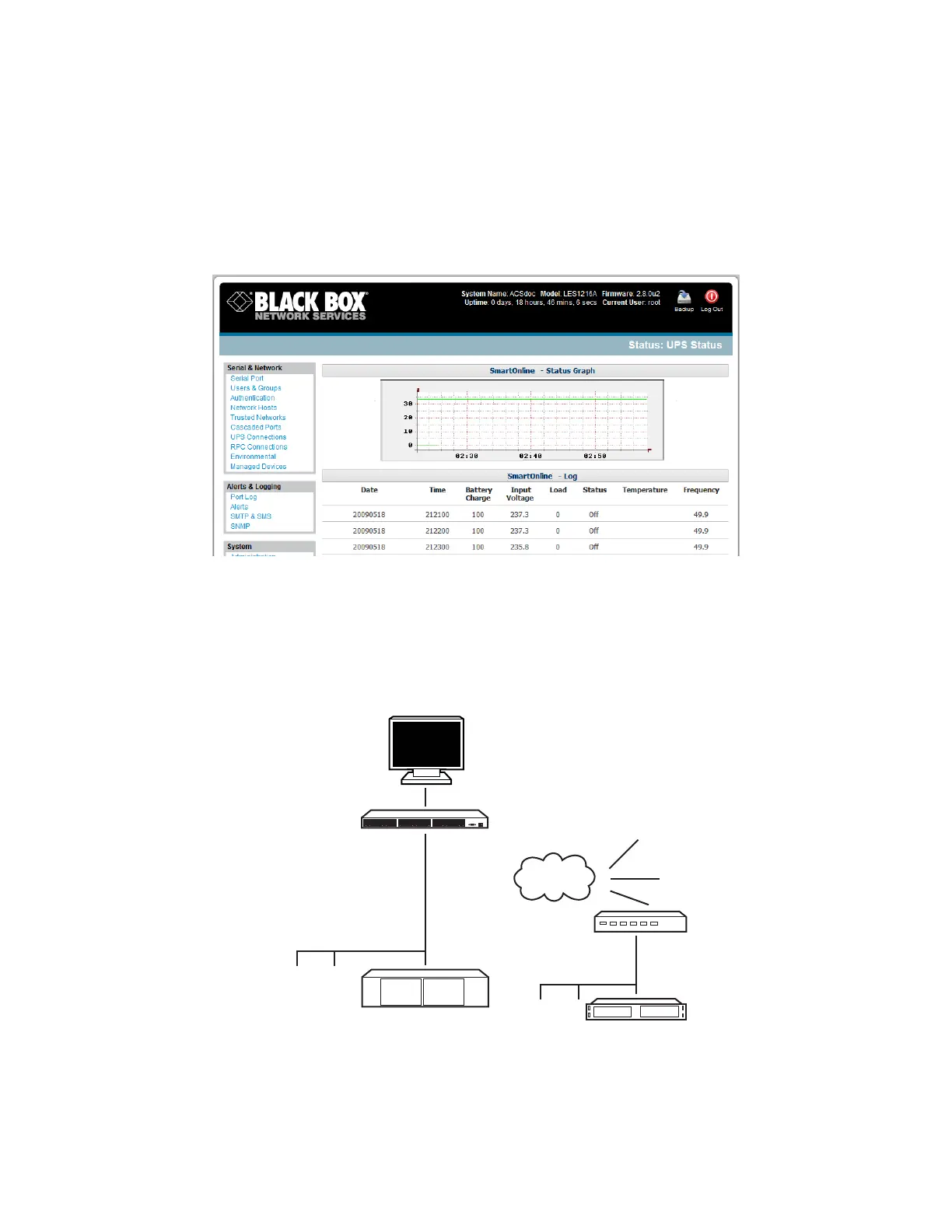
Select UPS Logs and you will be presented with the log table of the load, battery charge level,
temperature, and other status information from all the Managed and Monitored UPS systems.
This information will be logged for all UPSes that were configured with Log Status checked. The
information is also presented graphically.
8.2.6 Overview of Network UPS Tools (NUT)
NUT is built on a networked model with a layered scheme of drivers, server and clients. Configure NUT
using the Management Console as described above, or configure the tools and manage the UPSes
directly from the command line. This section provides an overview of NUT. You can find full
documentation at http://www.networkupstools.org/doc.
NUT is built on a networked model with a layered scheme of drivers, server and clients:
Monitor log graph
and alert
NUT upsc client
Local NUT upsc server
NUT serial/USB/SNMP UPS drivers
Multiple local
UPSs
Multiple
remote
UPSs
Console
Server
NUT upsd server
UPS drivers











 To Next Page