_____________________________________________________________________
724-746-5500 | blackbox.com Page 19
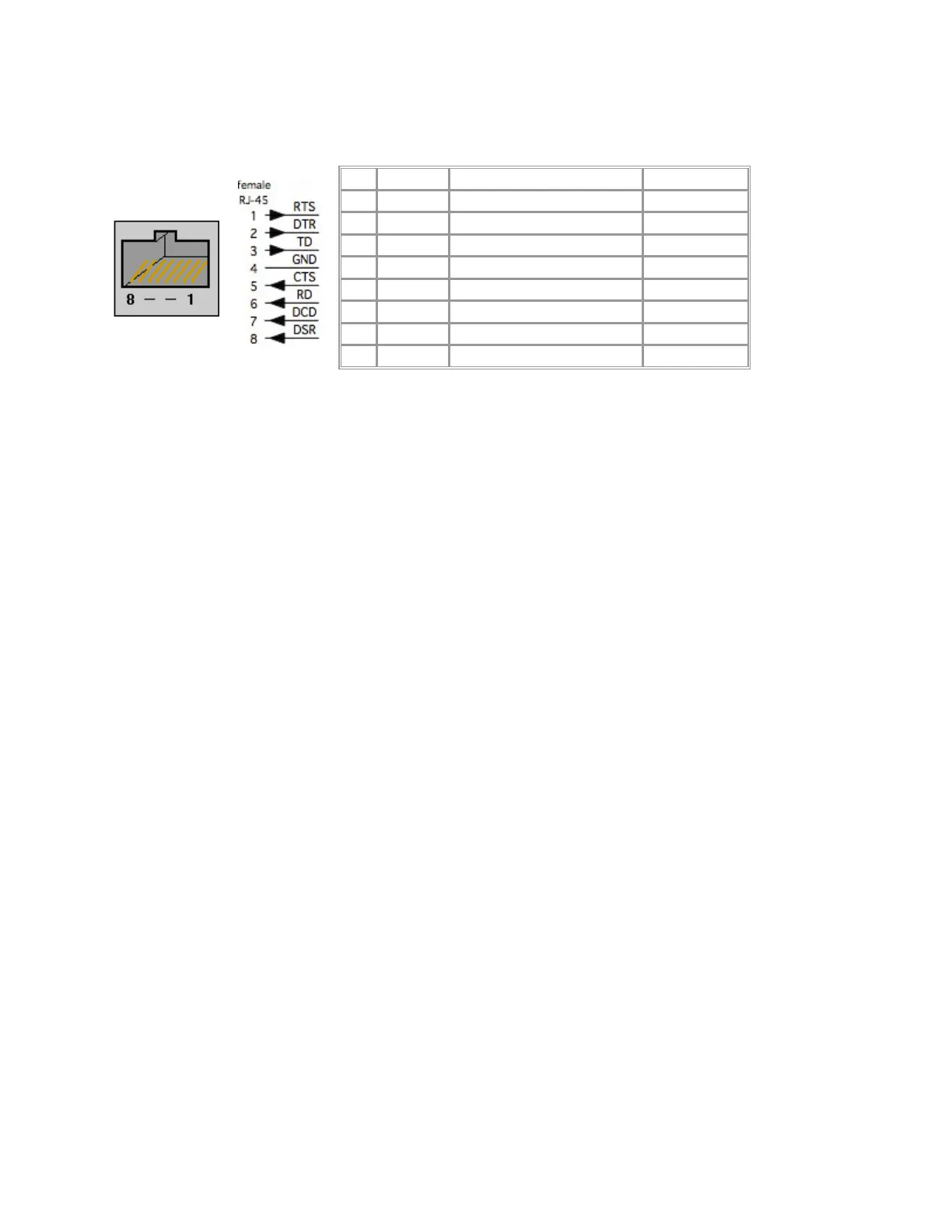
The LES1208A, LES1216A, and LES1248A Advanced Console Servers have the Cyclades RJ-45 pinout
shown next:
The console servers also have a DB9 LOCAL (Console/Modem) port that is on the LE1108A’s rear panel
and on the rackmount units’ front panels.
Conventional CAT5 cabling with RJ-45 jacks is used for serial connections. Before connecting an external
device’s console port to the console server serial port, confirm that the device supports the standard
RS-232C (EIA-232).
Black Box supplies a range of cables and adapters that may be required to connect to the more popular
servers and network appliances. Call Technical Support at 724-746-5500 for details.
2.5 USB Port Connection
The LES1208A, LES1216A and LES1248A console servers each also have one USB port. These console
servers ship with a USB memory. Install the memory stick in the USB port to store log files.











 To Next Page