_____________________________________________________________________
724-746-5500 | blackbox.com Page 93
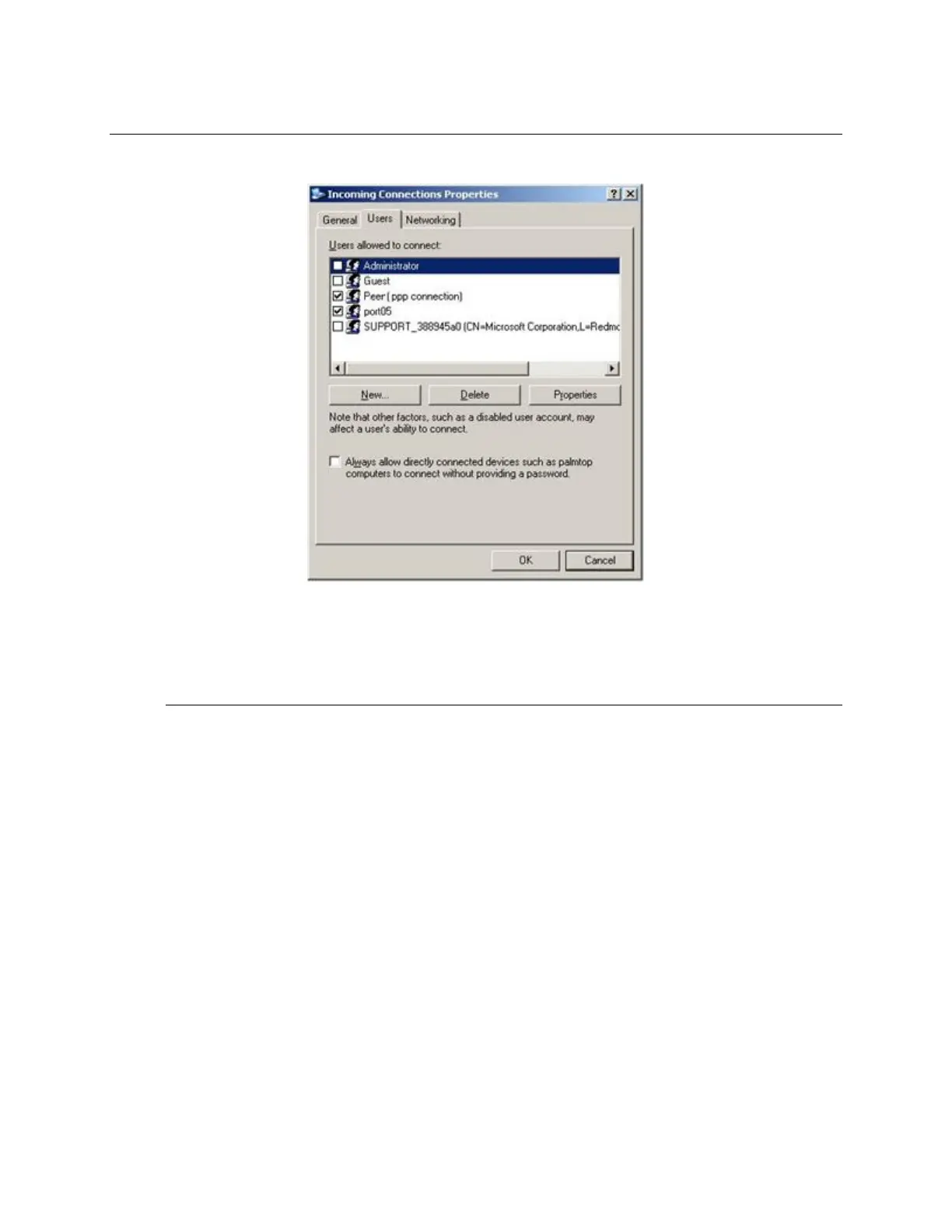
Note The above notes describe setting up an incoming connection for Windows XP. The steps are
similar for Vista and Windows Server 2003/2008, but the set up screens present slightly differently:
You need to put a check in the box for Always allow directly connected devices such as
palmtop…..
The option for to Set up an advanced connection is not available in Windows 2003 if RRAS is
configured. If RRAS has been configured, you can enable the null modem connection for the dial-
in configuration.
C. For earlier version Windows computers, follow the steps in Section B. above. To get to the Make
New Connection button:
For Windows 2000, click Start, and select Settings. At the Dial-Up Networking Folder, click
Network and Dial-up Connections, and click Make New Connection. You may need to first set
up a connection over the COM port using Connect directly to another computer before
proceeding to Set up an advanced connection.
For Windows 98, double click My Computer on the Desktop, then open Dial-Up Networking
and double click.
6.10.2 Set up SDT Serial Ports on console server
To set up RDP (and VNC) forwarding on the console server Serial Port that is connected to the Windows
computer COM port:











 To Next Page