_____________________________________________________________________
724-746-5500 | blackbox.com Page 99
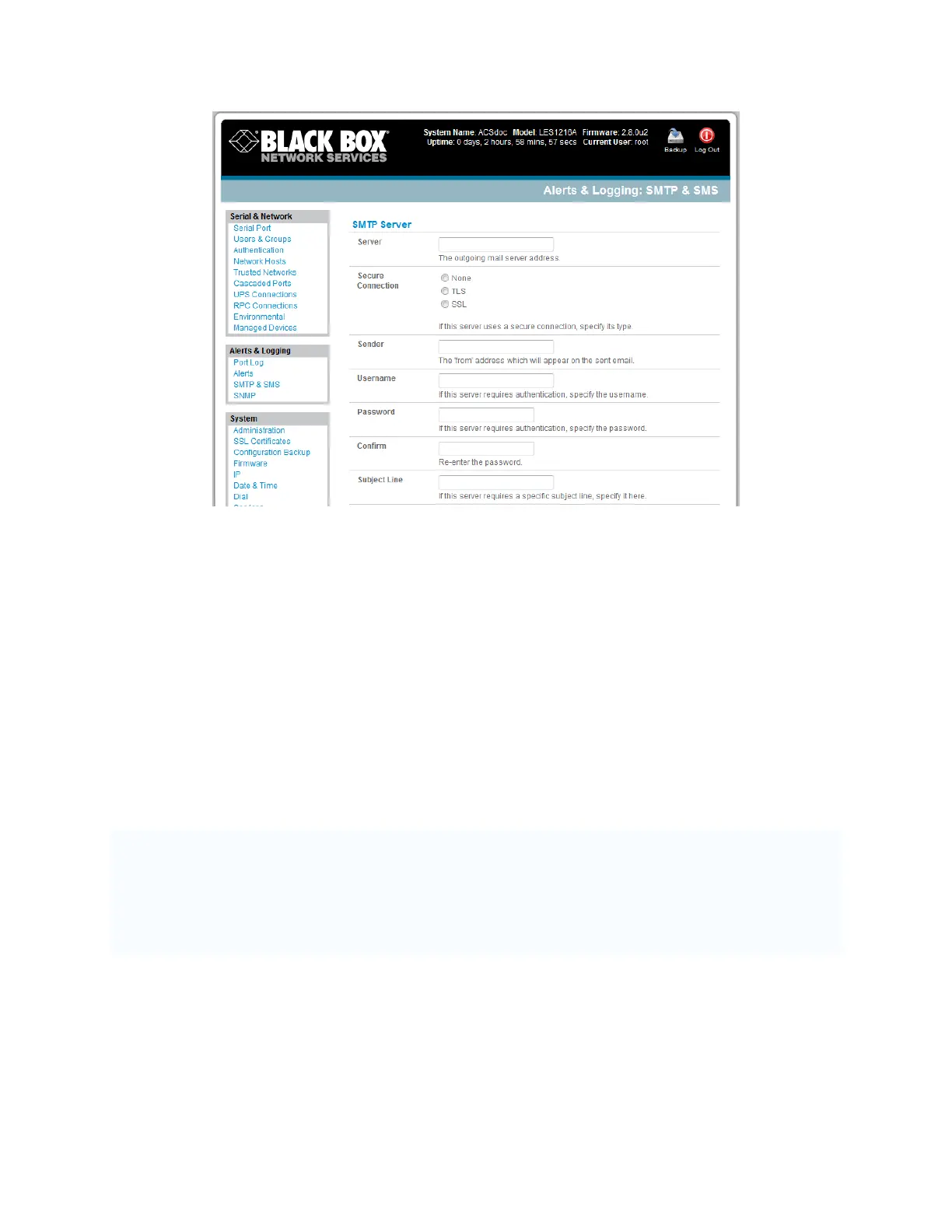
In the SMTP Server field, enter the outgoing mail Server’s IP address.
If this mail server uses a Secure Connection, specify its type.
You may enter a Sender email address which will appear as the “from” address in all email
notifications sent from this console server. Many SMTP servers check the sender’s email address
with the host domain name to verify the address as authentic. So it may be useful to assign an
email address for the console server such as consoleserver2@mydomain.com
You may also enter a Username and Password if the SMTP server requires authentication.
You can specify the specific Subject Line that will be sent with the email.
Click Apply to activate SMTP.
7.1.2 SMS alerts
The console server uses email-to-SMS services to send SMS alert notifications to mobile devices. Sending
SMS via email using SMTP (Simple Mail Transfer Protocol) is much faster than sending text pages via a
modem using the TAP Protocol. Almost all mobile phone carriers provide an SMS gateway service that
forwards email to mobile phones on their networks. There’s also a wide selection of SMS gateway
aggregators that provide email to SMS forwarding to phones on any carriers. To use SMTP SMS, the
Administrator must configure a valid SMTP server for sending the email:











 To Next Page