_____________________________________________________________________
724-746-5500 | blackbox.com Page 31
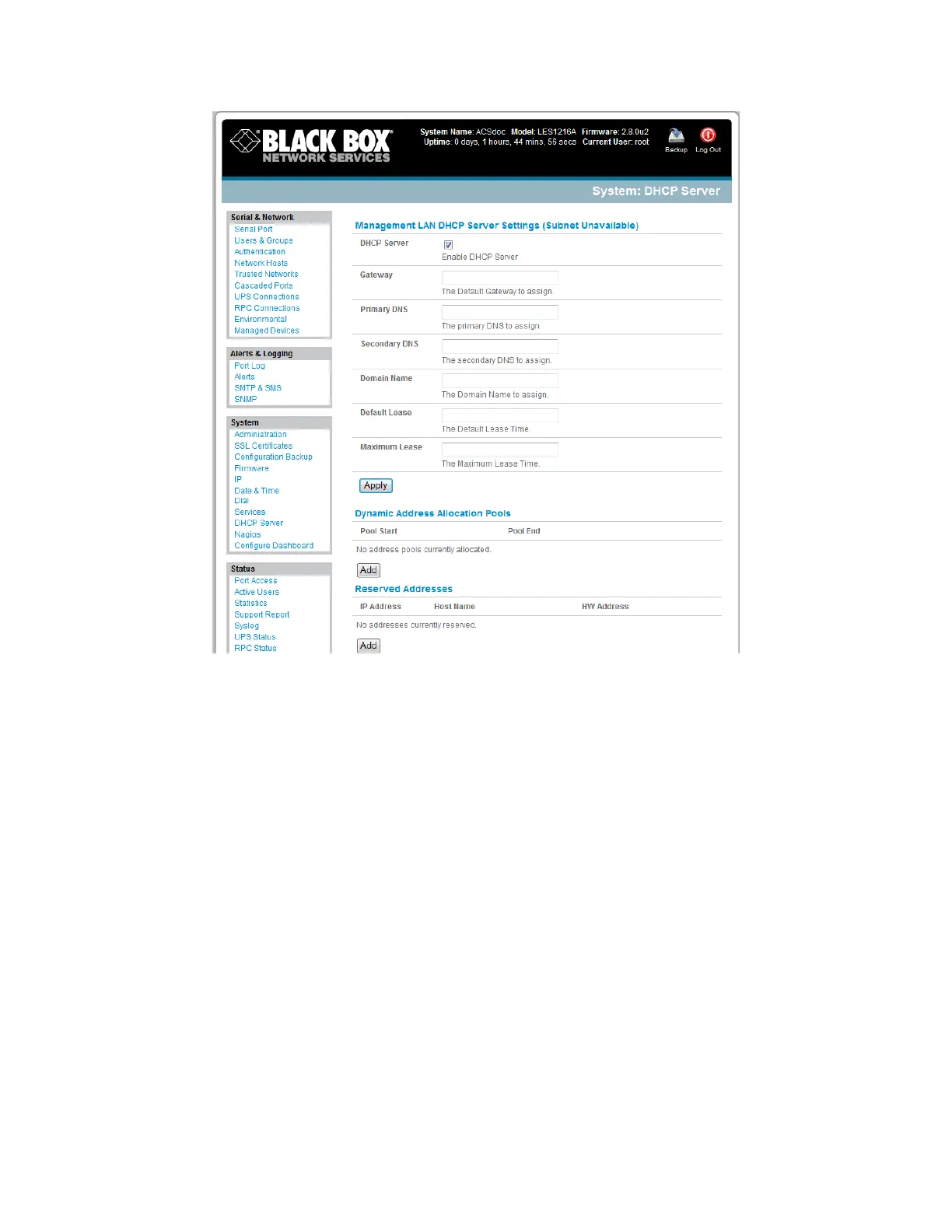
Enter the Gateway address that you want to issue to the DHCP clients. If you leave this field
blank, the console server’s IP address will be used.
Enter the Primary DNS and Secondary DNS address to issue the DHCP clients. If you leave this
field blank, the console server’s IP address is used. So, leave this field blank for automatic DNS
server assignment.
Optionally, enter a Domain Name suffix to issue DHCP clients.
Enter the Default Lease time and Maximum Lease time in seconds. The lease time is the time
that a dynamically assigned IP address is valid before the client must request it again.
Click Apply.
The DHCP server will sequentially issue IP addresses from a specified address pool(s):
Click Add in the Dynamic Address Allocation Pools field.
Enter the DHCP Pool Start Address and End Address and click Apply.











 To Next Page