_____________________________________________________________________
724-746-5500 | blackbox.com Page 91
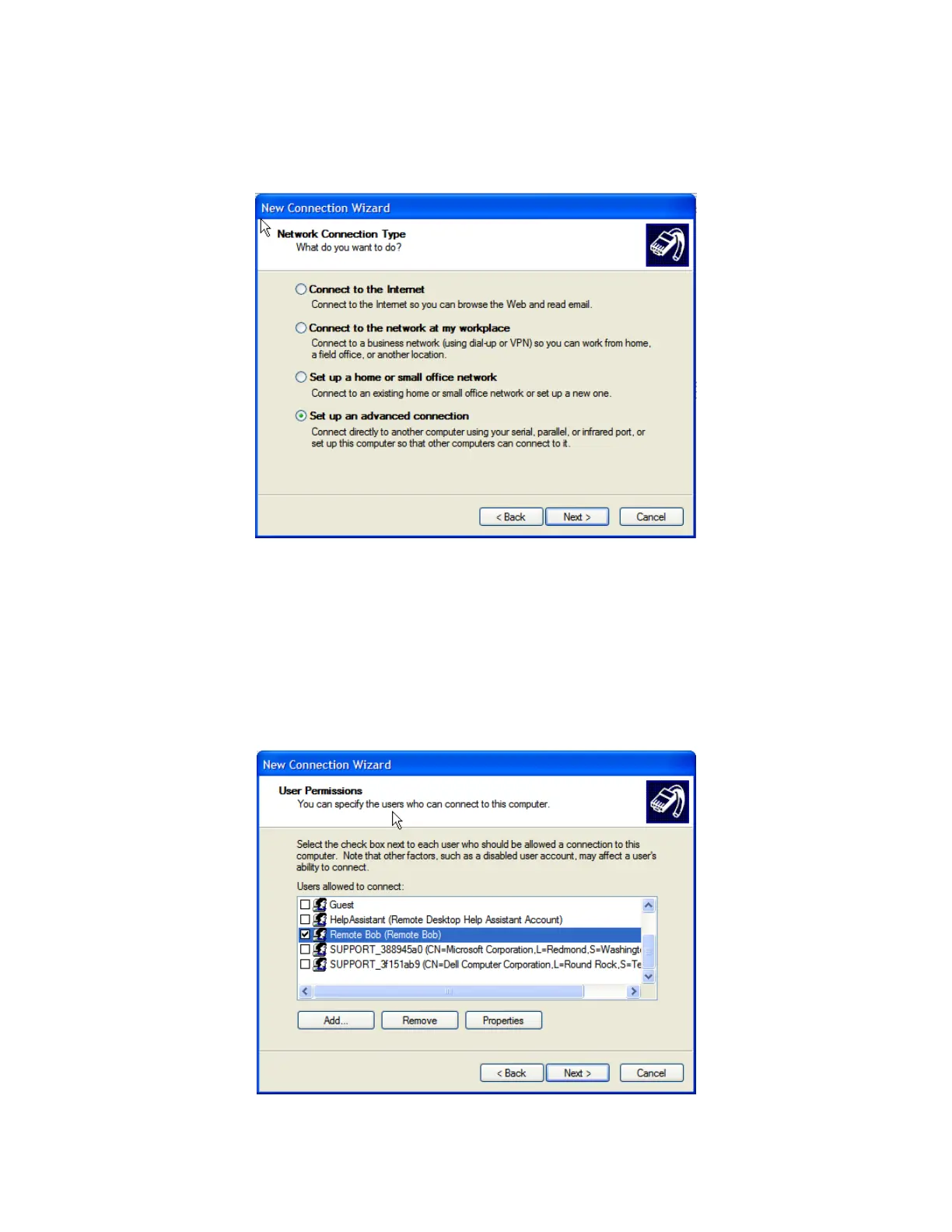
Windows 2003 and Windows XP Professional allow you to create a simple dial in service which can
be used for the Remote Desktop/VNC/HTTP/X connection to the console server:
Open Network Connections in Control Panel and click the New Connection Wizard.
Select Set up an advanced connection and click Next.
On the Advanced Connection Options screen, select Accept Incoming Connections and click
Next.
Select the Connection Device (i.e. the serial COM port on the Windows computer that you
cabled through to the console server). By default, select COM1. The COM port on the Windows
computer should be configured to its maximum baud rate. Click Next.
On the Incoming VPN Connection Options screen, select Do not allow virtual private
connections and click Next.











 To Next Page