EasyManua.ls Logo

BMC YH-600B Pro - User Manual

BMC YH-600B Pro
92 pages
Print Icon
To Next Page IconTo Next Page
Loading...
Sleep Apnea Diagnosis Device and Accessories
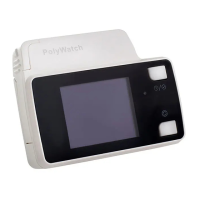
Portable Sleep Diagnostic System
YH-600B Pro
User Manual

Table of Contents

Other manuals for BMC YH-600B Pro

Questions and Answers

  • L
    Lori BlakeAug 2, 2025
    How to fix a BMC Diagnostic Equipment that won't start?
    • W
      William SmithAug 2, 2025
      If your BMC Diagnostic Equipment isn't starting, the problem could be due to the battery. First, check the battery installation to ensure it's correctly placed. If the installation is correct, the battery may be exhausted and need to be replaced.
  • T
    Tammy HebertAug 6, 2025
    What to do if my BMC Diagnostic Equipment shows a TF card alert?
    • C
      Catherine YoungAug 6, 2025
      If your BMC Diagnostic Equipment is showing a TF card alert, it indicates an issue with the TF card. This could be because the card isn't inserted, is inserted incorrectly, or is broken. Try inserting the TF card properly. If the issue persists, replace the TF card.
  • T
    Tiffany Morgan DVMAug 10, 2025
    Why does the screen flicker on my BMC YH-600B Pro?
    • B
      Brittney JohnsonAug 10, 2025
      Screen flickering on your BMC Diagnostic Equipment is likely due to low battery voltage. Replacing the battery should resolve this issue.
  • J
    Janice MarshallAug 15, 2025
    What causes a flat airflow waveform with no fluctuations on BMC Diagnostic Equipment?
    • Q
      qwebbAug 15, 2025
      A flat airflow waveform without fluctuations on your BMC Diagnostic Equipment can occur for several reasons. It may be that the airflow tube is not properly inserted into the respiration kit, the respiration kit data cable is loosely connected to the main device, or the tube is bent or squeezed. To resolve this, ensure the tube is correctly inserted, verify the data cable is properly connected to the main device. If the issue continues, contact your equipment supplier for an Airflow Cannula replacement.
  • C
    Christopher BarrettAug 19, 2025
    How to fix a flat pulse waveform with no fluctuations on BMC YH-600B Pro Diagnostic Equipment?
    • T
      Tracy BarnettAug 20, 2025
      If you're seeing a flat pulse waveform without fluctuations on your BMC Diagnostic Equipment, the pulse oximeter sensor may be worn in the wrong position. Try adjusting the sensor’s measurement point on your finger.
  • J
    joel48Aug 25, 2025
    What to do if the thoracoabdominal respiration waveform is flat on BMC Diagnostic Equipment?
    • M
      Mark WuAug 25, 2025
      If the thoracoabdominal respiration waveform is flat with no fluctuations on your BMC Diagnostic Equipment, it's likely that the respiration effort belt is worn incorrectly. Ensure you wear the respiration effort belt properly.
  • B
    Bryan MillerAug 28, 2025
    Why is the online analysis feature missing on my BMC YH-600B Pro?
    • C
      Cole WheelerAug 28, 2025
      The online analysis feature might be missing on your BMC Diagnostic Equipment because the recording was terminated abnormally. To prevent this, use the automatically stop recording feature or manually stop the recording.

Summary

Chapter 1: Device Introduction and Operation

Device Symbols, Safety, and Specifications

Explains symbols, warnings, contraindications, specifications, and intended use of the device.

Glossary, Model, Package, and System Features

Defines terms, identifies model, lists package contents, and overviews system features.

Device Structure, Setup, and Wearing

Details device structure and guides on installing components and wearing the device correctly.

Device Operation and Interfaces

Covers device operation, navigating initial, standby, record, setup, data, and tools interfaces.

Troubleshooting and Maintenance

Provides solutions for issues, instructions for cleaning, disinfection, and disposal.

EMC Requirements

Information on electromagnetic compatibility and safety guidelines for device usage.

Chapter 2: Analysis Software for Portable Sleep Diagnostic System

Software Setup and Data Management

Outlines prerequisites, installation, running the software, and managing patient data.

Data Download and Transmission

Procedures for downloading data via Poly Watch, TF card, and Bluetooth.

Analysis Application Features

Details on file operations, data review tools, analysis rules, and window customization.

Manual Data Analysis and Help

Performing manual annotation, event marking, and accessing help functions.

Chapter 3: Service and Warranty

Technical Support and Limited Warranty

Contact information for technical assistance and details on warranty coverage and terms.

Manufacturer and Representative Information

Provides contact details and location of the device manufacturer and authorized representatives.

BMC YH-600B Pro Specifications

General IconGeneral
BrandBMC
ModelYH-600B Pro
CategoryDiagnostic Equipment
LanguageEnglish