34
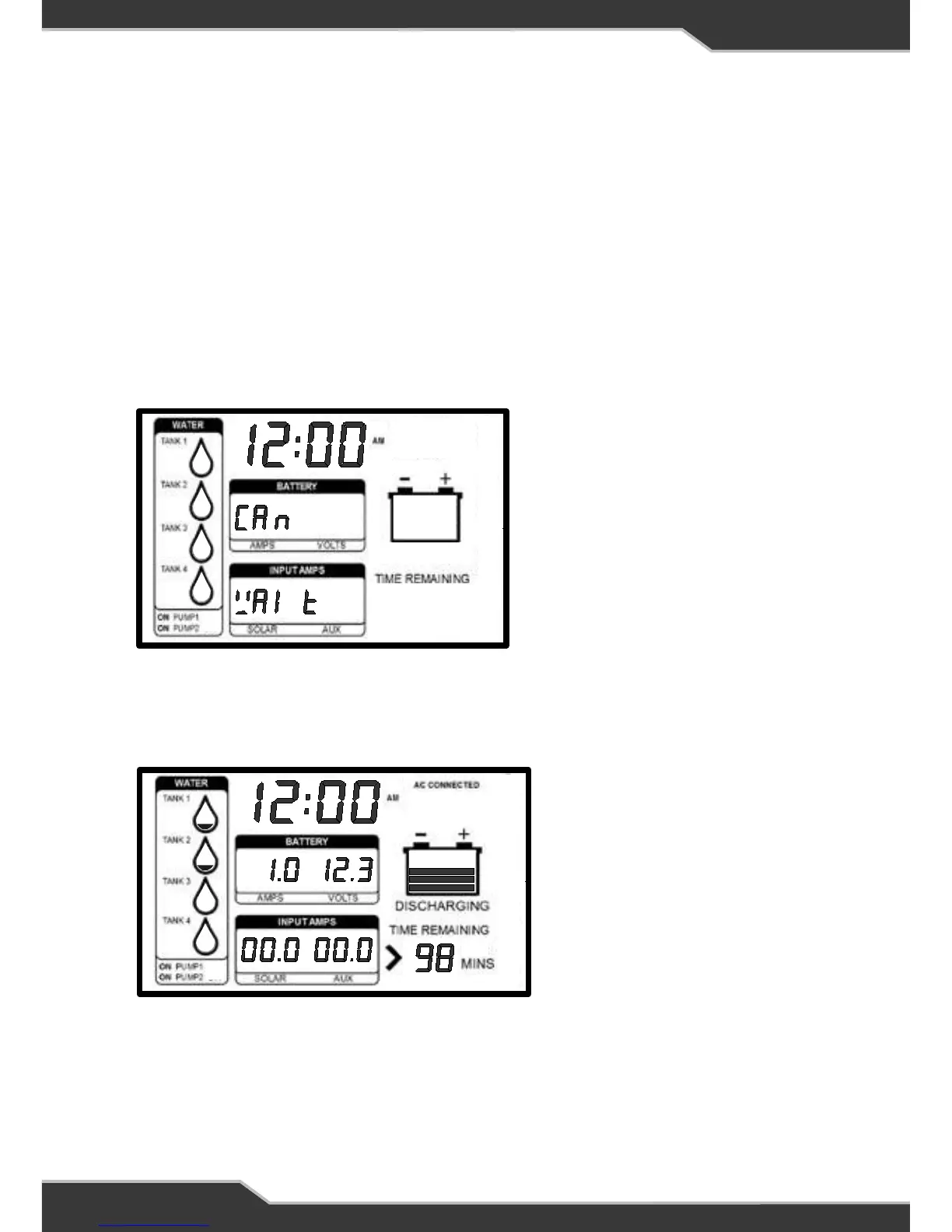
Figure 2: Trek display when first powered up
OPERATION
In normal power-on mode the unit displays the Home screen.
Trek is designed to interface with BatteryPlus35. The functionality described below
assumes Trek has been correctly connected to BatteryPlus35.
The Trek will turn off if battery voltage is too low.
On Power Up
On Power up Trek will display “CAN WAIT” until communication between Trek and
BatteryPlus35 is established.
When communication between Trek and BatteryPlus35 is established, Trek will
display information similar to the Figure 3.
Figure 3: Trek displaying information after initial power on, typical home screen.
If Trek cannot establish this communication within 30 seconds, then “CAN Err
To” will be displayed. If this occurs then there is a fault in the system. Check all
connections.
AC Connected
Charge Bar Graph
Battery Voltage
Clock
Battery Current
Operation
In normal power-on mode the unit displays the Home screen.
Trek is designed to interface with BatteryPlus35. The functionality described
below assumes Trek has been correctly connected to BatteryPlus35.
The Trek will turn off if battery voltage is less than 10.5V.
On Power Up
On Power up Trek will display “CAN WAIT” until communication between Trek
and BatteryPlus35 is established.
When communication between Trek and BatteryPlus35 is established, Trek will
display information similar to the Figure 3.
8
16
17
18
19
15
Figure 2: Trek display when first
powered up
Figure 3: Trek displaying information after
initial power on, typical home screen.
AC Connected
Charge Bar Graph
Battery Voltage
Clock
Battery Current
Operation
In normal power-on mode the unit displays the Home screen.
Trek is designed to interface with BatteryPlus35. The functionality described
below assumes Trek has been correctly connected to BatteryPlus35.
The Trek will turn off if battery voltage is less than 10.5V.
On Power Up
On Power up Trek will display “CAN WAIT” until communication between Trek
and BatteryPlus35 is established.
When communication between Trek and BatteryPlus35 is established, Trek will
display information similar to the Figure 3.
8
16
17
18
19
15
Figure 2: Trek display when first
powered up
Figure 3: Trek displaying information after
initial power on, typical home screen.



 To Next Page