38
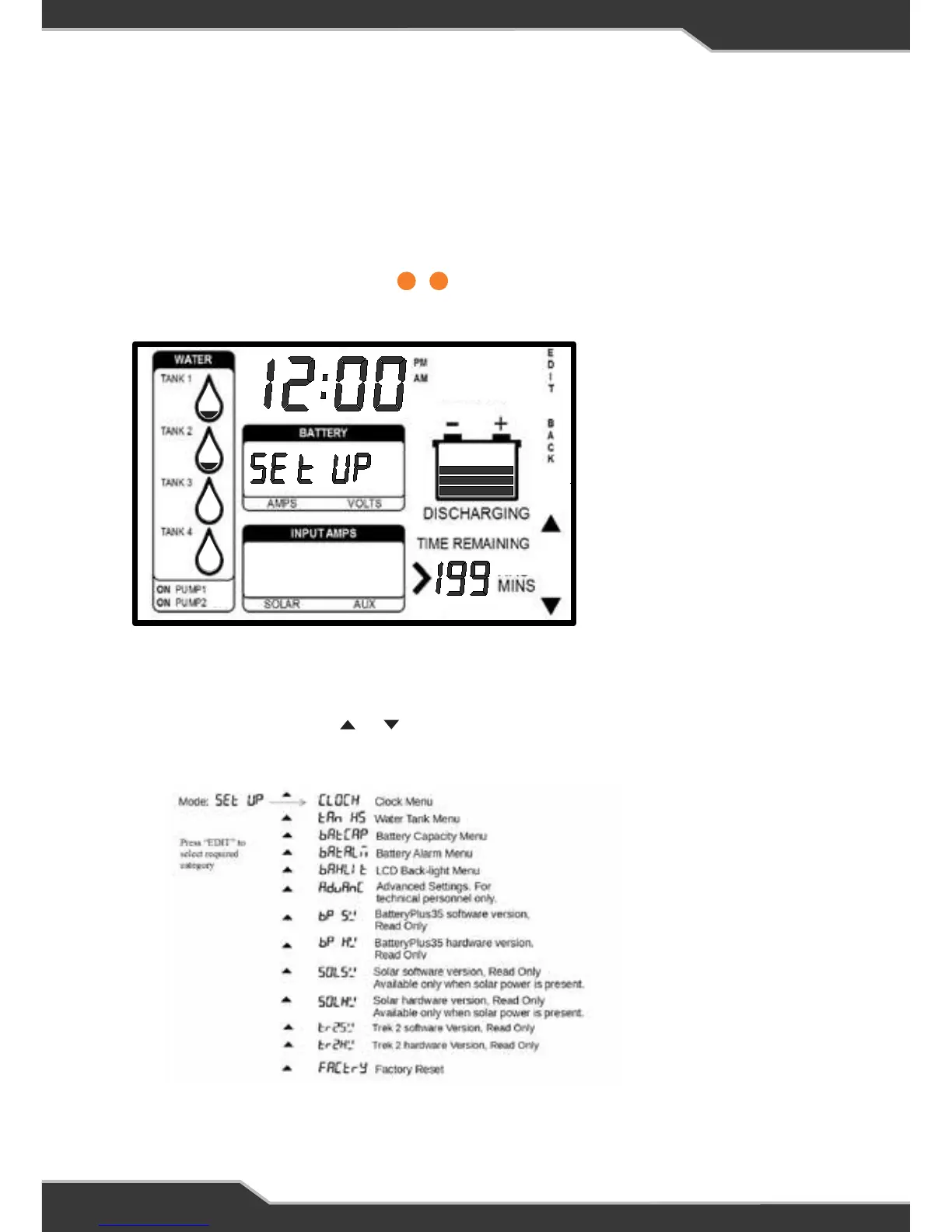
SETUP MODE
Enabling Setup Mode
1. Ensure the display is in normal mode (not in any setting mode).
2. Press and hold the HOME button for at least 5 seconds.
3. “SETUP” will be displayed in + location
4. Now you are in setup mode
Figure 4: Setup Mode
Set-up Mode
Enabling Parameter Set-up Mode
1. Ensure the display is in normal mode (not in any setting mode).
2. Press and hold the Home button for at least 5 seconds.
3. “SETUP” will be displayed in location
4. Now you are in set-up mode
Set-up Menu
When in set-up mode, the “” or “” button can be used to scroll through the set-
up menu. The list of options in the set-up menu is as follows:
12
17 19
Figure 4: Set-up Mode
Setup Menu
When in setup mode, the or button can be used to scroll through the setup
menu. The list of options in the setup menu is as follows:
17 19



 To Next Page