Water Tank Method
This shows how to choose the water tank method. It allows the installer to
choose the type of sensing depending on the sensor used, analog or digital.
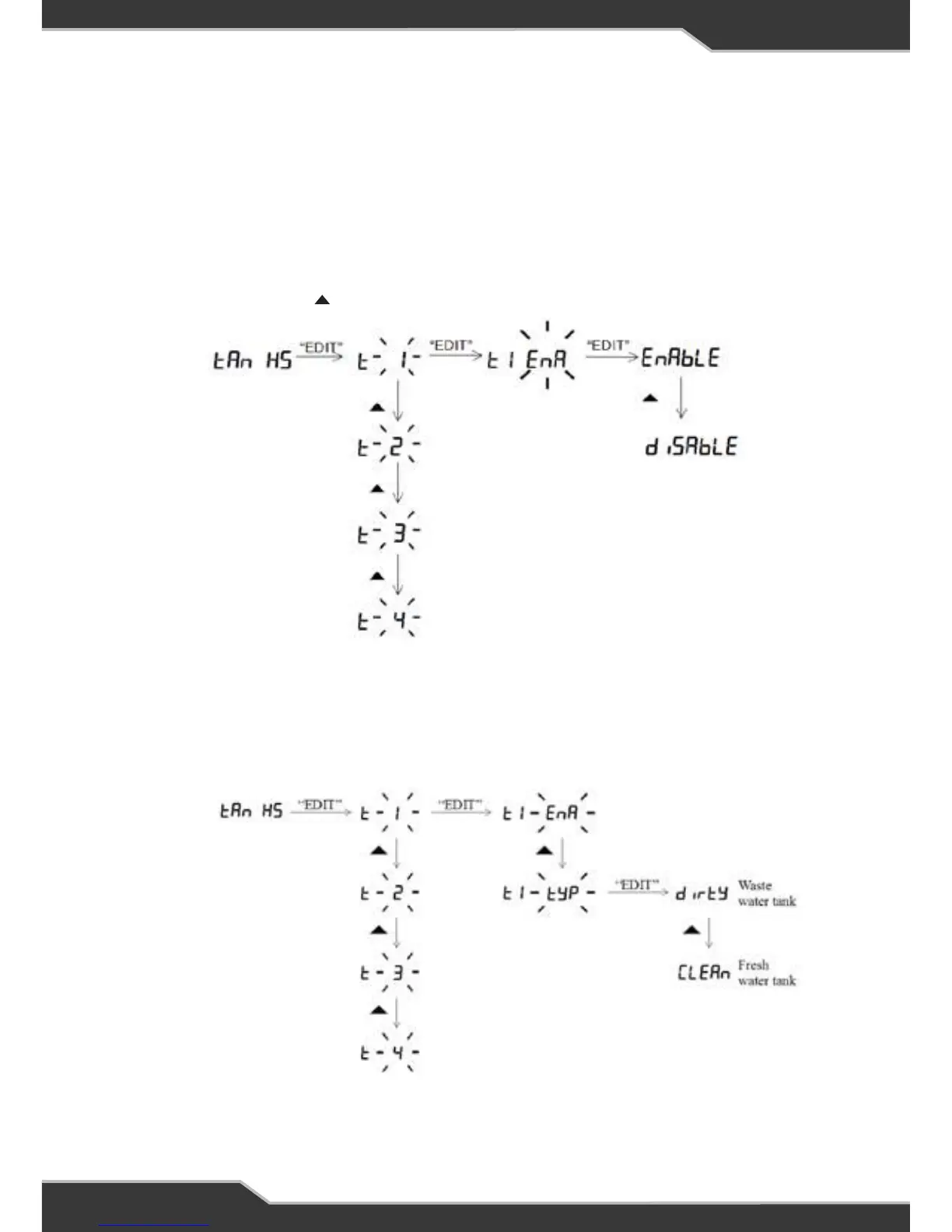
Water Tank Type
This shows how to change the water tank from a fresh water to waste water
tank.
14
Water Tank Menu
Water Tank Enable
This shows how to enable or disable the water tanks.
After enabling the required tank, allow for 15 seconds for the tank levels to update.
Press and hold the HOME button until you see Setup
Press and release the button a few times until you see tanks
To exit menu, press and release the “Back” button a few times until the home screen
is seen.
Water Tank Type (Fresh/ Waste)
This shows how to change the water tank from a fresh water to waste water tank.
To exit menu, press and release the “Back” button a few times until the home screen
is seen.


 To Next Page