55
TROUBLESHOOTING
Observation The RVView LCD is blank.
Solution The BatteryPlus35 will turn off the RVView if the battery
voltage is too low or if the isolation switch on BatteryPlus35
is shorted.
RVVIEW INSTALLATION INSTRUCTIONS
Personnel
Installation is to be carried out only by suitably qualified personnel.
Installation Environment
RVView should be installed indoors where it will not be subject to water or other
liquid spills or splashes.
Items Required For This Installation
1. The RVView Unit
2. The Data cable
3. 4 Mounting Screws
4. A 25mm hole saw
5. Power Drill
6. Philips Screw diver
Installation
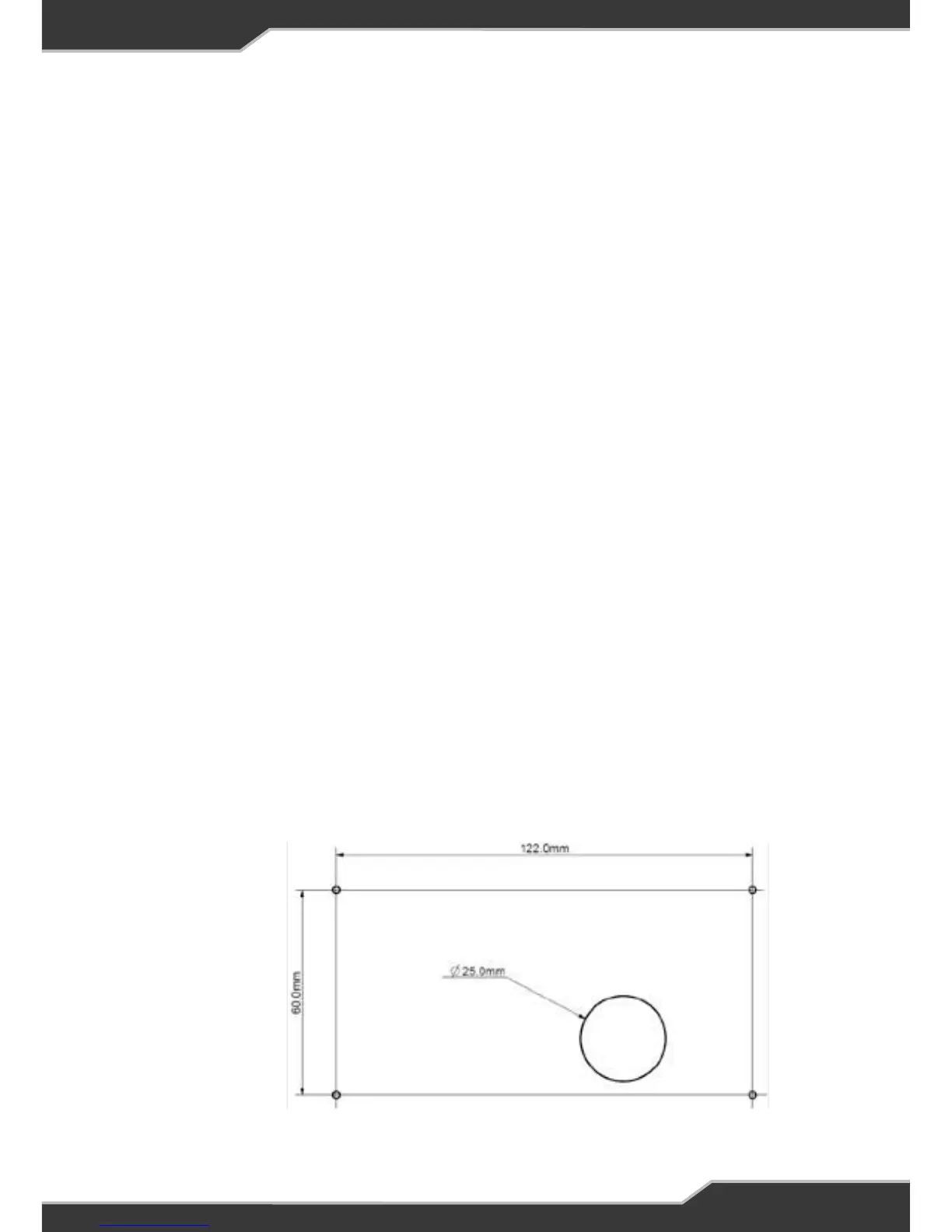
First drill a minimum 25mm hole in the wall to fit the data cable to the RVView,
as shown below:
Not to Scale


 To Next Page