56
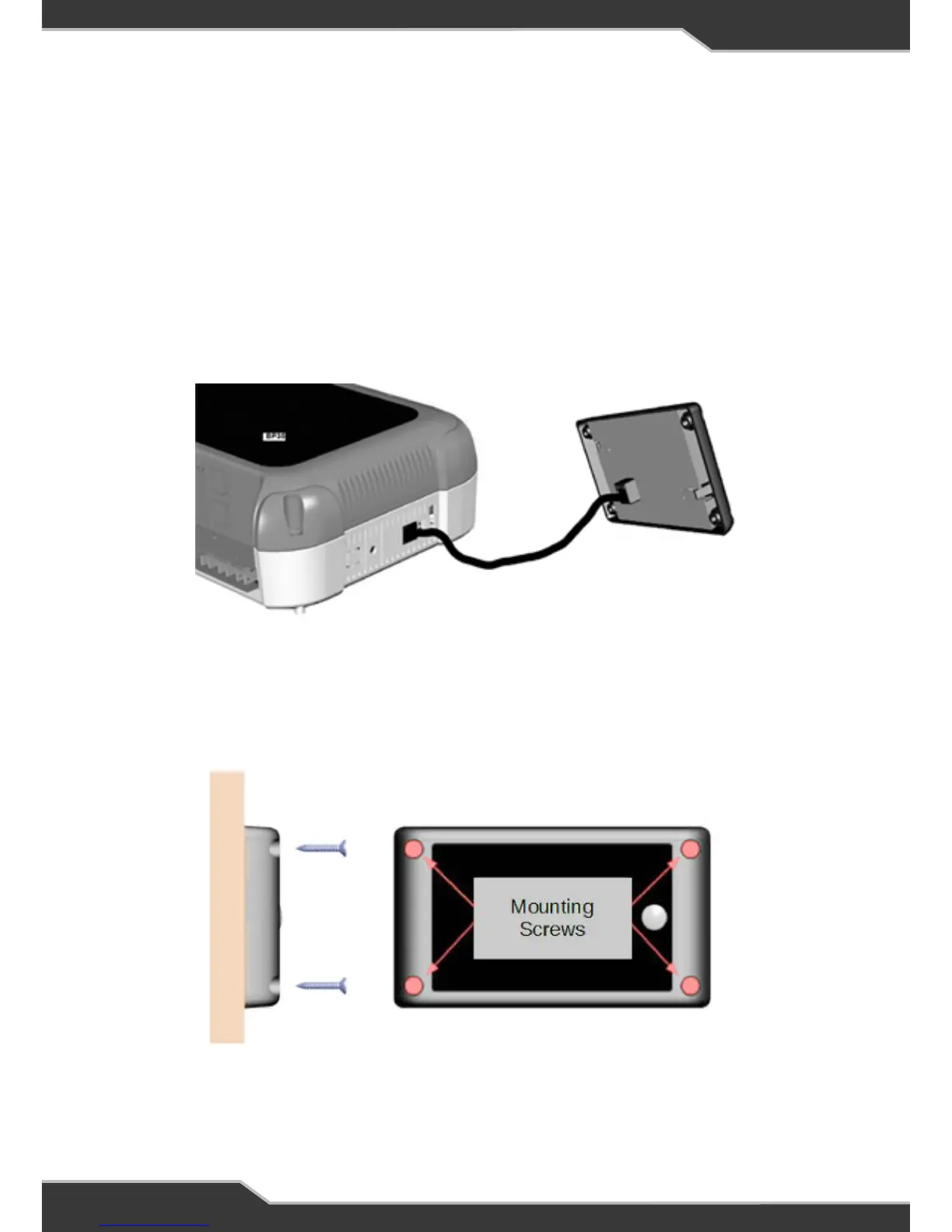
Connect the Data Cable
Connect the BatteryPlus35 to the RVView using the data cable, through the 25mm
hole in the wall.
Mount the RVView
Using the screws provided, mount the RVView to the wall. Pre-drill the mounting
holes if required.
After fixing RVView to the wall, remove clear protective plastic from the front cover.
Setting the Battery Capacity
If a 100AH battery is installed proceed to next step
“CONNECT THE DATA CABLE”
If a battery/battery bank of more than 100AH is to be installed, a Trek is needed to
set the battery capacity. Go to “SET THE BATTERY CAPACITY USING A Trek” first.


 To Next Page