OZONE ANALYZER BMT 965 Manual, Rev. 01/2024
___________________________________________________________________________
21
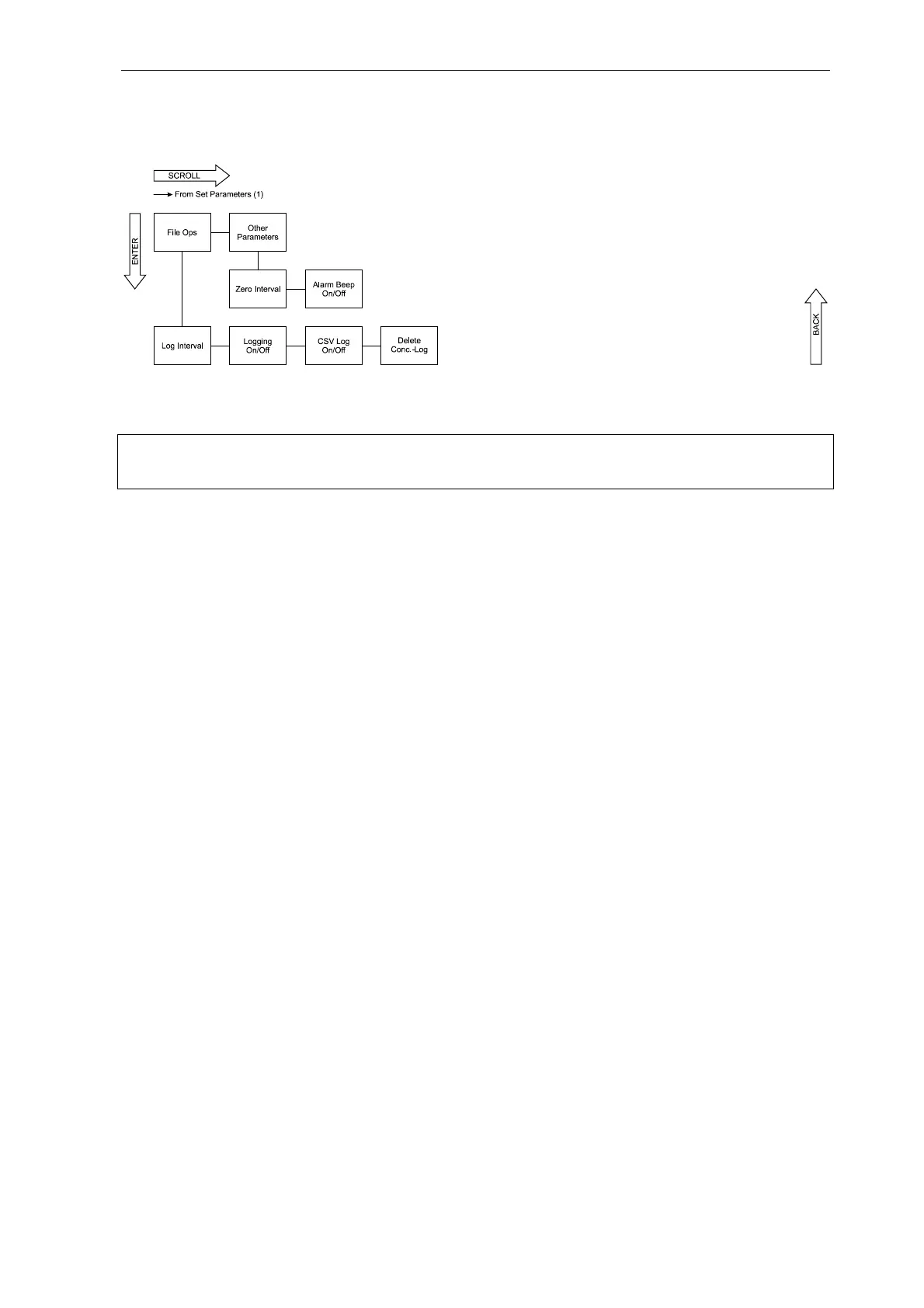
Set Parameters (2)
Note: In order to move from View Parameters to Set Parameters the SCROLL button has to be
held down for at least 2 seconds.
The configuration of the BMT 965 can be changed here. The diagram shows the selectable param-
eters. In order to change a setting, the ENTER button has to be pressed. Logical variables, as e.g.
Enabled/Disabled are configured with the SET button. Numerical values as e.g. Threshold are
changed digit by digit. To change a digit, the SET button is used. The digit to be changed is marked
by a cursor beneath it. In order to move to the next digit, the ENTER button has to be pressed.
The procedure can be stopped at any time by pushing the BACK button. After complete setting
of the parameter the ENTER button has to be pressed again, the display
Saving...
appears for a short time and the parameter is saved. To leave the menu press the back button
several times.
This is an example for changing a logical variable: the unit of ozone concentration shall be changed
from g/Nm
3
to %wt/wt:
Button Display
0.0 g/Nm
3
SCROLL
1.013 bar
SCROLL
View Parameters
SCROLL (>2 s)
Set Parameters
ENTER
Set Units
ENTER
Set Ozone Unit
ENTER
Ozone: g/Nm
3
SET
Ozone: %wt/wt
ENTER
Saving...
Ozone: %wt/wt
BACK
Set Ozone Unit
BACK
Set Units
BACK
Set Parameters
BACK
0.00 %wt/wt



 To Next Page