OZONE ANALYZER BMT 965 Manual, Rev. 01/2024
___________________________________________________________________________
69
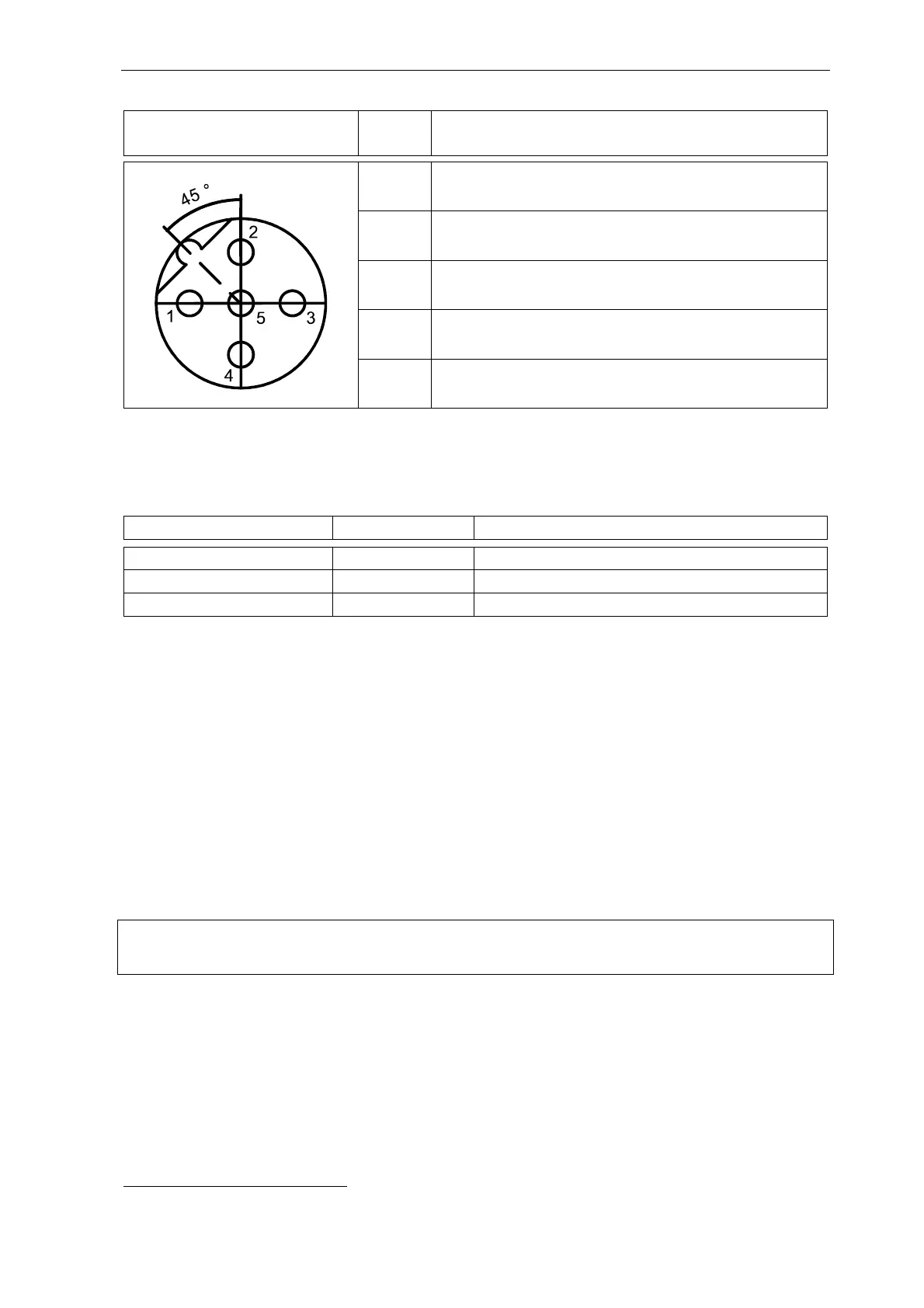
M12-B Female cable connector
Pin assignment (plug-in side)
Pin Signal
1 NC
2 NC
3 0 V Common
4 Signal A (-)
5 Signal B (+)
Commissioning: In addition to the front panel menu (Set I/O – MODBUS Parameters),
BMT offers a freely available PC program (BMT 965 Link) for configuration and diagnostics. The
following parameters can be configured and are stored in a non-volatile memory:
Parameter Factory Default Range
Baud rate [bit/s] 9600 2400, 4800, 9600, 19200, 38400
Parity None none, odd, even
Address 203 1 … 247
MODBUS/TCP
The BMT 965 C, BMT 965 OG, BMT 965 AQ, BMT 965 ST and BMT 965 BT are available with
a MODBUS/TCP option. Such an instrument will provide a MODBUS/TCP server, listening on
the MODBUS standard port 502. The operation conforms to the document:
MODBUS MESSAGING ON TCP/IP IMPLEMENTATION GUIDE V1.0b
6
Scan rate should not be faster than 50 ms and response timeout of the client should be set to one
second or longer. Only one TCP connection should be open at any time. The client should wait
for a response before issuing a new query.
Installation and Commissioning: Refer to Appendix G: IP-based Communication (see page 66)
Attention: M8 interface is provided for BMT 965 ST and BMT 965 BT, M12 interface is provided
for BMT 965 C, BMT 965 OG and BMT 965 AQ.
MODBUS Operation and Register
A MODBUS message contains an address, a function code, a register address, user data, and a
CRC error checking field. When a MODBUS slave receives a query with its address, it first per-
forms error checking (CRC and Parity check). It will provide an answer if error checks were suc-
cessful. If not, the query will be ignored.
6
www.modbus.org



 To Next Page