OZONE ANALYZER BMT 965 Manual, Rev. 01/2024
___________________________________________________________________________
67
BMT 965 ST / BT – Installation (M8)
Connection to Ethernet is made with an M8 connector delivered with the instrument. The used
shielded (S/FTP or S/UTP) cable should comply with Ethernet specifications (CAT-5, CAT-6 or
CAT-7). Outer diameter should be between 3.5 mm to 5.5 mm. Max. wire gauge is AWG21
(0.5 mm²). Shield should be connected. Ethernet cables are available with two different colour
codes according to TIA/EIA-568, as shown in the following table:
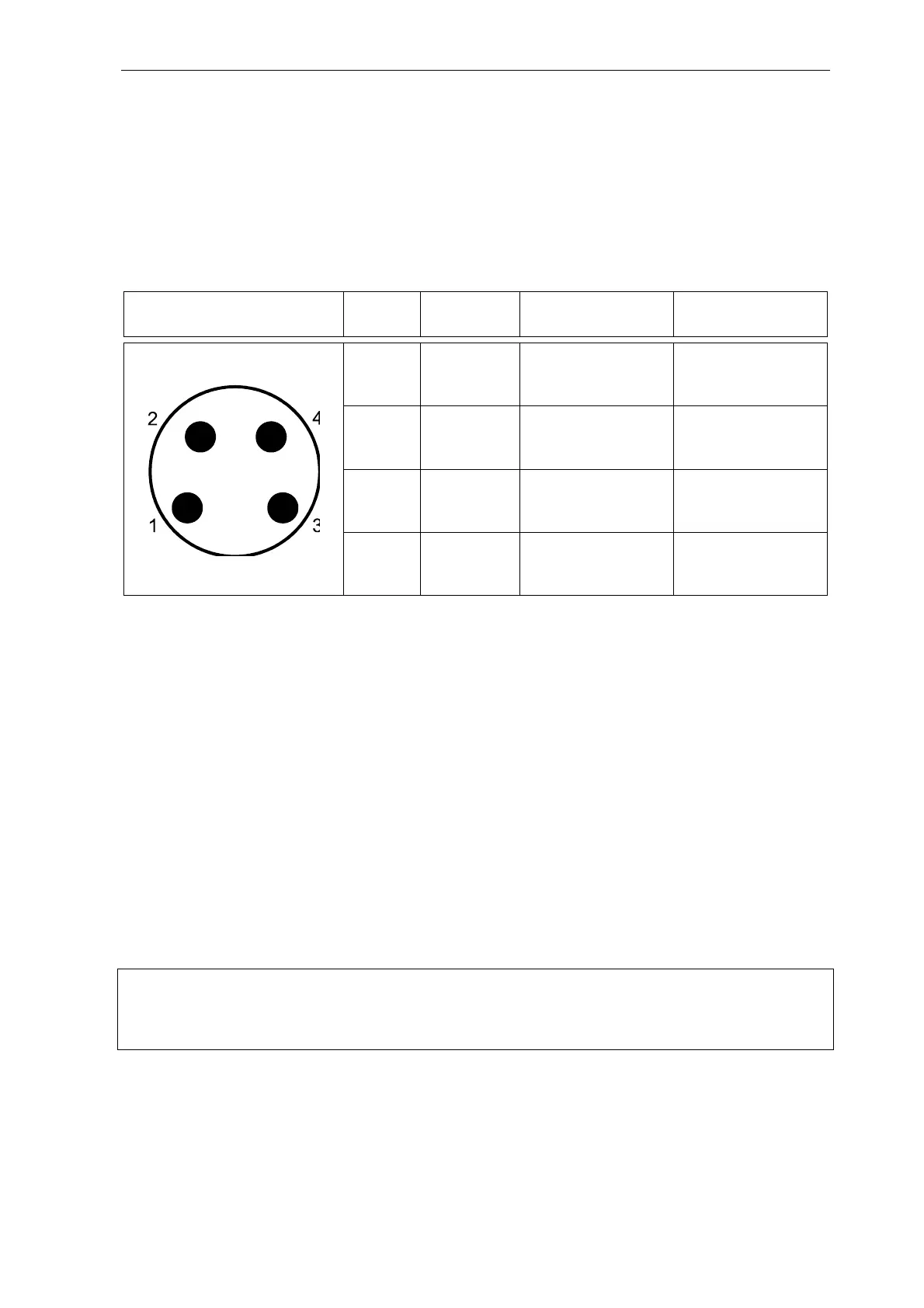
M8-A Male cable connector
Pin assignment (plug-in side)
Pin Signal EIA/TIA 568A Colour EIA/TIA 568B Colour
1 Tx+ white/green white/orange
2 Rx+ white/orange white/green
3 Rx- orange green
4 Tx- green orange
Network Operation
A new BMT 965 comes with its DHCP client enabled. IP address, gateway and netmask will be
autoconfigured by the DHCP server on the network, as soon as the instrument is connected or
powered on. A BMT 965 with a networking option provides the additional display menu “View
Network”, where the IP address can be seen. If no DHCP server is found, but the Ethernet link is
up, the BMT 965 will use an IP address out of the AutoIP range 169.254.1.0 to 169.254.254.255.
An instrument, which is started up connected to the network, will show its IP address for five
seconds during warm up. If the instrument is connected during normal operation, link speed and
the IP address will be shown for 10 seconds, replacing the display of ozone concentration.
Static network parameters can be assigned by using the freely available PC program BMT 965 Link.
If static parameters are assigned, the DHCP client will be off permanently. BMT 965 Link can also
be used to reactivate DHCP.
Note on security: The BMT 965 shall never be exposed directly to the Internet, e.g. by port
forwarding through a router. If communication via the Internet is desired, secure methods like
encrypted VPN should be used.



 To Next Page