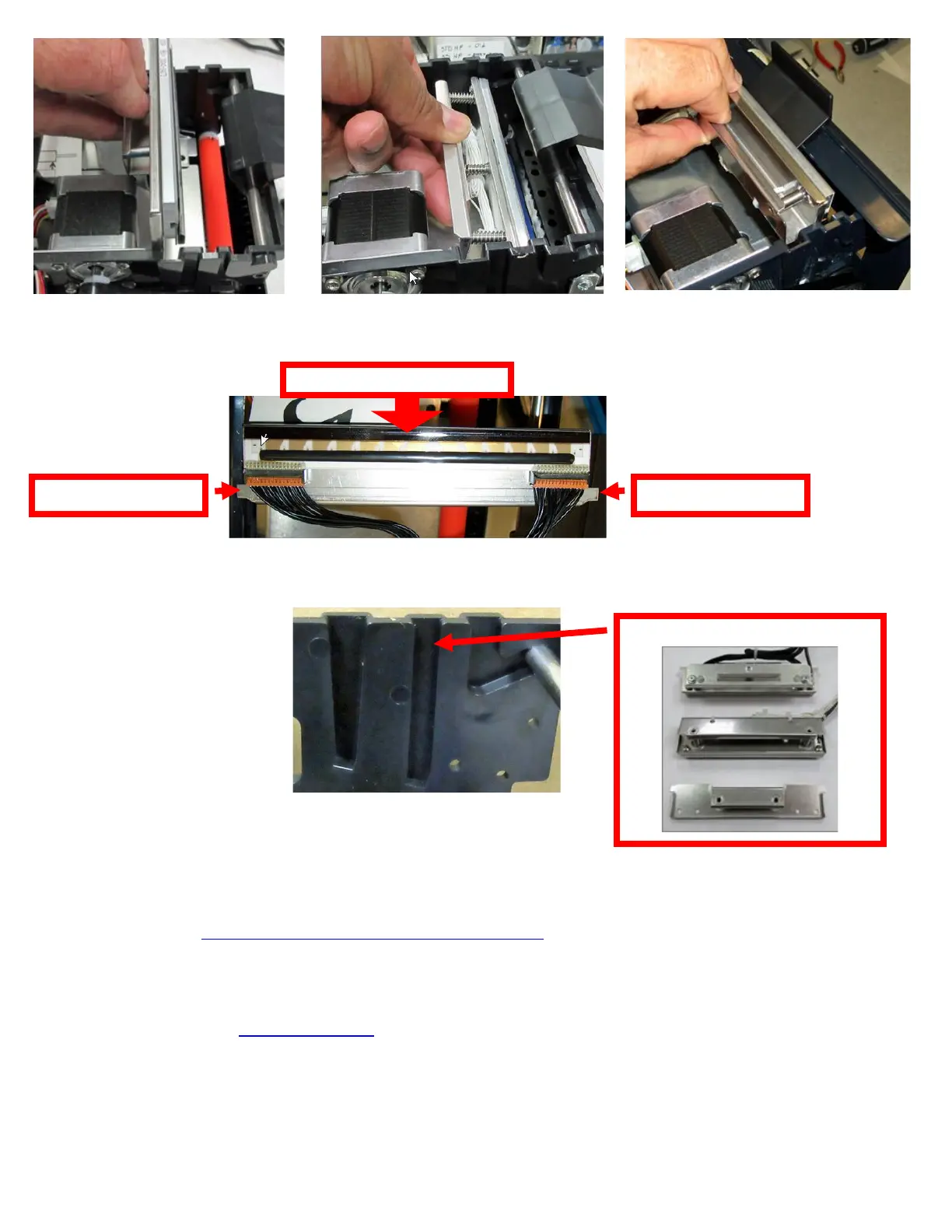
7. Clean the thermal print head surface (the side that makes contact with the paper) with isopropyl alcohol & paper
towel.
8. Install the head mounting plate by reversing the above procedures. Make sure the print head mounting plate tabs
are in the correct print cage slots.
9. Restore pressure to the head by pushing down on the cam lock assembly.
10. The printer in now ready for operation. If the print quality is still poor then the thermal head needs to be replaced.
See section 10.1.4 THERMAL PRINT HEAD REPLACEMENT
Click here to return to > Table of Contents
Lemur-S printers built after January-2016
used a 424009-L power pack.
Printer s/n 355802 & higher.



 To Next Page