35
• If setting the IP address to a STATIC address, ensure that the Type field shows STATIC, and then rotate the P/T
Speed dial to move the cursor between
the IP address octets. Move the cursor
to each octet and use the alphanumeric
keypad to enter its value. Rotate the
P/T Speed dial to move to the next
octet and repeat until all IP address
octets are set to the desired values.
• Click the Zoom Speed dial to save
• Edit the Subnet Mask and Gateway as
necessary to communicate on your
network
• Click the Zoom Speed dial to save
• Exit this menu
Button Light
The Button Light value affects the brightness of
the button backlight
• Rotate the Zoom Speed dial to adjust the
value
• Click the Zoom Speed Dial to save
• Exit this menu
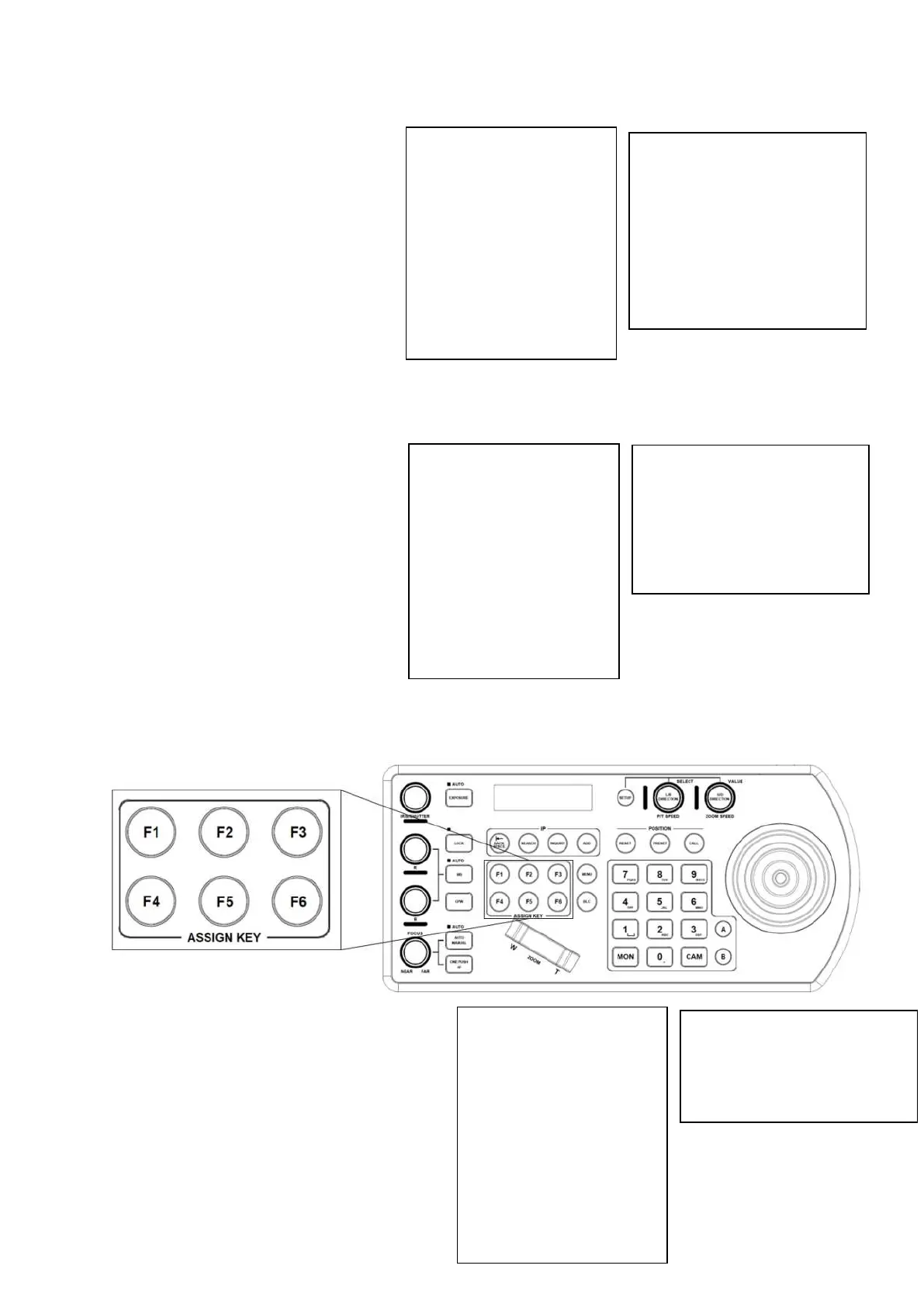
Assign keys
Assigned keys can be configured as shortcuts to activate camera functions
• From the keyboard Setup Menu, move the
cursor to the ASSIGNED KEY field
• Rotate the Zoom Speed dial to select which
Assigned key to configure
• Click the P/T Speed button to apply the
function to the assign key
• Assigned key can be assigned to camera
features from following:
o Home – Command the selected
camera to activate its ‘Home’
preset


 To Next Page