34
Keyboard Configuration
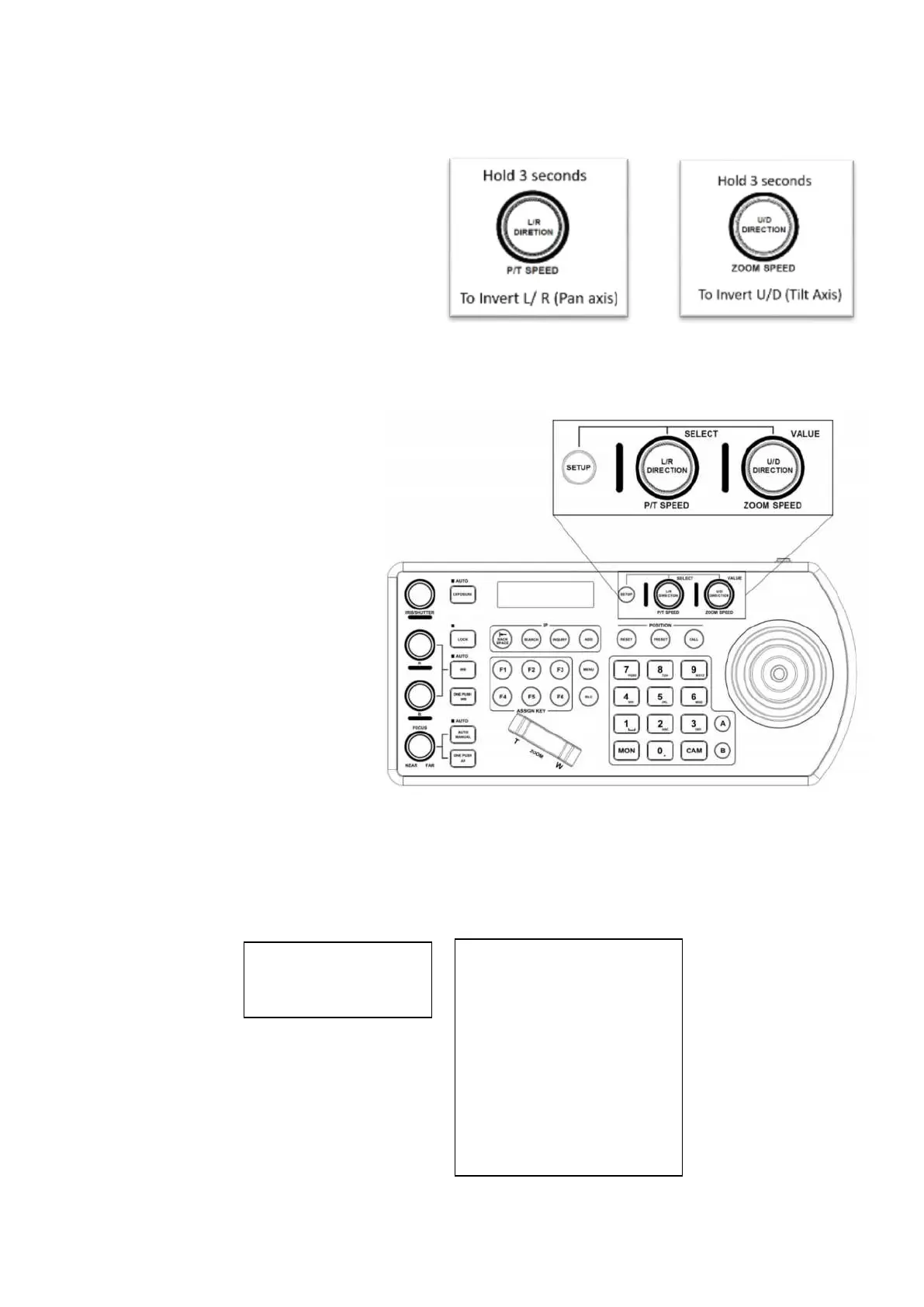
Interacting with the KBD-1010
Setup:
P/T Speed Dial:
• Rotate: Move Cursor
• Click: Select
• Long Press: Invert L/R (pan axis)
•
Zoom Speed Dial:
• Rotate: Select Value
• Click: Save
• Long Press: Invert U/D (Tilt axis)
Setup button
Default Password: 0000
The password can be changed under
Setup > Keyboard Setting > Password
Setting
Opens Menu on LCD screen
The Setup button opens the setup menu on
the LCD screen
IP Setup
The IP address can be set to either STATIC or DHCP.
• If setting the IP address to DHCP, move the cursor to the Type field, and rotate the Zoom Speed dial to change
the value to DHCP. Click the Zoom Speed dial to save


 To Next Page