46
Setting and calling presets
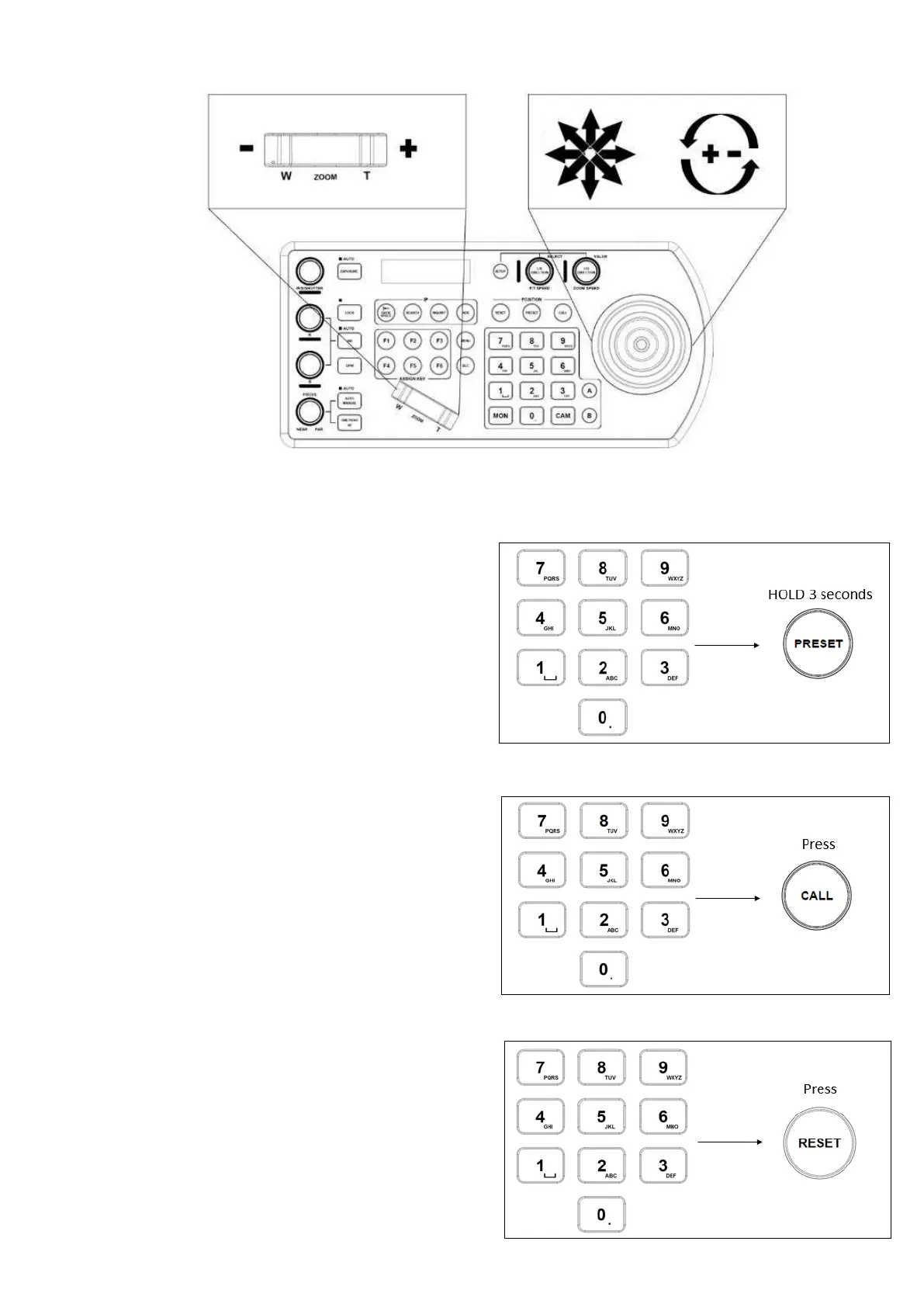
Setting / creating presets:
1. Move the camera to the desired position
2. Enter the desired preset number on the alphanumeric
keyboard, and then hold the Preset button for 3 seconds to
save
Calling presets:
1. Enter the desired preset number on the alphanumeric
keypad
2. Press the Call button
Resetting / Clearing presets:
1. Enter the number of the preset you would like to clear
2. Press the Reset button


 To Next Page