42
Adding a VISCA over IP camera to Keyboard
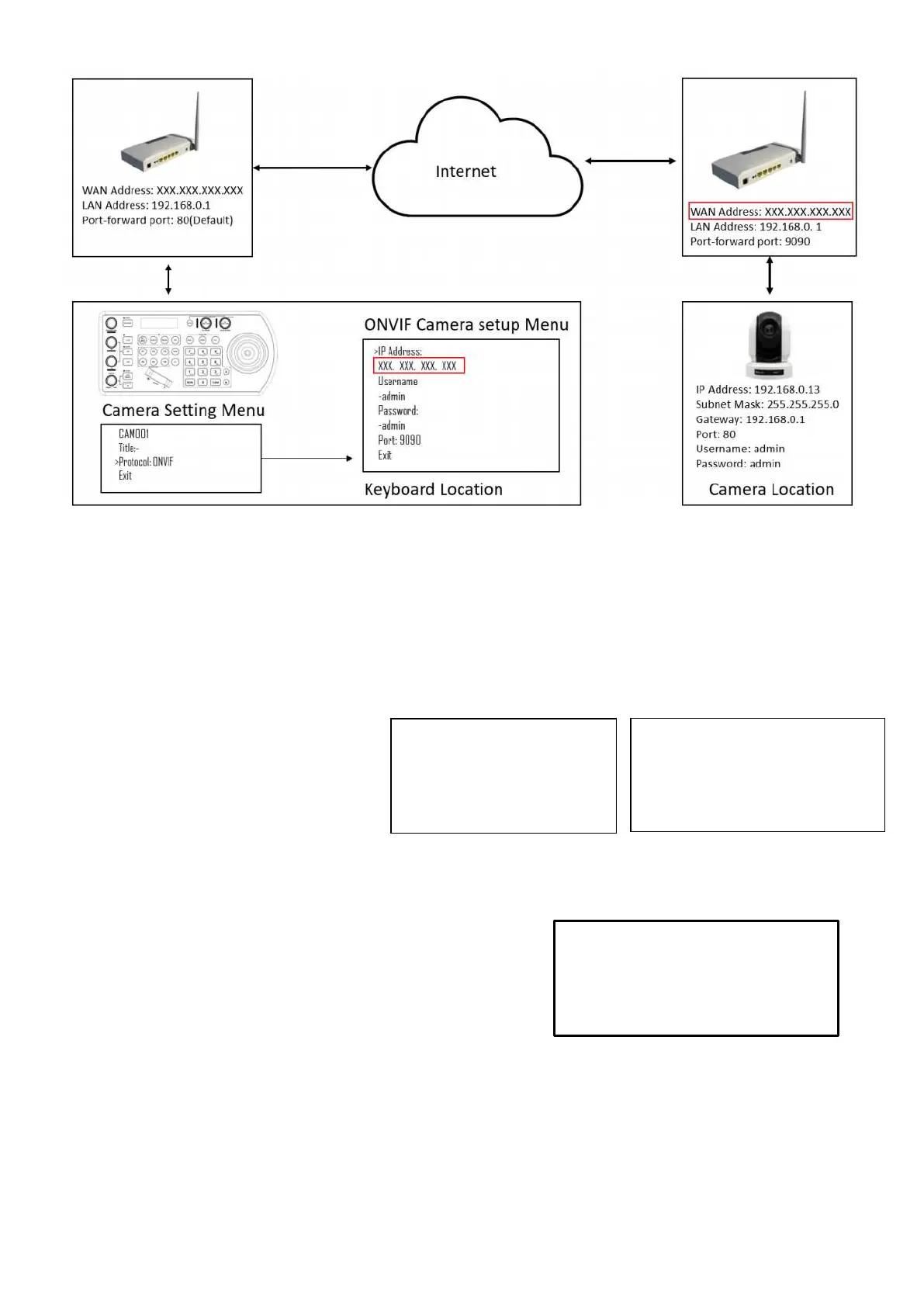
Adding manually from Local Area Network (LAN)
Selecting VISCAIP (VISCA over IP) as the protocol and clicking the P/T Speed dial will cause the VISCAIP
configuration menu to appear
• Rotate the P/T Speed dial to move
the cursor between the IP address
octets. Move the cursor to each octet
and use the alphanumeric keypad to
enter its value. Rotate the P/T Speed
dial to move to the next octet and
repeat until all IP address octets are
set to the desired values.
• Click the Zoom Speed dial to save
Payload Header: A set of data carried with Visca-Over-IP protocol for camera compatibility identification. Some
cameras don’t have it.
• The camera maker that has the Payload Header: SONY, BOLIN. For the cameras from these makers, Set it ON
• For the cameras from other makers, Set it OFF. Or consult the
camera provider.
Port: The control port for Visca over IP.
• By default, is 52381.
• Camera maker SONY, BOLIN use port 52381.
• Other camera makers may use port 1259.
• USER, you can set the port that your camera is using.
• Please consult your camera provider for port information.
This keyboard supports any brand of Visca Over IP cameras in a same system.
If you have Visca-Over-IP cameras from more than one camera makers, to may have to set the camera port
differently for different cameras.
• Exit this menu
Repeat this process for each camera that you wish to control with the KBD-1010 keyboard.


 To Next Page