45
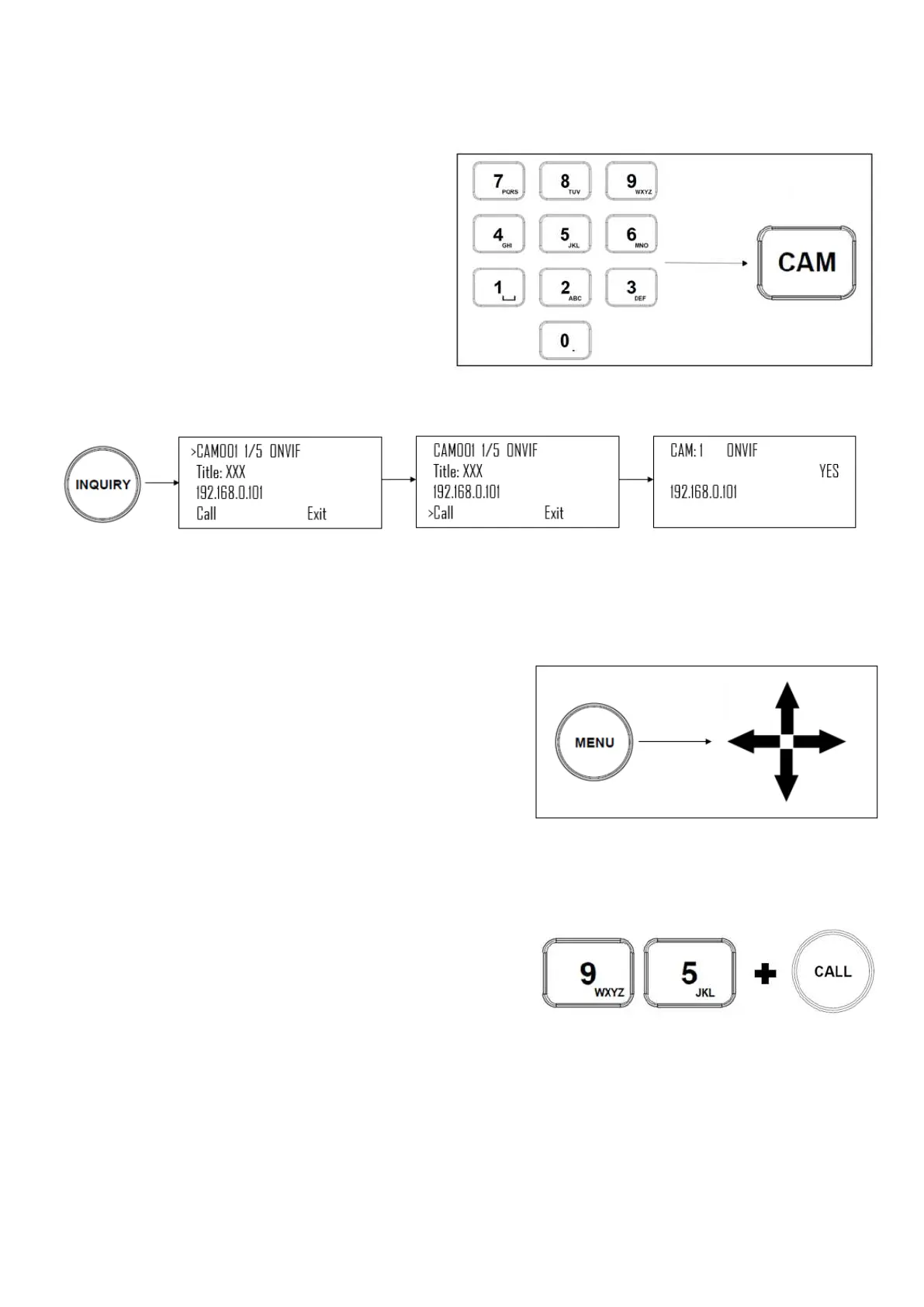
Options for calling camera
1. Use the keypad to call the camera by CAM ID
a. Enter the CAM ID on the keypad
b. Press CAM
2. Call the IP cameras by selecting from a list of
available devices
a. Press the Inquiry button
b. Select a protocol
c. Scroll through the list using the Zoom
Speed dial
d. Move the cursor to “Call”, and click the
P/T Speed dial
Controlling a Camera
Engaging the Camera OSD Menu for non-IP cameras
1. Press the Menu button on the keyboard to send a command to
the camera to engage the OSD menu
2. Navigate the menu by using the joystick
a. Move up / down to navigate through menu options
b. Move the joystick to the right to send an “enter”
command
c. Move up / down to adjust values
d. Move the joystick to the left to send an “exit”
command
Engaging the Camera OSD Menu for PELCO-D or ONVIF-IP Cameras
1. On the alphanumeric keypad, call preset 95 to engage the menu
(type 95, and then press the “Call” button)
Manual Movements
• Pan, Tilt, and Zoom movements can be executed simultaneously.
• The joystick can be used to pan / tilt the camera in any direction
• The joystick handle can be rotated to zoom in / zoom out
• When not in a menu, the P/T Speed and Zoom Speed dials control how fast the camera Pans, Tilts, and Zooms in
response to commands from the keyboard
• The Zoom Seesaw can be engaged to zoom in / Zoom out


 To Next Page