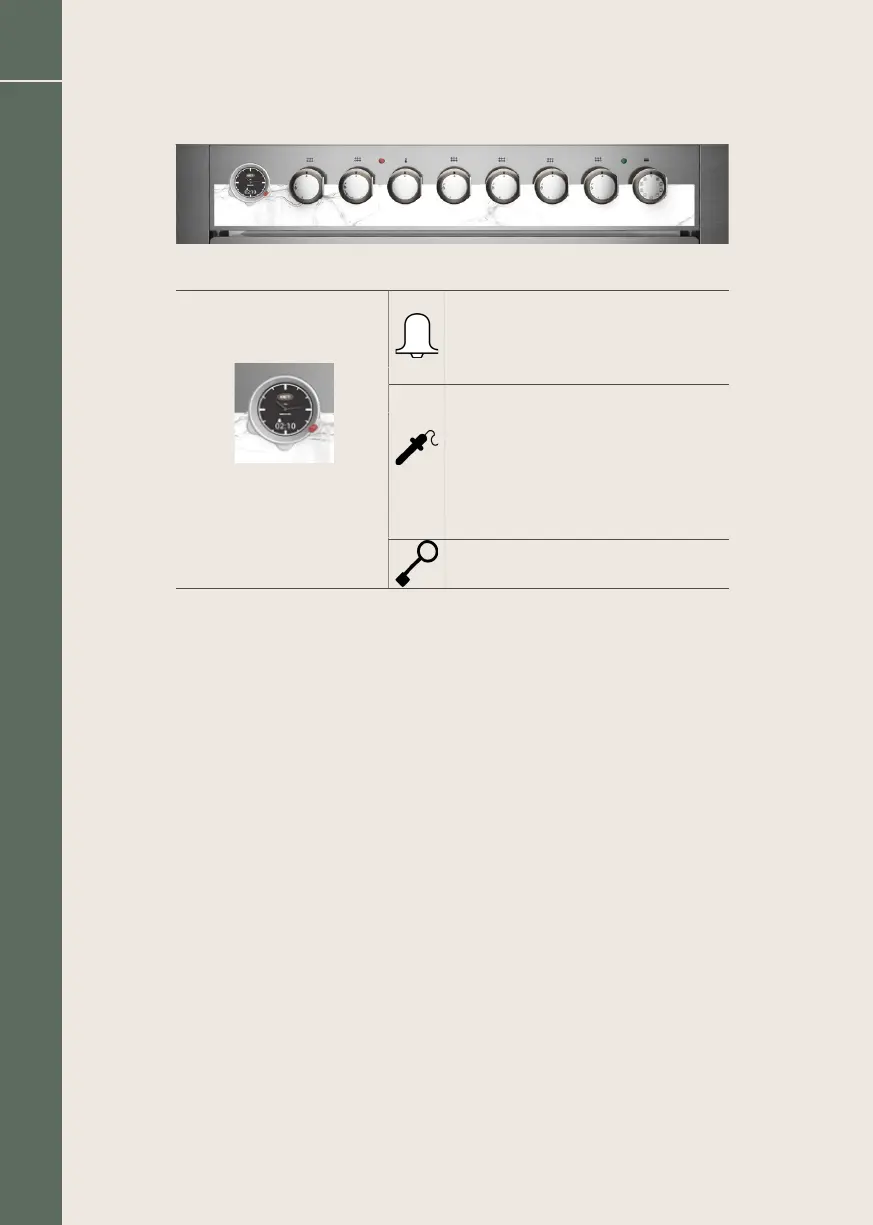
Symbols/functions
Knob: can be pressed, rotated
clockwise and counter-clockwise.
* Normally off.
* When lighted indicates that the timer is active.
* When ashing it indicates the end.
* During the phase of setting stays on.
* It ashes when the pin of the probe meat
is inserted, and in phase of edition of the
temperature of end cycle.
* It lightens during the cycle of cooking
indicating that the oven works in
automatic modality “probe meat”.
* It ashes during the phase of edition of
the temperature of end cycle.
* When it lighted indicates that the safety
block for children is active.
Display
* During manual cooking: the set temperature.
* During timed automatic cooking: remaining time to end of cooking.
* During meat probe cooking: the probe’s temperature.
* With timer on and oven in stand-by: the remaining time.
Appliance operation
On rst start-up a black symbol appears on the display. After 10 seconds the
symbol disappears and the oven is ready for use. The detailed operations of
setting the clock, the timer, the duration and the end of cooking are shown
in the respective paragraphs below. By pressing and turning the knob, you
enter the display and modication mode of the various parameters.
Setting the clock
Pressing the adjustment knob twice: HOUR appears on the display for 5
seconds. Then by turning the knob clockwise, you increase the time, counter-
clockwise decreases the time. Press the knob to conrm the set value. The
value is in any case accepted after 10 seconds from the last adjustment.
78
Boretti Maggiore Cookers / Installation / Use / Maintenance EN


 To Next Page