PreparationforUse
FlexibleAutomation
6−3
6 Preparation for Use
Before operating of the CL300, please check the following:
L Make sure that the system configuration complies with the regula
tions VDE 0100 and 0113 (see chapter 2.2 Electrical Configura
tion).
L Check for correct jumper settings on the modules.
L Check for the correct supply voltage on the power supply unit (230
V/115 V).
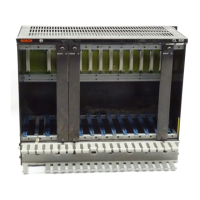
L Check if the modules are in the correct slots (Intelligent system
modules in slots 4 − 6 of the GG301 orGG301−K).
L Check if the modules are properly bolted to the card cage.
L Make sure that the power supply connections are correct.
L Check for protective ground connection.
L Make sure that the 220 V AC circuit connections are not inter
changed with the 24 V DC circuit connections.
L Check if the buffer battery is installed in the power supply unit as
described in paragraph 4.1.5.
L Check if the controller program module is installed.
L Switch off remanency on the ZE central processing unit. (This will
clear all markers, timers and counters.)
L Press "Ausgänge sperren" (Inhibit outputs) switch on the central
processing unit. (No output signals are generated.)
L Switch on Stop" mode on the central processing unit.
L Switch on power supply.
Now the green power supply LEDs on the power supply unit should light.
The red LED Stop" on the central processing unit should also light.
If the buffer battery has been used for the first time, a battery fault is indi
cated on the power supply unit and on the 7−segment display of the
central processing unit.
After the Reset" button is pressed, the controller goes into stop mode.


 To Next Page