SystemModules
FlexibleAutomation
4−12
L Unscrew the 2 Phillips screws and take out battery box (see
Fig.4−3).
L Remove battery.
L Insert new buffer battery. (Observe the polarity!)
L Insert battery box and Phillips screws.
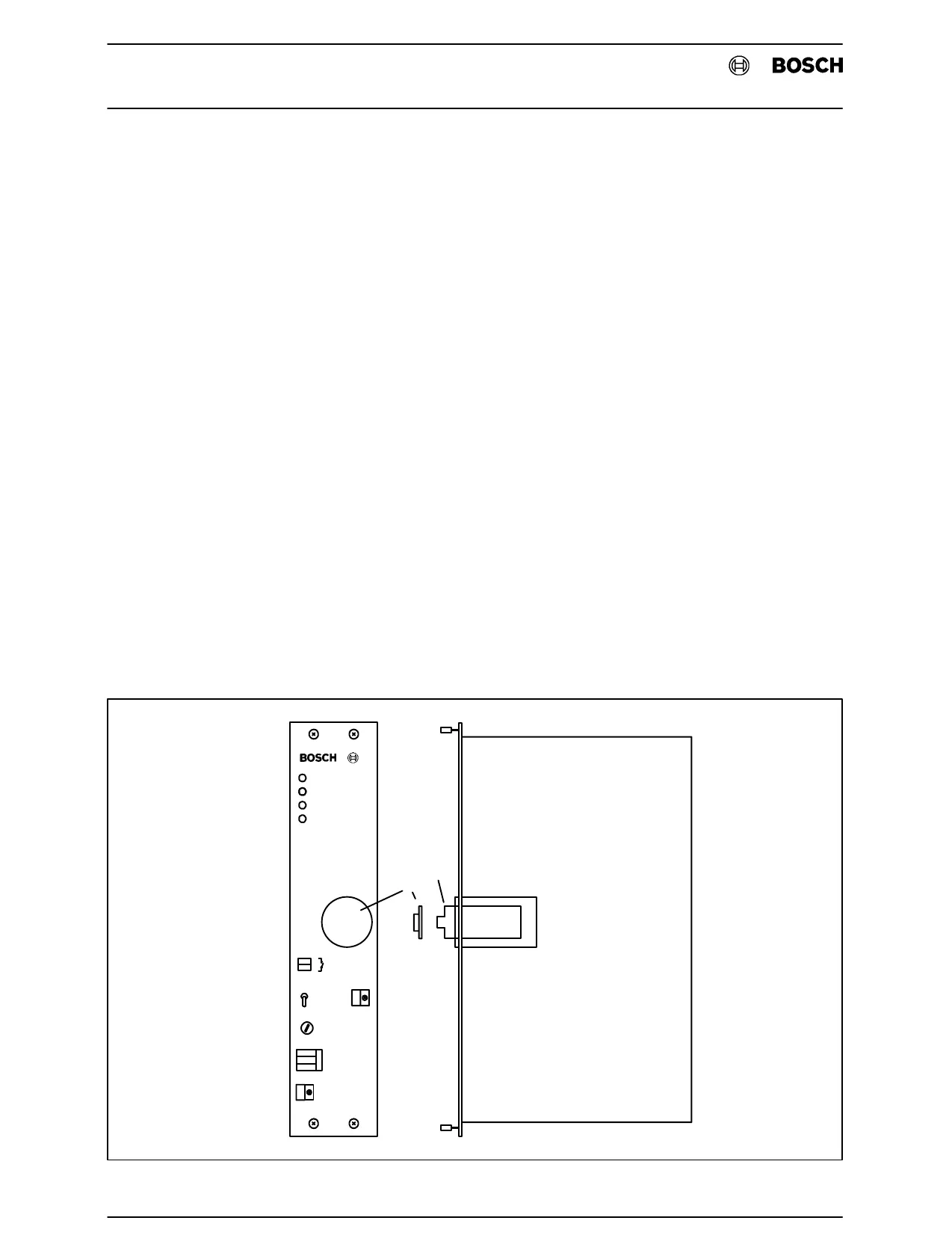
Installation in the NT301 L Unscrew buffer battery cap (1), see Fig.4−4.
L Insert buffer battery (2). (Observe the polarity!)
L Screw on buffer battery cap (1).
Replacement in the NT301 L Unscrew buffer battery cap (1), see Fig.4−4.
L Press in buffer battery (2) with your thumb and quickly release so
that the battery snaps out.
L Insert new buffer battery. (Observe the polarity!)
L Screw on buffer battery cap (1).
NT301
I
O
1
2
Fig.4−4Buffer Battery NT301


 To Next Page