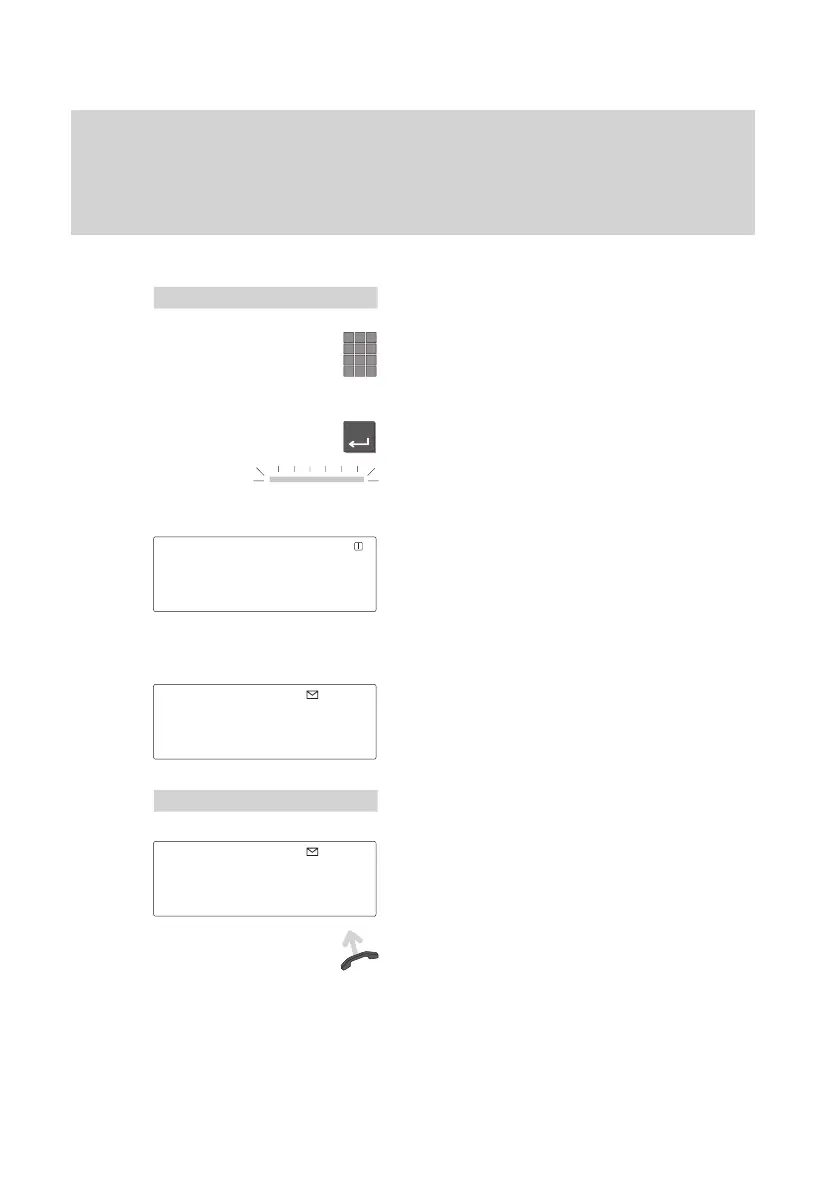
Enter
Receiving calls
30
Requesting info message
If
voicemail is set up in your system, callers can leave info messages for you just
like on an answering machine. Y
ou can request these info messages by calling.
Call forwarding all calls to the voicemail
Select the menu item “Call forwarding”.
Enter the internal call number which has
been set up in your telephone system for
the voicemail, e.g. 4041).
Press the “Enter” key to activate call for-
warding onto the speech memory
.
T
o confirm this, the LED display illumina
-
tes.
There is now a “+” in front of call forwar
-
ding in the display
, and call forwarding is
also displayed in the status display
.
All calls will now be diverted to voicemail.
Listening to info messages
In the standby display you will see the
symbol for “Info messages”. There is a
message for you in the voicemail.
Select the menu item “Info messages”.
The info messages will be displayed.
Lift the handset to listen to the info messa
-
ges.
Menu
'
Call forwarding
+CFORW
4041↓
11.11.94 11:11
Menu
'
Info messages
'
TELFA GR.4
3045...



 To Next Page