Menu
'
Further functions
µ
'
Further settings
µ
–
–
–
Setting up the telephone for your own needs
64
Specifying audio, contrast and do not disturb
You
can set various ringing tones and adjust the display contrast.
Y
ou can also activate and deactivate individual tones.
Y
ou can change the basic setting for handsfree talking.
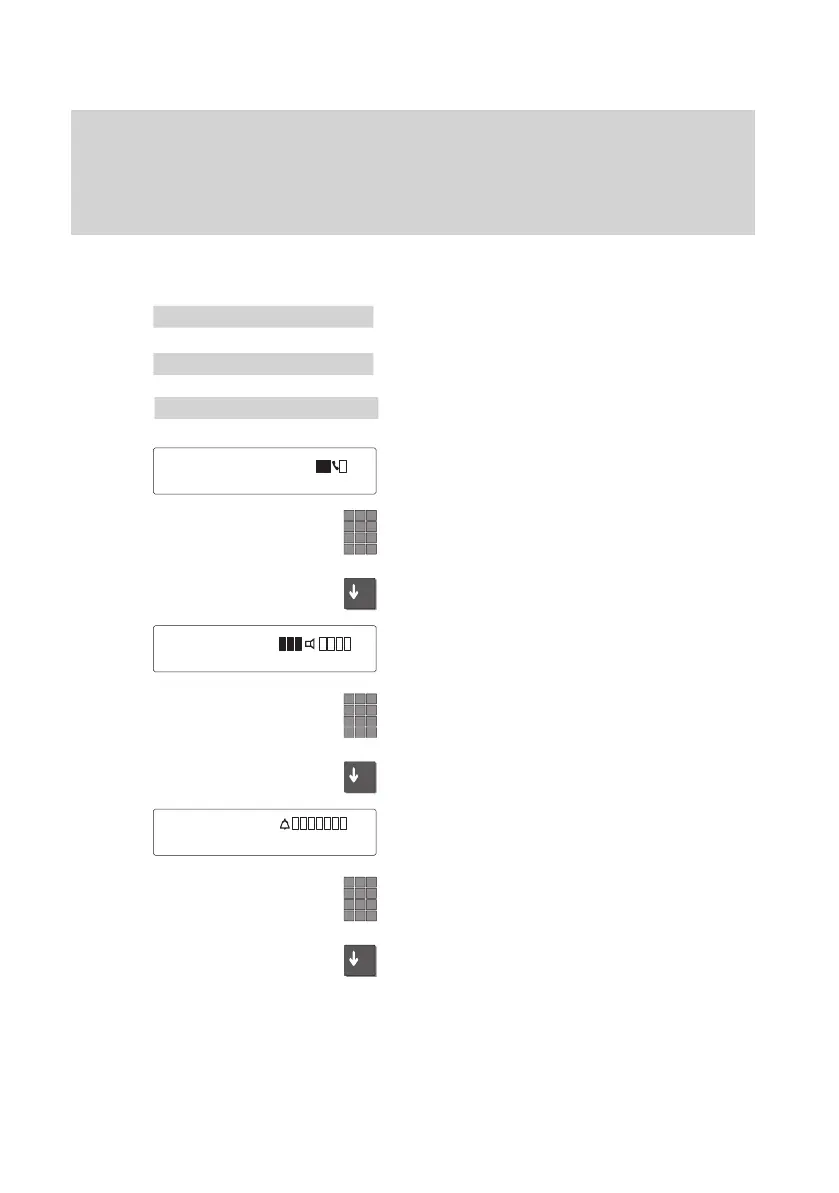
Specifying audio/contrast
Select the menu item “Further functions” in
the main menu.
Select the menu item “Further settings”
Select the “Audio / Contrast” menu item.
The current settings are displayed.
Y
ou can change them now
.
Adjust the volume of the receiver by ente
-
ring a number from 1 to 4.
Scroll
to the desired setting to
change the vo
-
lume.
The
current setting is displayed.
Y
ou can adjust the volume of the loudspea
-
ker.
Enter a digit from 1 to 8 to adjust the vo
-
lume of the loudspeaker
.
Scroll further to adjust ringing volume.
The current setting is displayed. Y
ou can
now adjust the volume of the ringing.
Adjust the volume of the ringing by entering
a number from 1 to 8.
Scroll further to adjust the volume of the
alerting tone.
Audio
/ Contrast
µ
Receiver 1...4
±
Loudsp. 1..8
µ
Ringing 1..8
µ



 To Next Page