R
R
Interchange
During a call
39
Several calls simultaneously
You
can maintain several calls simultaneously and toggle between these calls as
you wish.
Y
ou can have up to four calls at a time.
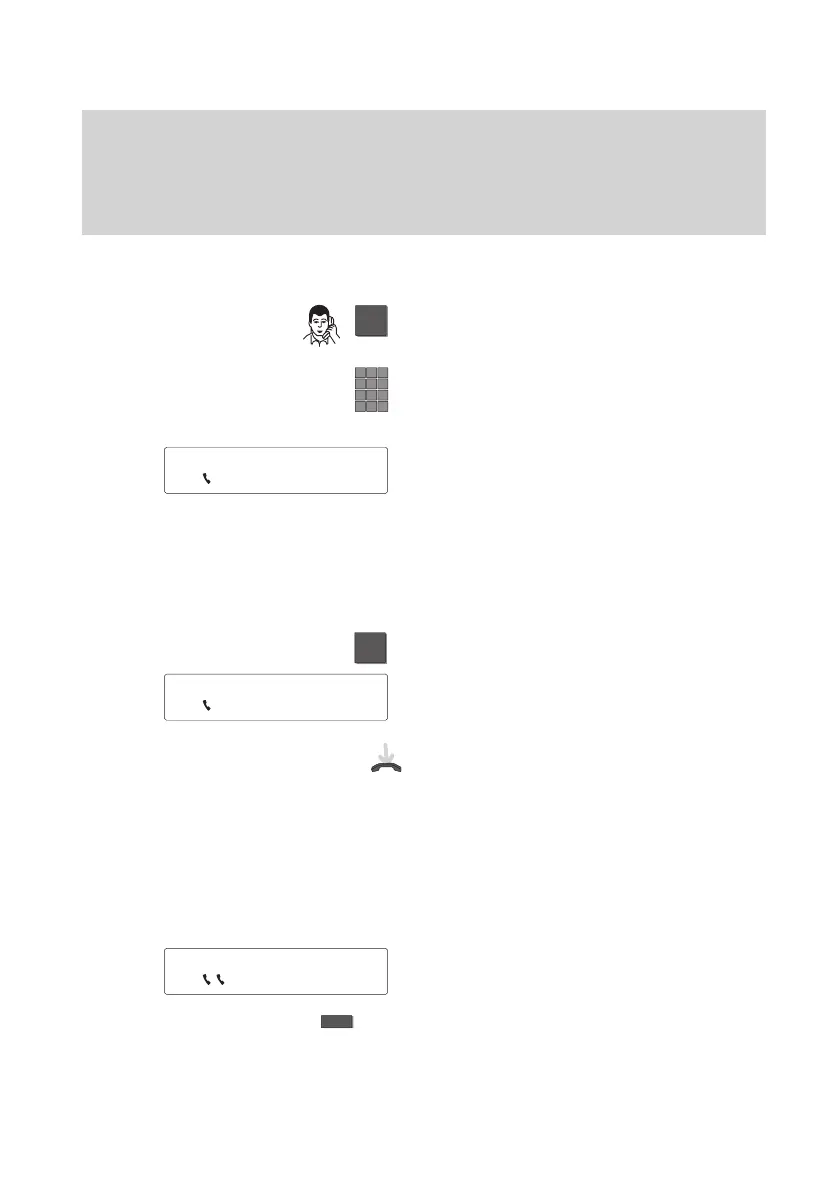
Initiating a refer-back
Y
ou are telephoning. Use the “Refer-back”
key to initiate the refer/back.
(Return: “Disconnect” key).
Enter the number or speed dial destination
with which you wish to set up a consul-
tation call.
Y
ou can now talk to the consulted party
.
The first party is on hold.
Note:
Y
ou can set up your phone so that you
only need to press the partner key for
consultation calls with partners.
T
oggling between the first party and the consulted party
Press the “Refer-back” key.
You ca
n n
ow talk t
o b
ot
h p
arties alterna-
tely.
T
ransfer call:
Replace the handset. The two parties are
connected to each other
.
Note:
Y
ou cannot connect an additional caller to
your first partner
.
Y
ou cannot set up additional refer-back
calls for an ongoing refer-back.
T
oggling between the first party and an additional caller
Y
ou have accepted an additional caller
during a conversation.
T
oggle between the two calls using the
“Interchange” function key
.
5595 ↓
5594 ↓
5595 ±



 To Next Page