–
–
–
Enter
*
Setting up the telephone for your own needs
65
Specifying
audio, contrast and do not disturb
"
The
current setting is displayed. Y
ou can
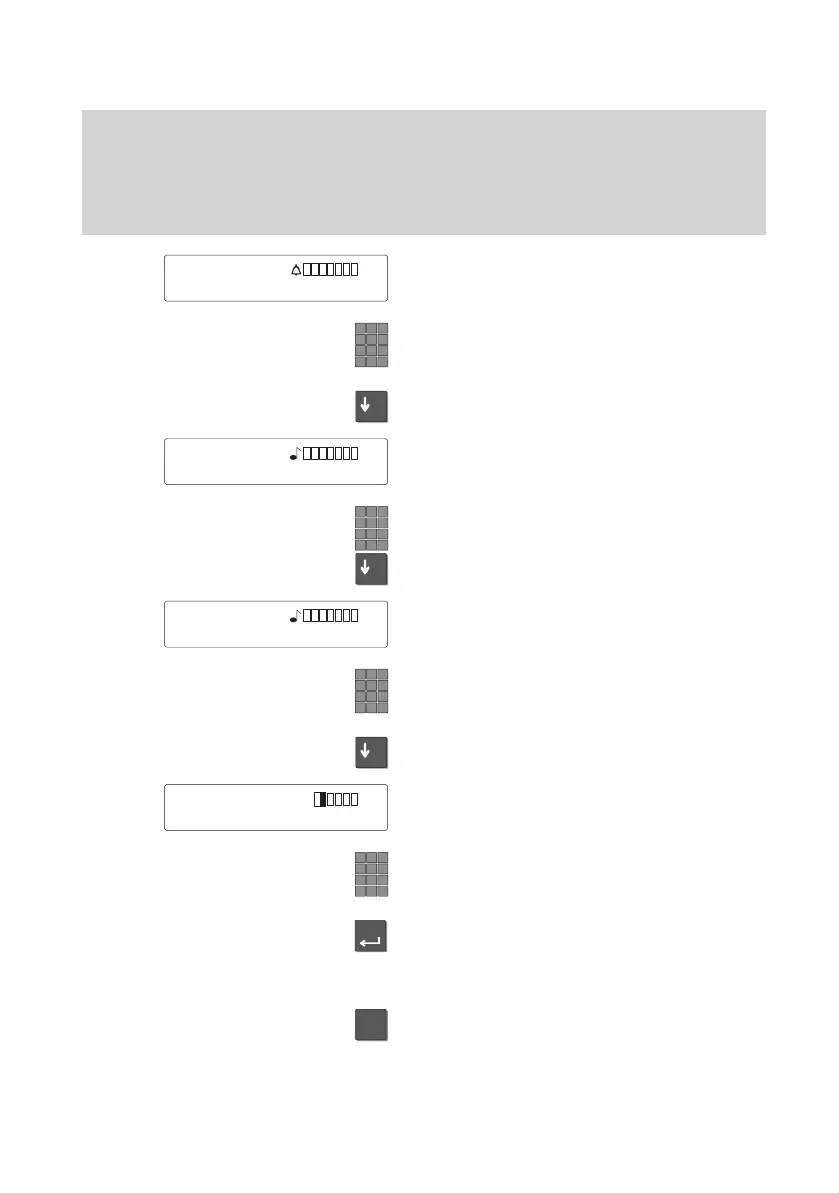
now adjust the volume of the alerting tone.
Adjust the volume of the alerting tone by
entering a number from 1 to 8.
.
Scroll further to adjust the tone of the rin
-
ging.
The current setting is displayed. Y
ou can
now adjust the tone of the ringing.
Adjust the tone of the ringing by entering a
number from 1 to 8.
Scroll further to adjust the tone of the VIP
ringing.
The current setting is displayed. Y
ou can
now adjust the tone of the VIP ringing.
Adjust the tone of the VIP ringing by ente
-
ring a number from 1 to 8.
.
Scroll further to adjust the contrast of the
display.
The current setting is displayed. Y
ou can
now adjust the contrast of the display
.
Adjust the contrast of the display by ente
-
ring a number from 1 to 5.
Press the “Enter” key to store.
The new settings are then saved.
Note:
T
o reset a value to the normal setting:
Press the “Star” key
. The current value is
then reset to the pre–set value.
Alerting
1..8
Tone rng 1..8
Tone VIP 1..8
Contrast 1..5
↑



 To Next Page