MIC IP ultra 7100i │ MIC IP starlight 7100i Introduction | en 13
Bosch Security Systems Installation Manual 2019-12 | 1.2 |
2 Introduction
– This equipment should be unpacked and handled with care. Check the exterior of the
packaging for visible damage. If an item appears to have been damaged in shipment,
notify the shipper immediately.
– Verify that all the parts listed in the Parts List below are included. If any items are
missing, notify your Bosch Security Systems Sales or Customer Service Representative.
– Do not use this product if any component appears to be damaged. Please contact Bosch
Security Systems in the event of damaged goods.
– The original packing carton (if undamaged) is the safest container in which to transport
the unit and must be used if returning the unit for service. Save it for possible future use.
Caution!
Take extra care lifting or moving MIC cameras because of their weight.
The MIC packaging is designed:
– to allow installers to configure the camera inside the shipping box.
– to provide a temporary table-top or desk-top stand.
2.1 Configuration with Project Assistant app
You can also use the Project Assistant app to complete the initial configuration of the camera.
In order to use this device with the Project Assistant app by Bosch, you must download the
app from the Bosch Download Store, from Google Play, or from the Apple Store.
You can access the app in several ways:
– Scan the QR code from the QIG.
– From www.boschsecurity.com, select Support > Apps and Tools > Online Apps - Video >
Bosch Project Assistant app. Select the appropriate operating system, and then click the
appropriate button to download and install the app.
– From Google Play Store (play.google.com), search for Bosch Project Assistant. Select the
app from the list. Click the Install button.
– From Apple Store (itunes.apple.com), search for Bosch Project Assistant. Select the app
from the list. Click the appropriate button to download and install the app.
2.2 Parts List - Camera
Quantity Component
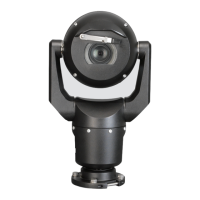
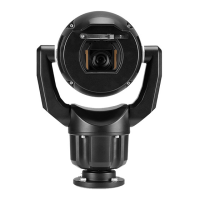
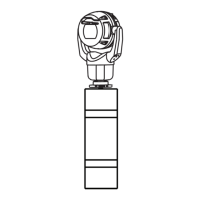
1 MIC IP ultra 7100i camera
1 spanner tool [to remove and to attach the yoke caps in order to cant the
camera if desired, and to remove the access plug from the camera head
when installing the optional illuminator accessory (sold separately)]
1 base gasket
1 RJ45 coupler
1 MAC address labels
1 Quick Installation Guide
1 Safety instructions









 To Next Page