30 en | Installing a MIC Camera on a Hinged DCA MIC IP ultra 7100i │ MIC IP starlight 7100i
2019-12 | 1.2 | Installation Manual Bosch Security Systems
Notice!
Risk of damage to the camera!
Ease the camera into position; do not allow it to fall unassisted into rotated position or allow
head to slam into any surface or object!
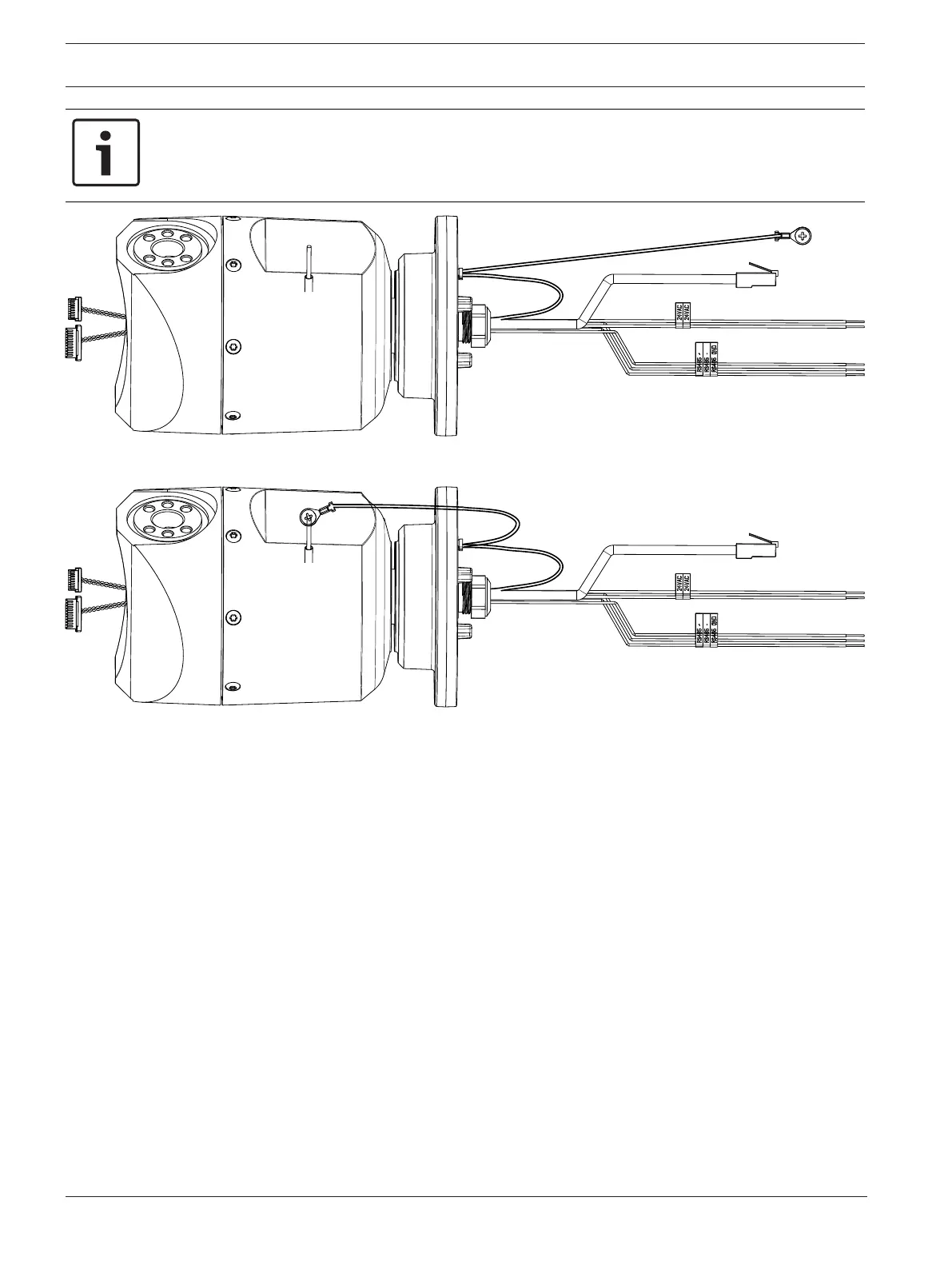
10. Make the appropriate electrical connections. Refer to the chapter Connections for more
information.
11. Connect the lead from the camera pigtail to the ground post on the pan base. The
connection for the customer should be to the lead from the post.









 To Next Page