EasyManua.ls Logo

Bosch NWD-495V03-20P - User Manual

Bosch NWD-495V03-20P
110 pages
Print Icon
To Next Page IconTo Next Page
Loading...
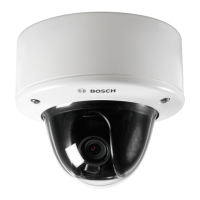
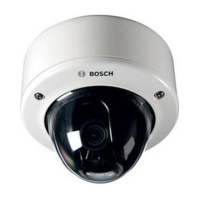
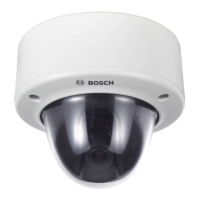
FlexiDome
DN
IP
NWD-495V03-10 | NWD-495V03-20
en Operating Instructions

Table of Contents

Questions and Answers

  • M
    mmendezJul 29, 2025
    Why is my Bosch Security Camera not connecting and transmitting images?
    • C
      Carl HorneJul 29, 2025
      If your Bosch Security Camera isn't connecting or transmitting images, it could be due to several reasons. First, check all configuration parameters. Second, examine all cables, plugs, contacts, and connections for any faults. Also, verify the IP addresses using a terminal program. Furthermore, check the data transmission within the LAN using ping. Finally, the maximum number of connections might have been reached, so wait until a connection is free and try again.
  • R
    Richard CollierAug 2, 2025
    How to fix Bosch NWD-495V03-20P when there is no image transmission to a remote location?
    • C
      cruzstephenAug 2, 2025
      If your Bosch Security Camera isn't transmitting images to a remote location, there are a couple of things you can check. First, connect a local monitor to the camera to check if the camera itself is defective. If the camera is working, check all cables, plugs, contacts, and connections for any faults.
  • M
    Maria SmithAug 6, 2025
    What to do if Bosch NWD-495V03-20P is not operational after firmware upload?
    • A
      Aaron TaylorAug 7, 2025
      If your Bosch Security Camera is not operational after a firmware upload, it could be due to a couple of reasons. A power failure might have occurred during the update. In this case, have the unit checked by Customer Service and replace it if necessary. Alternatively, you may have used an incorrect update file. To resolve this, enter the IP address followed by /main.htm in your web browser and repeat the upload.
  • M
    Michelle JonesAug 11, 2025
    Why is my Bosch NWD-495V03-20P not reporting an alarm?
    • B
      brownmeganAug 11, 2025
      If your Bosch Security Camera isn't reporting an alarm, there are a couple of things to check. First, make sure that possible alarm sources are selected on the Alarm sources configuration page. Second, be sure that the desired alarm response is specified on the Alarm connections configuration page, and change the IP address if necessary.
  • M
    Michael OliverAug 15, 2025
    What to do if no LUNs are displayed after connecting my Bosch NWD-495V03-20P Security Camera to the iSCSI server?
    • J
      Jason SingletonAug 15, 2025
      If no LUNs are displayed after connecting your Bosch Security Camera to the iSCSI server, it could be that the iSCSI server configuration has incorrect LUN mapping. Check the iSCSI server configuration and reconnect.
  • L
    Lance JohnsonAug 19, 2025
    Why does my Bosch Security Camera display 'LUN FAIL' under a node after connecting to the iSCSI server?
    • R
      Robert MorrisAug 20, 2025
      If your Bosch Security Camera displays 'LUN FAIL' under a node after connecting to the iSCSI server, the LUN list could not be accessed because it was assigned to the wrong network interface. Check the iSCSI server configuration and reconnect.
  • T
    Tammy LeeAug 25, 2025
    How to fix LUN mapping when it is not possible on Bosch Security Camera?
    • M
      melissa49Aug 25, 2025
      If LUN mapping is not possible on your Bosch Security Camera, the iSCSI system might not support the use of initiator identification. Delete the identity on the iSCSI-parameter configuration page.

Summary

Important Safety Instructions

Introduction to FlexiDomeDN IP Camera

Overview of Functions

Introduces key features like WDR, Day/Night, PoE, Tri Streaming, and iVMD.

Network Connection and Operation

Password Protection

Setting up user names and passwords for secure camera access.

Configuration via Browser

Encoder and Recording Settings

Adjusting video encoding profiles, recording types, and storage (iSCSI, Partitioning).

Alarm and VCA Settings

Configuring alarm connections, email notifications, and Video Content Analysis.

Troubleshooting and Specifications

Troubleshooting Common Issues

Identifying and resolving common malfunctions with the camera.

Bosch NWD-495V03-20P Specifications

General IconGeneral
BrandBosch
ModelNWD-495V03-20P
CategorySecurity Camera
LanguageEnglish

Related product manuals