© Bosch Healthcare Solutions GmbH10 Instructions for use
Performing a test
3.3 Starting a test
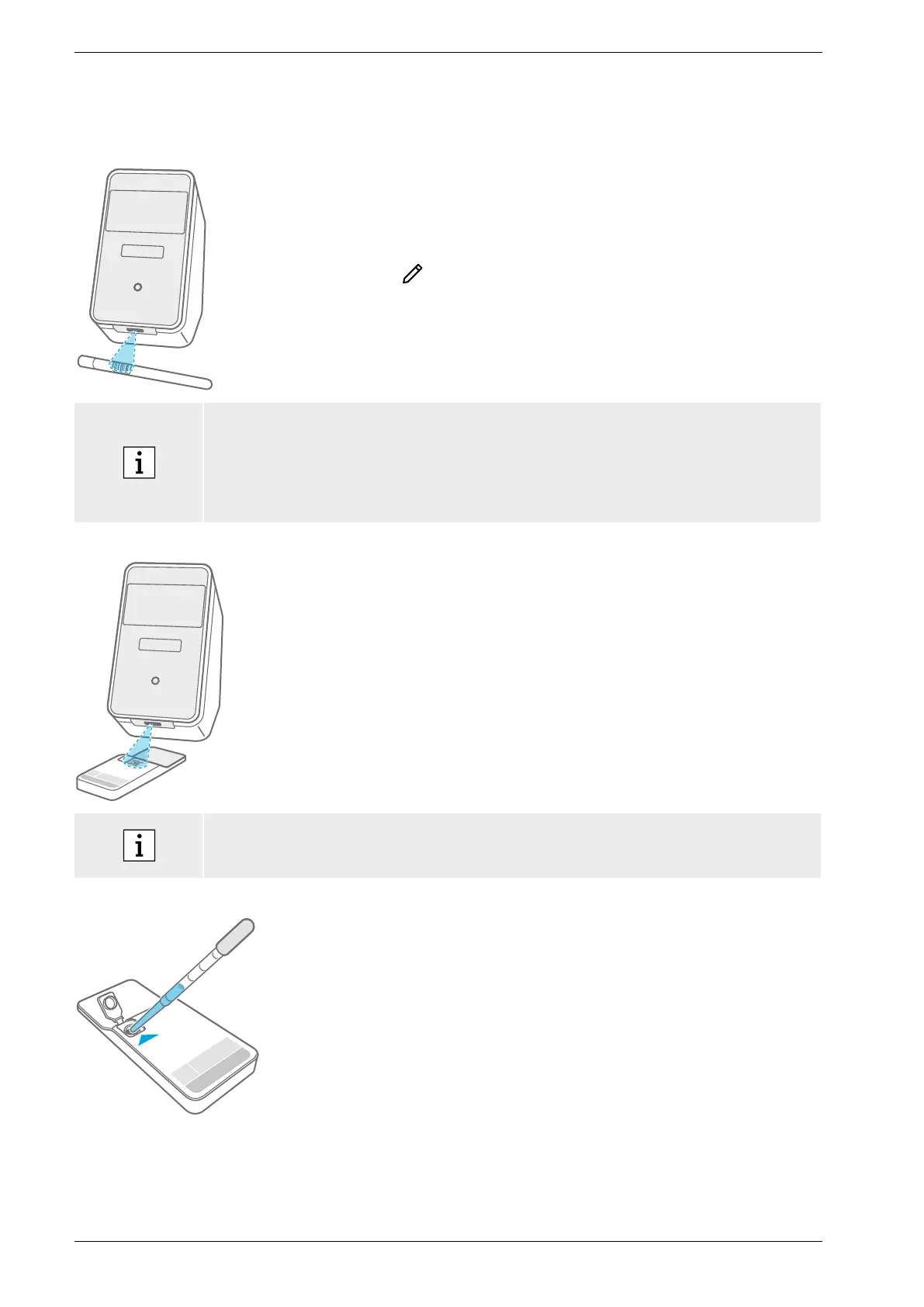
Scanning the sample
Place the barcode of the sample underneath the scanner.
A white light beam with a red dot indicates that scanning
isin progress.
The sample data will be displayed on the screen.
Alternatively press edit to enter the sample data manually.
• Please check scanned ID and displayed ID to ensure they match.
• Check that no other test is running or check the estimated remaining test time
beforeopening the cartridge pouch.
• Sample data will be matched automatically when connected to an HIS/LIS.
• Alternatively enter sample data manually.
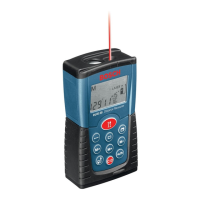
Scanning the cartridge
Place the cartridge code (DMC) underneath the scanner.
A white light beam with a red dot indicates that scanning
isin progress.
The test description and further data will be displayed
onthe screen.
• When scanning the cartridge, the analyser will check the expiry date of the cartridge.
Itwillonly accept cartridges that have not expired.
• If cartridge scanning fails, follow the instructions displayed on the screen.
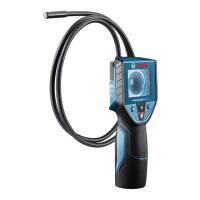
Inserting the sample
Place the cartridge on a flat surface.
Insert the correct sample type as described in the
corresponding application-specific instructions for use.
The necessary volume is indicated on the cartridge label.
After inserting the sample, close the cartridge lid until
itclicks.


 To Next Page