© Bosch Healthcare Solutions GmbH12 Instructions for use
Performing a test
3.5 Test result and test report
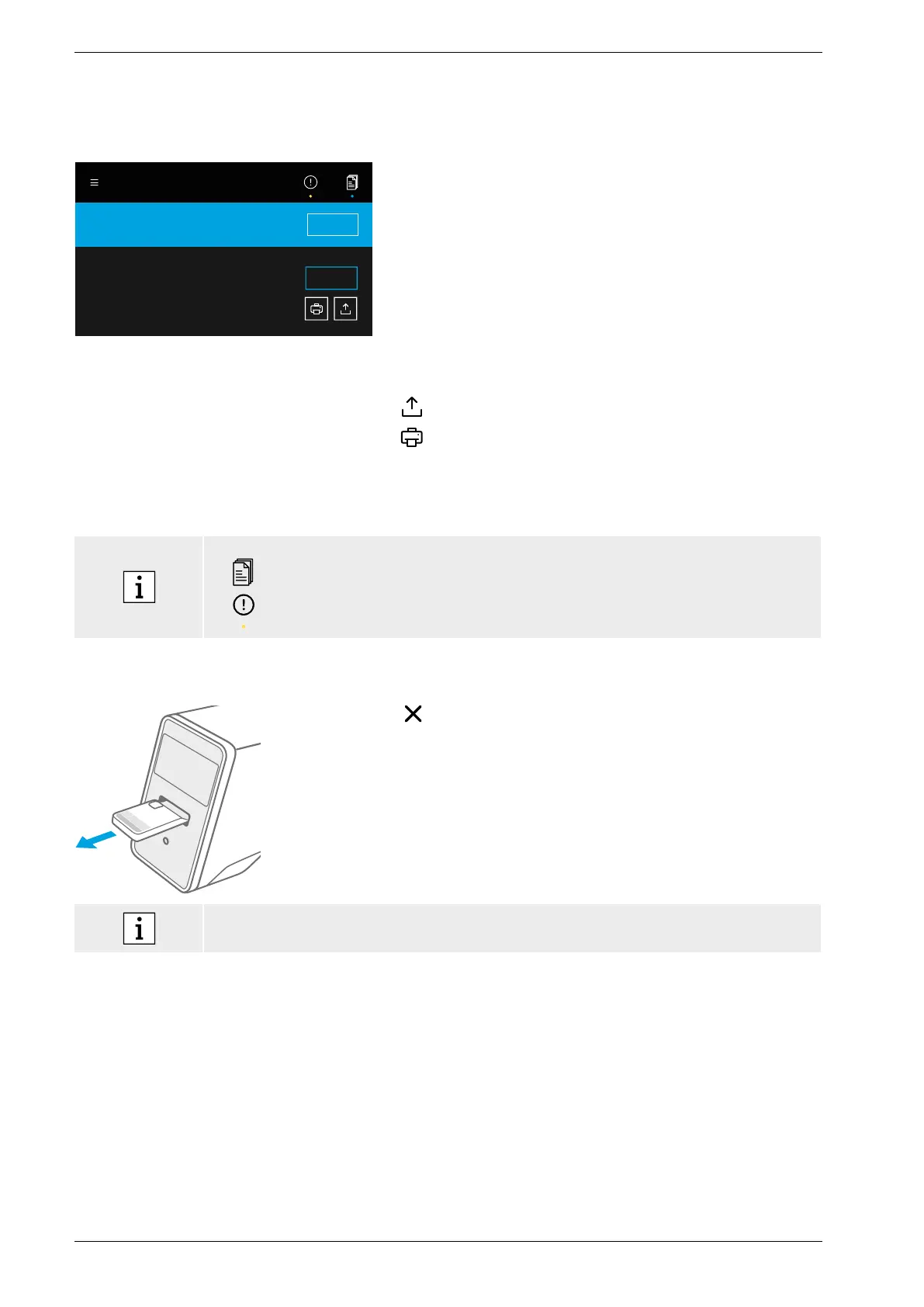
The results are displayed in three levels of detail: overview, data list and illustrations.
Result saved and submitted.
Cartridge is ready to eject.
ID 342 485 58
TEST NAME
FINISH
Test valid
Target 1, Target 2, Target 3, ...
DETAILS
After execution of a test, the result overview screen
appears. It shows if the test is valid or invalid.
Press details to view a data list which shows results
foravailable targets:
• Positive: target(s) detected
• Negative: target(s) not detected
By pressing on the next tab, more information is visible.
When a target is selected, the corresponding signal will
be highlighted. The displayed images and curves are for
illustration purpose only.
For further information about test results please refer
totheapplication-specific instructions for use.
Export a specific test to save the test report in PDF format.
Print a test report of a specific test run.
The test report summarises the sample and test
description, the results and illustrations of the test run, the
user who started the test and information about the analyser
and the cartridge.
• The results should not be used as a sole parameter for a diagnosis or screening.
• You can find running, pending and done test runs by pressing joblist.
For further information, please see chapter 4.
• If a test failed, check the notice and follow the given instructions.
3.6 Finishing a test
Close the details screen after checking the test results.
Press finish to eject the cartridge.
The cartridge is ready to be removed and disposed of.
The home screen appears.
Please be aware that potentially infectious material remains in the cartridge. It has to be
disposed of according to regional and laboratory standards.


 To Next Page